
Each sync starts with a discovery process that uses a lot of memory. When many syncs run at the same time, it can slow down the SWIFT machine or cause it to crash. It can also put extra load on the cluster and affect its performance. To avoid this, SWIFT supports ordering of DR Policy operations, where each operation has a level and runs in sequence based on its level. Additionally, SWIFT supports configuring the maximum number of parallel syncs at both the DR Policy level and the cluster level.
Usecase : When DR-enabled clusters use control planes (e.g., service mesh, operators) with webhooks, sync ordering is required to prevent failures in dependent namespaces. Additionally, since each sync triggers a memory-intensive discovery process, running many parallel syncs can cause high memory usage, slow performance, or OOM errors. Hence, SWIFT supports ordered and limited parallel syncs to ensure stable performance and dependency handling.
Pre-requisite
1. DR Policy must be created, refer How to create a DR Policy
Below are the steps on how to apply DR Policy with leveled order
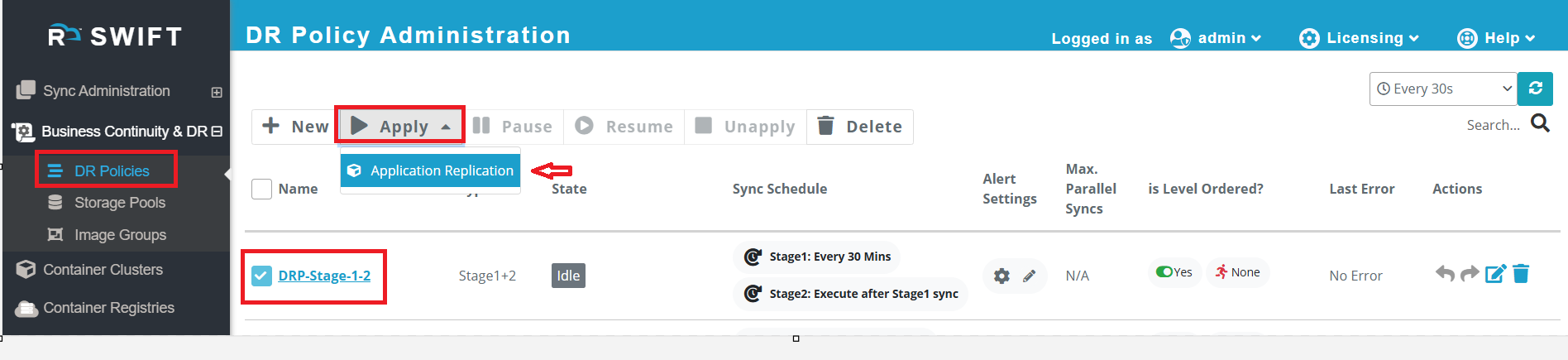
1. Go to Business Continuity & DR > DR Policies, click on the created DR Policy (DRP), then click Apply > Application Replication. You can check the state of DR Policy, it is in IDLE state.
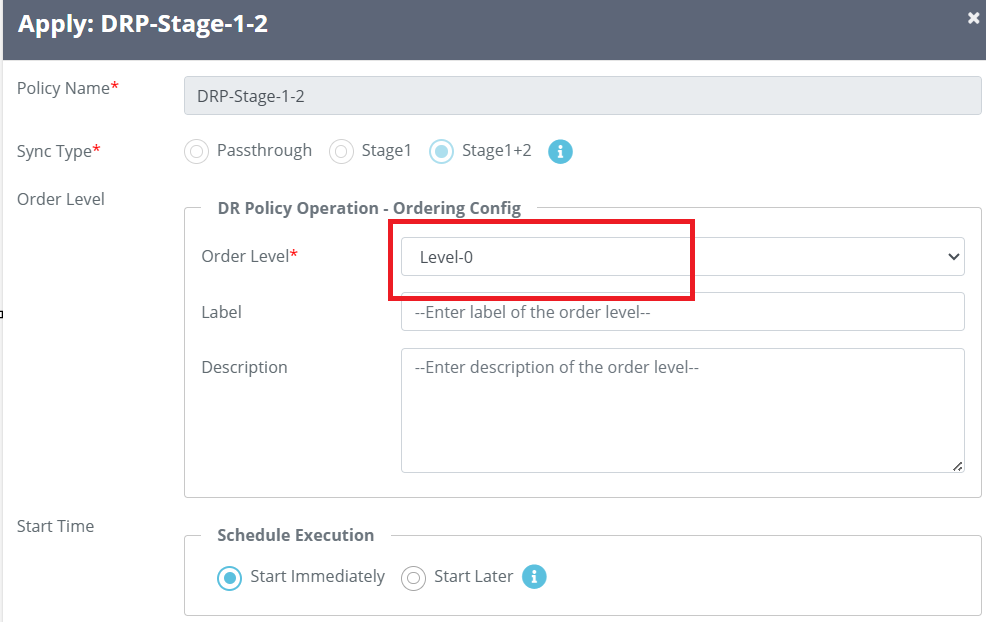
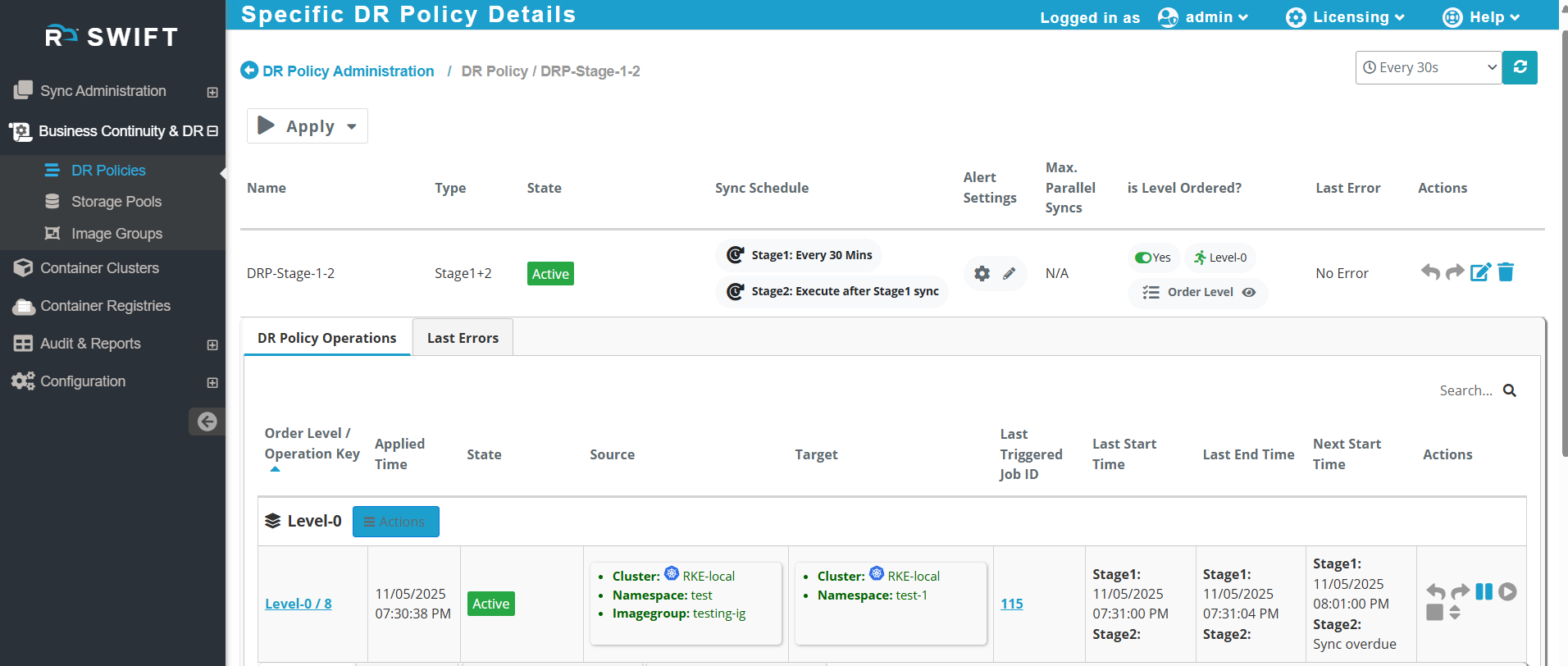
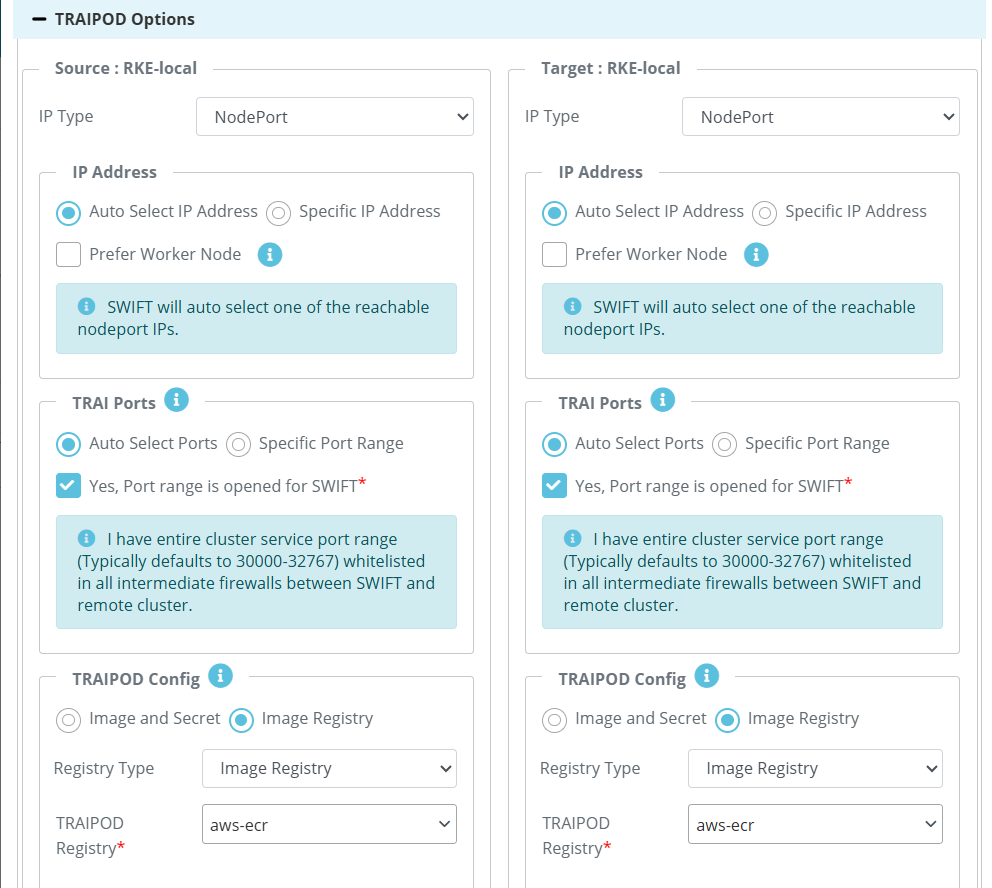
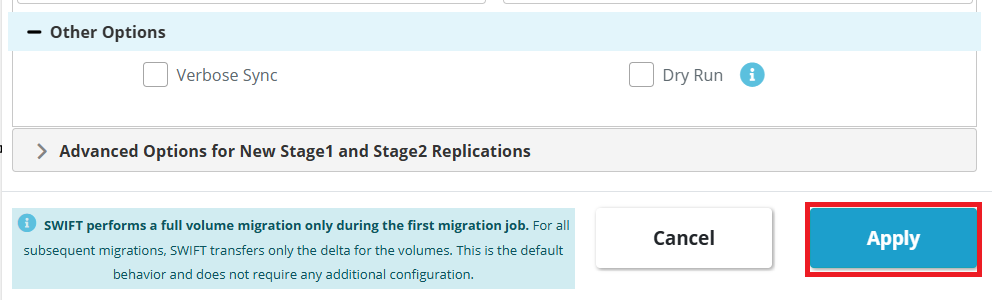
2. Once you click Apply, the Level-0 option will be displayed by default. Select your source and target clusters, choose the namespace for sync, fill in the remaining options as per your environment, and then click Apply to start the sync using the DR Policy.
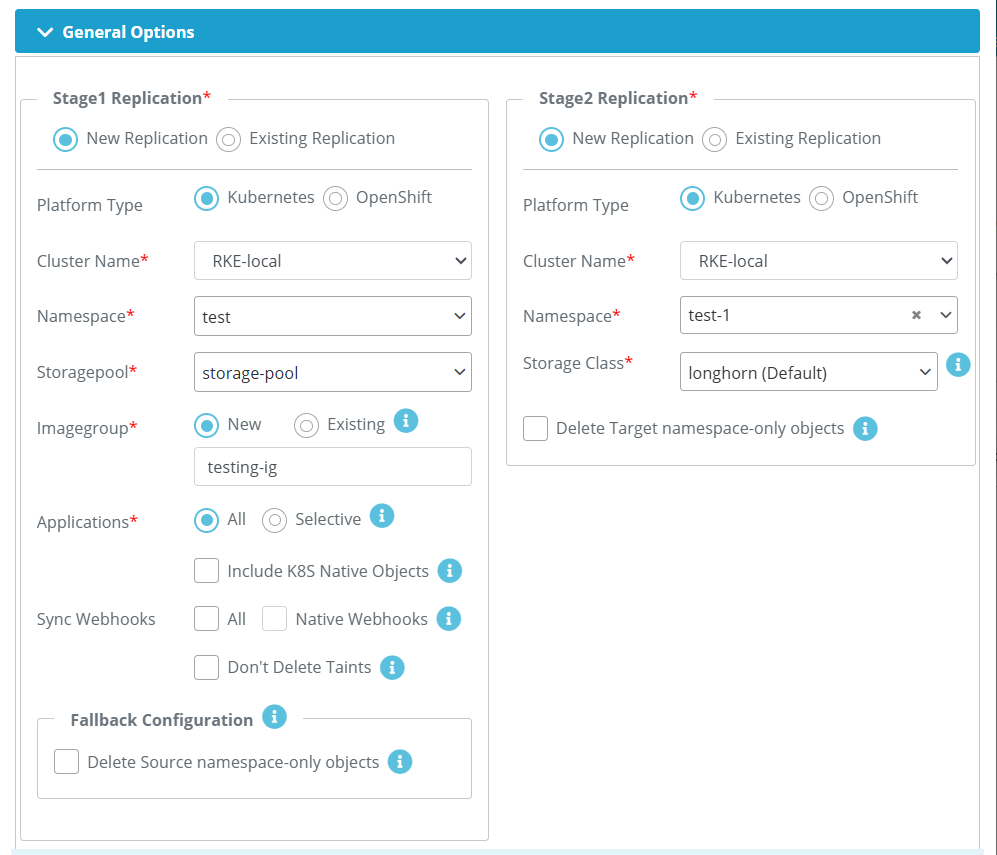
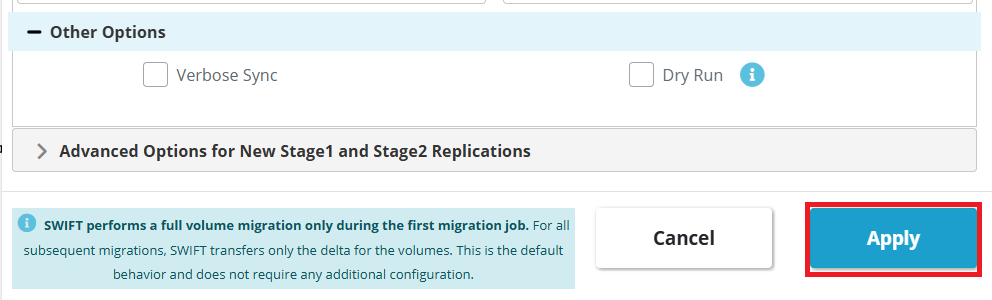
3. Once you click the Apply button, the Stage 1+2 sync will start automatically, as the DR policy was created with a Stage 1+2 sync configuration. Then it DR Policy will be in Active state.
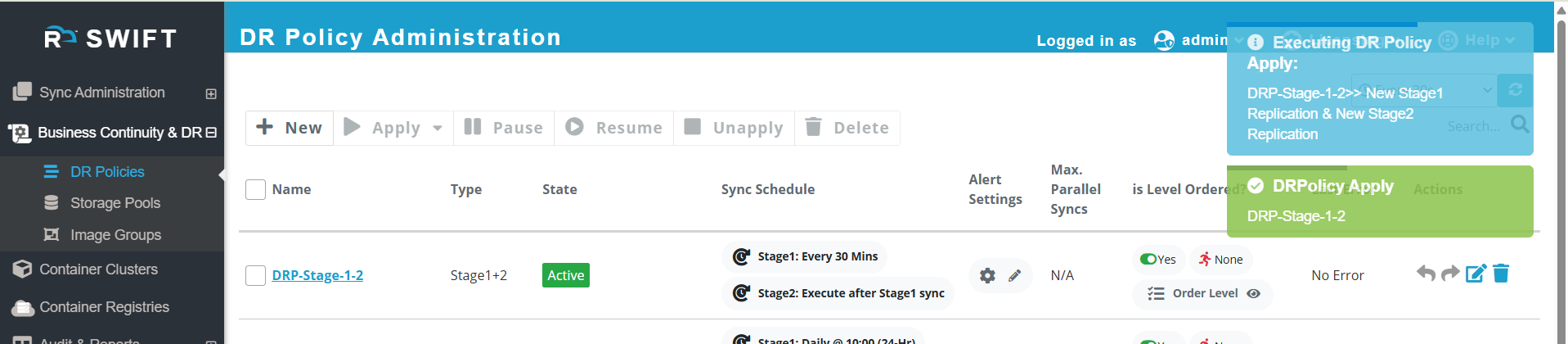
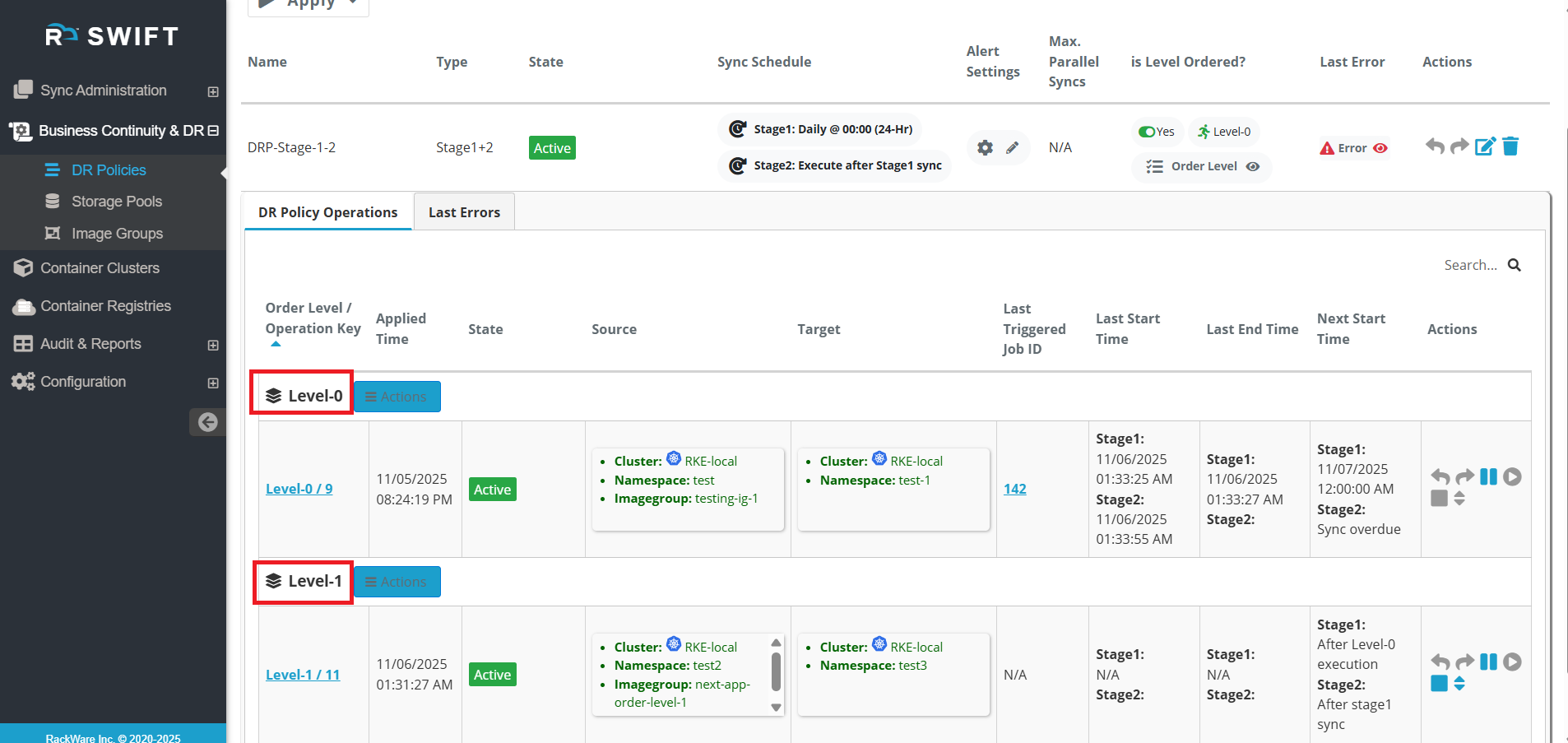
4. When you click on the DR Policy, you will be able to view the sync operation and monitor its progress.
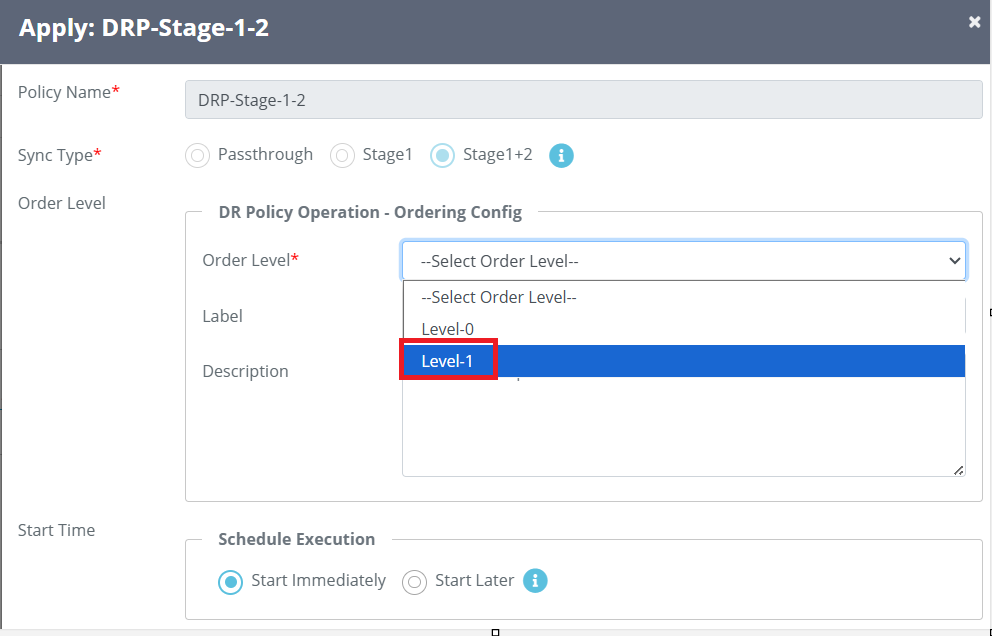
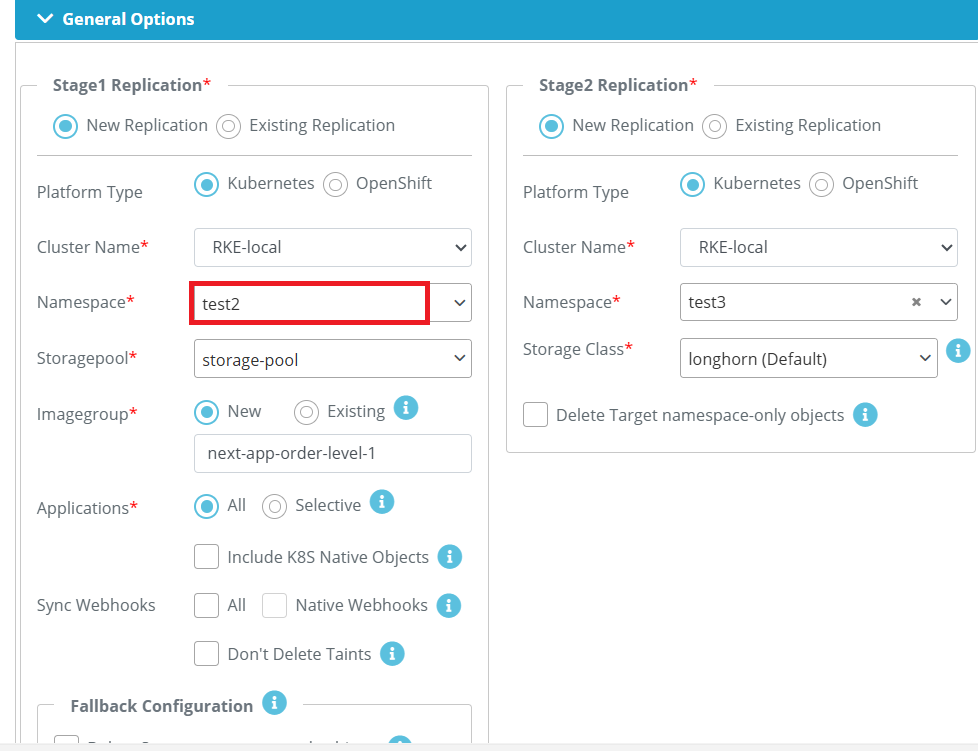
5. Now you can sync another application using a different level. To do this, apply the DR Policy again, select the next order level, and follow the same steps as you did for the previous level. You just need to select the namespace where your other application is running. You can see below screenshot that we have selected order level 1.
6. Once you apply the policy for Level-1, it will appear under DR Policy operations. You can refer to the screenshot below. You will see both Level-0 and Level-1 listed. Also, note that Level-1 will not start until Level-0 is completed. It will execute the operation one by one.
7. If you check the Actions options, you can perform tasks such as pausing, resuming, or unapplying an operation. You can also change the order level from here. Refer to the screenshot below for more details. 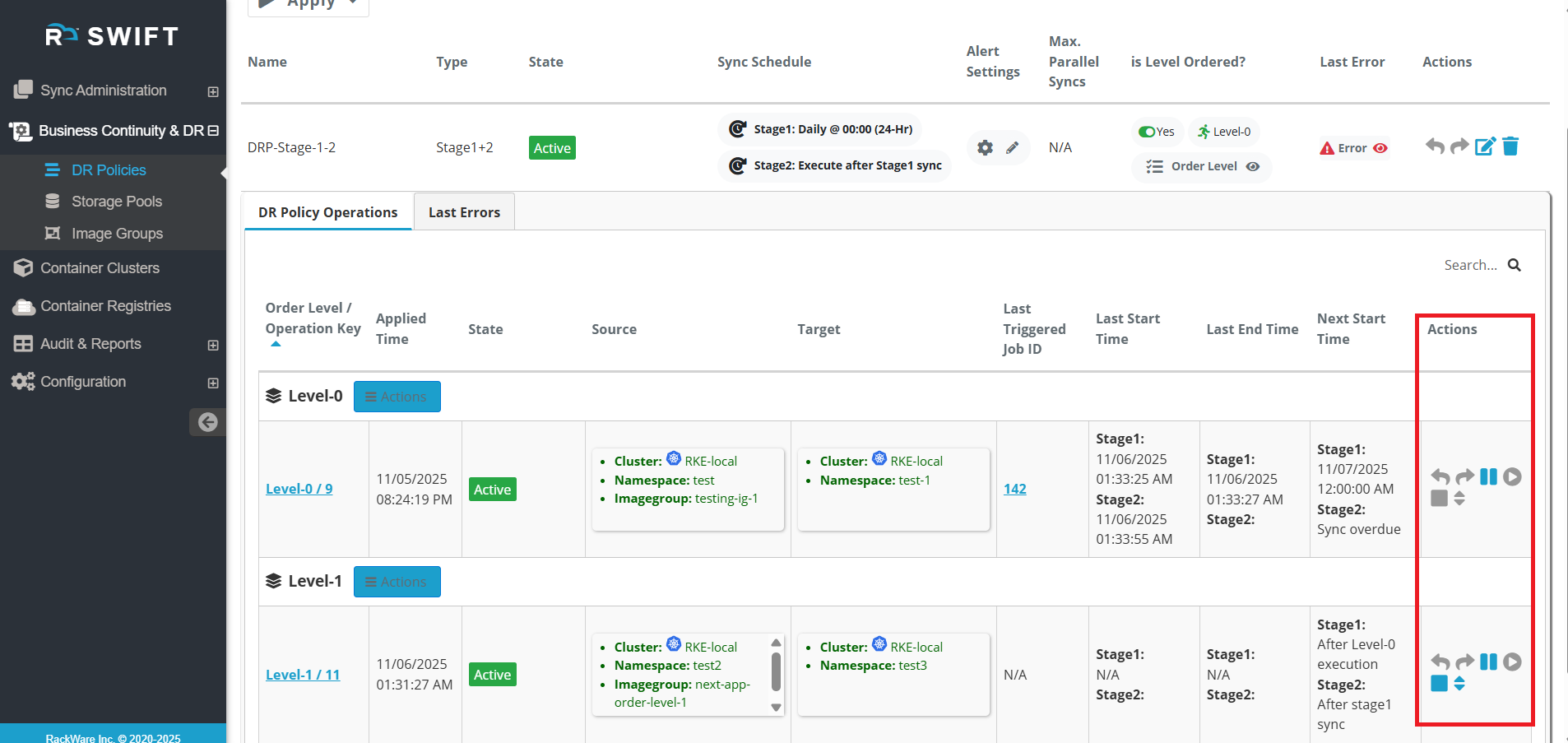
As you can above screenshot, there are multiple parameters.
| Fields | Fields Description |
| Order Level/Operation key | Here it will show order level with operation key. Operation key means unique identifier for an operation, this is a special ID or code that is given to each operation so it can be uniquely identified, tracked, or referenced. |
| Applied time | It will show when you apply the DR Policy operation |
| Status | When you apply the DR policy, it will change the status from IDLE to Active. |
| Source | You will see the source cluster environment that you given while applying the DR Policy. |
| Target | Similarly, on the source side, you will see the target information that you provided while applying the DR policy. |
| Last triggered job id | The unique identifier (ID) of the most recent job that was started (triggered) in the SWIFT. |
| Last start time | This means the most recent date and time when the DR policy operation was started. |
| Last End Time | The most recent date and time when the operation finished. |
| Next Start time | The updated or next scheduled time when the operation will start. |
| Actions | In the Actions tab there are multiple options as you can on above screenshot, Right tilt arrow - You can do Failover the policy Left tilted arrow - You can do Fallback. Two Thick vertical line - It indicate that you can Pause the DRP Operation Right arrow in circle - It indicate that you can Resume the policy if you are paused. Rectangle Shape - You can unapply the DR policy, so that all operation will be vanished from SWIFT. Small up & down arrow - You can change the order level. |
Also note that when one of the levels fails, the others will not be executed, as this is the expected behavior in SWIFT.