
This article shows how to add SoftWare Repository for Container (SWR) /Huawei in SWIFT. For performing Image registry sync, you need to add/discover the registry in SWIFT.
Usecase : Why we want to disocver the IR: u want to migrte any registry to any other cloud, then u have to docver the SWR first in SWIFT.
Pre-requisite:
1. Huawai cloud account with an SWR repository. wht cred, authorization required . permission must be there check guide.
Following are steps to discover the SWR registry.
1. Login to the ‘SWIFT’ dashboard and navigate to the ‘container registries’ menu and click on ‘Add’ button.. sentence must be changed .
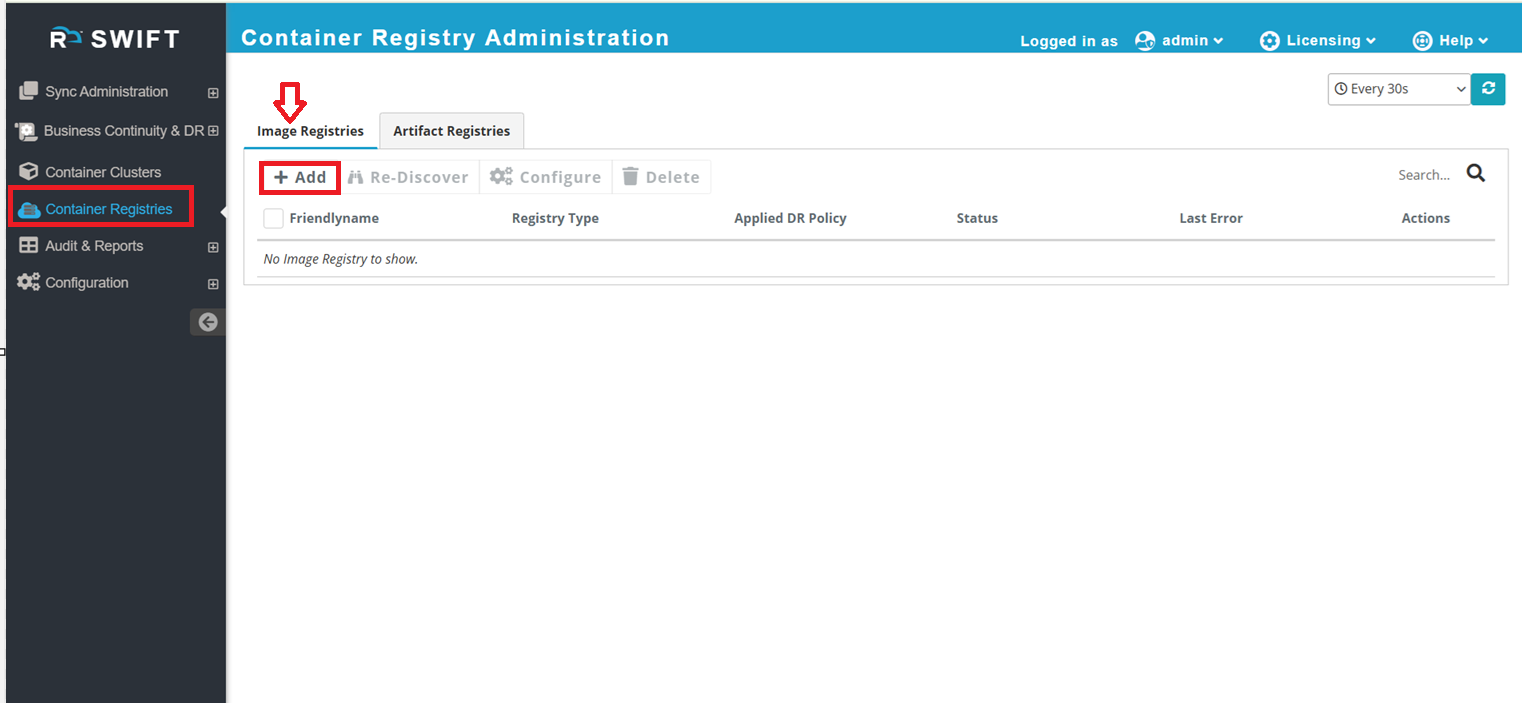
2. Click on the ‘Add’ button, you need to enter the SWR credentials and select Huawei as the registry cloud type. Then, provide the Organization Name, Region, and other required details to add the SWR registry. Please fill in all the mandatory fields. do the changes in sentence.
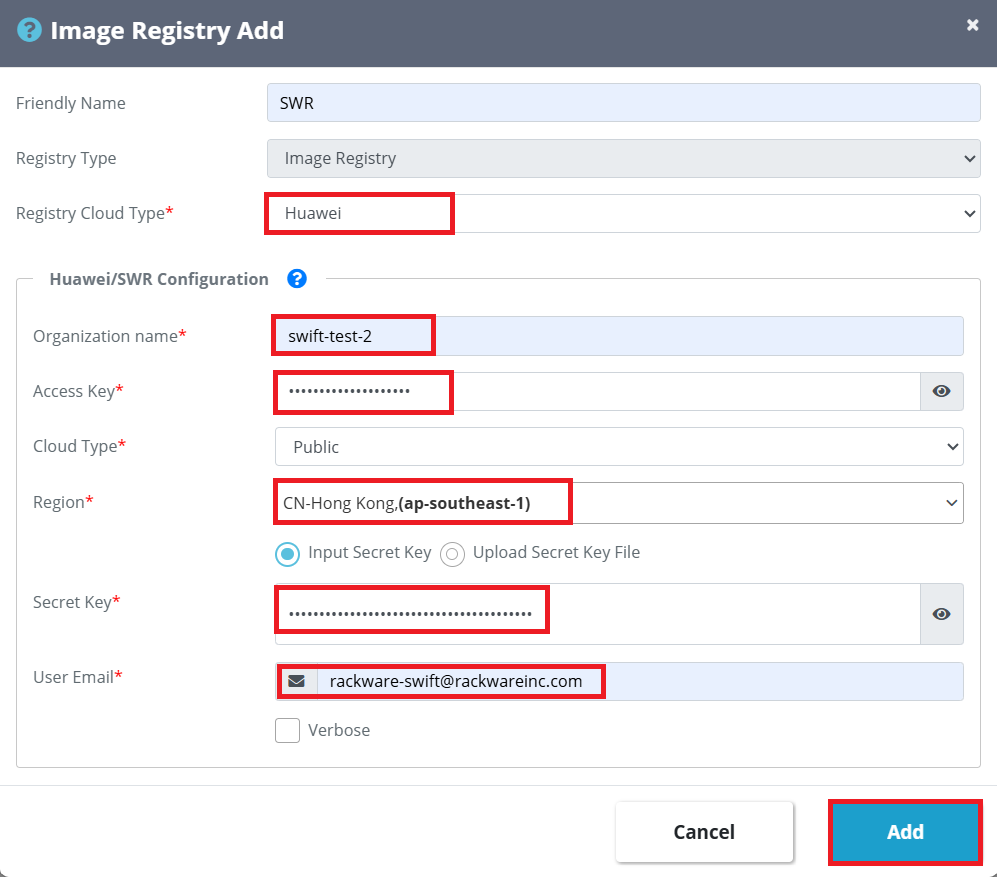
We can explain in table for each parameter.
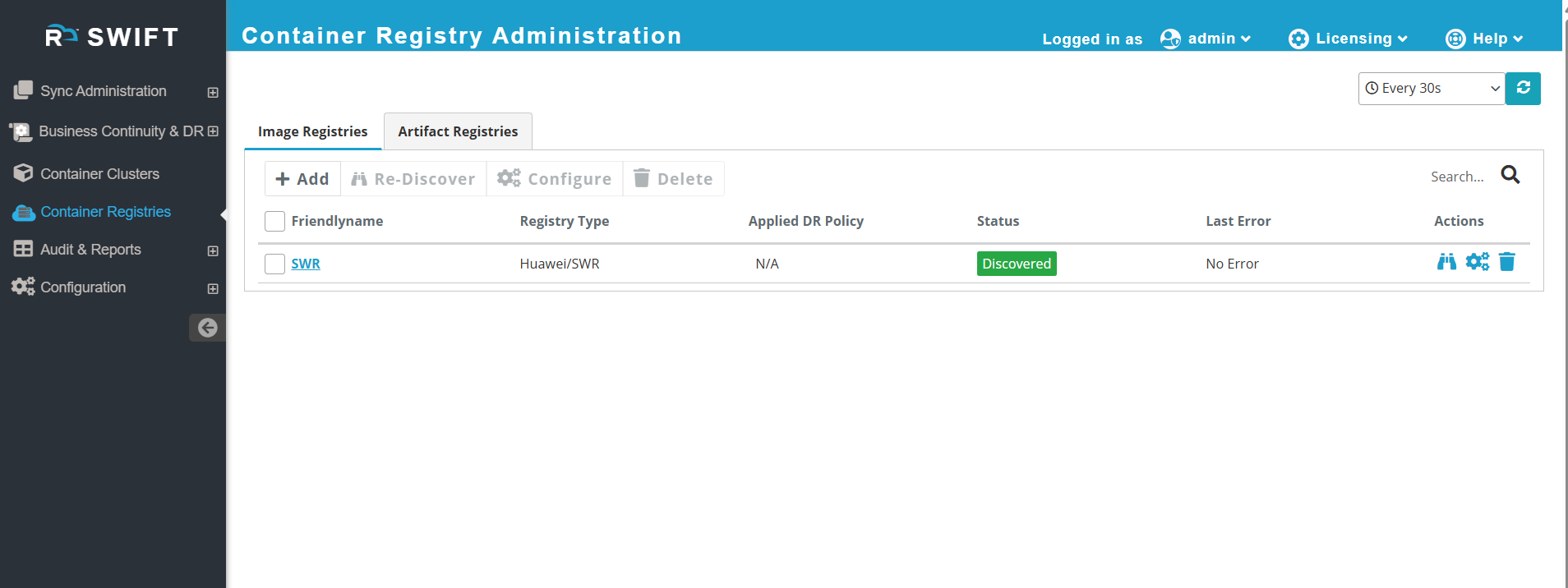
3. Click on 'Add' button, then SWR registry will be added. Now you will be able to see the SWR registry has been added. check sentence.
4. Click on added SWR registry name, to get more insights of the registry. For example summary, image repositories etc.
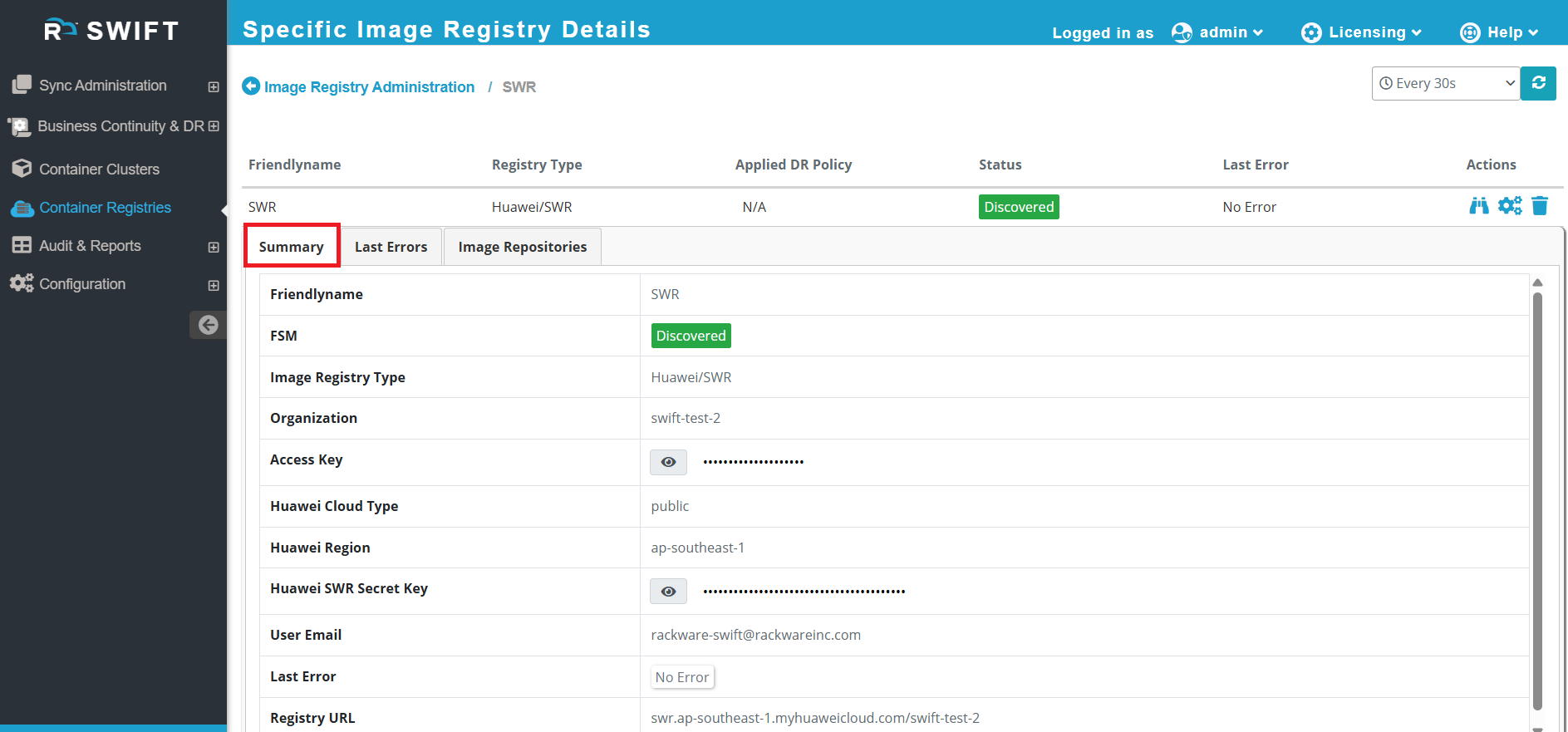
#what is it displying,for image repo sections. metadata collected by SWIFT. 9:36
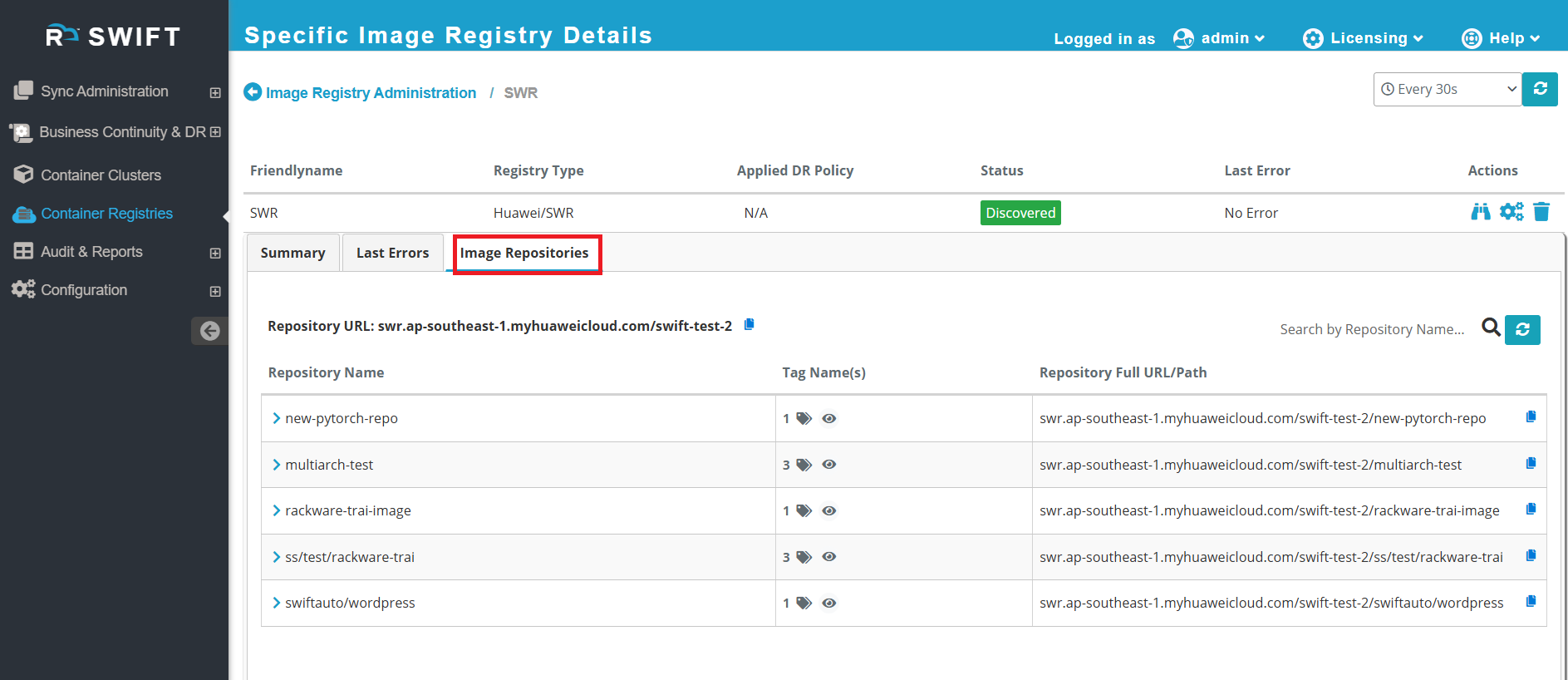
#What next : make sentence correct
#To sync images from one image registry to another, Please refer this KB article
#Related KB article
- Re-Discover : This option allows you to re-discover the image registry. If you have added new images or changed some image tags and want them to be reflected in the SWIFT portal, you can re-discover the image registry. Please refer to the link below for detailed steps on how to re-discover a Image registry.
<link>
- Configure : Use this option if you want to modify the image registry configuration. Please check KB Article on 'Configure the image registry'
<link>
- Delete : Use this option to delete the image registry. It will delete from SWIFT dashboard only not from cloud.
## Now that the image registry has been discovered, you may want to set up a DR Policy for Image registry sync Please refer to the KB article below.
<kb_link>