
This article explains how you can pause, resume, or cancel a sync operation in SWIFT. These options help you control sync jobs safely during maintenance on production, high system load.
Using these controls, you can avoid restarting the entire sync process and maintain system stability.
SWIFT provides the following options to manage an ongoing sync:
- Pause Sync – Temporarily stops the sync while keeping the progress intact.
- Resume Sync – Continues a paused sync from where it stopped.
- Cancel Sync – Stops the sync completely and exits the process.
Pre-requisite:
- Both clusters should be discovered.
- Sync job is in a running or scheduled state.
Common Usecase:
1. Pause Sync: Use Pause Sync when you want to temporarily stop the sync. If you need to perform maintenance. When system is slow or under heavy load. The sync stops safely and saves progress so you can resume it later from the same point.
2. Resume Sync: Use Resume Sync when you want to continue a paused sync. After maintenance, you can resume the sync from where it was paused without starting a new job.
3. Cancel Sync: Use Cancel Sync when you want to stop the sync completely. Use cancel when the sync is no longer needed, as it stops the operation permanently and requires a new sync if needed later.
To Perform these operations, you need to follow below steps.
For Pause the sync
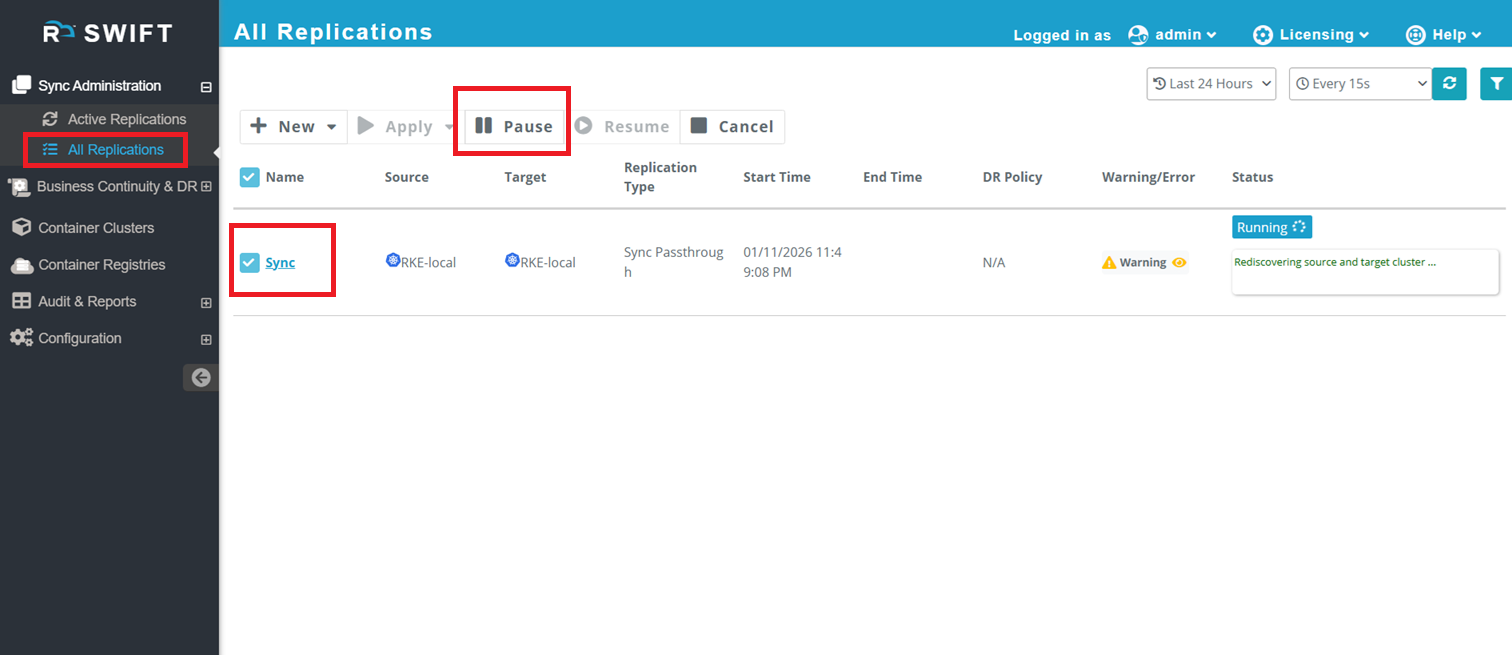
1.If a sync is already in progress and you need to pause it for any reason, log in to the SWIFT dashboard and navigate to Sync Administration > All Replications. Select the ongoing sync you want to pause and click the Pause button. You can follow the same steps for a Stage sync as well.
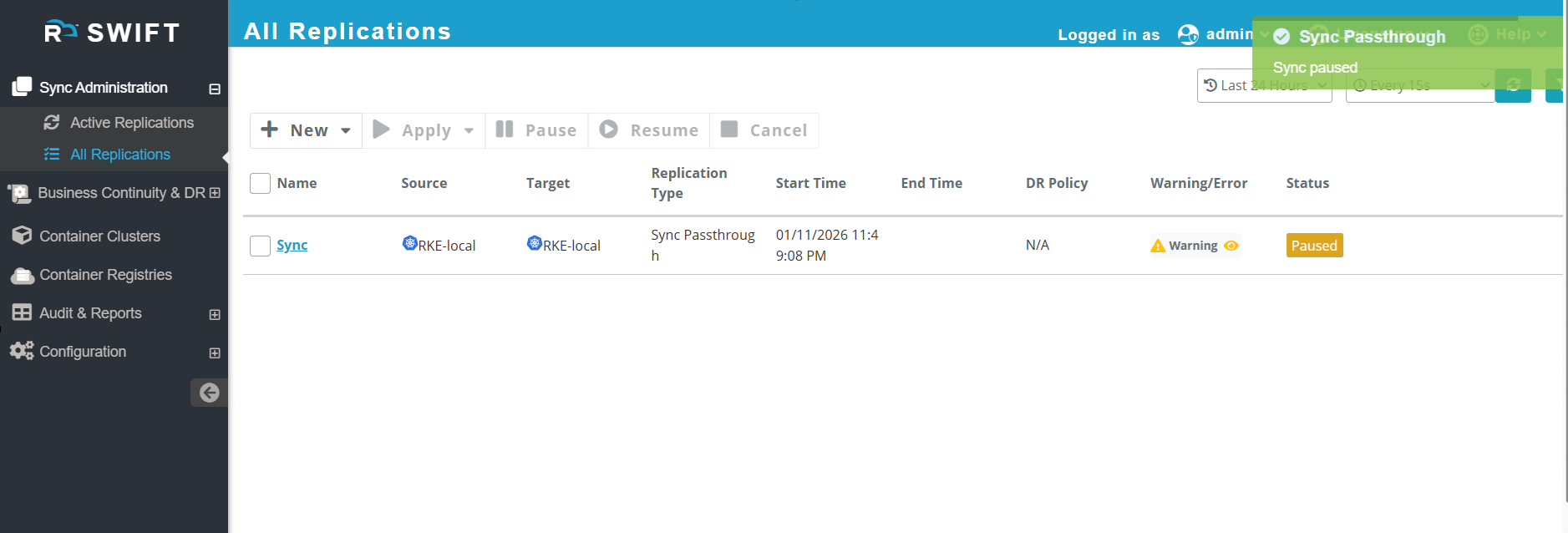
2. Once you pause the sync, it will looks like this.
For Resume the sync
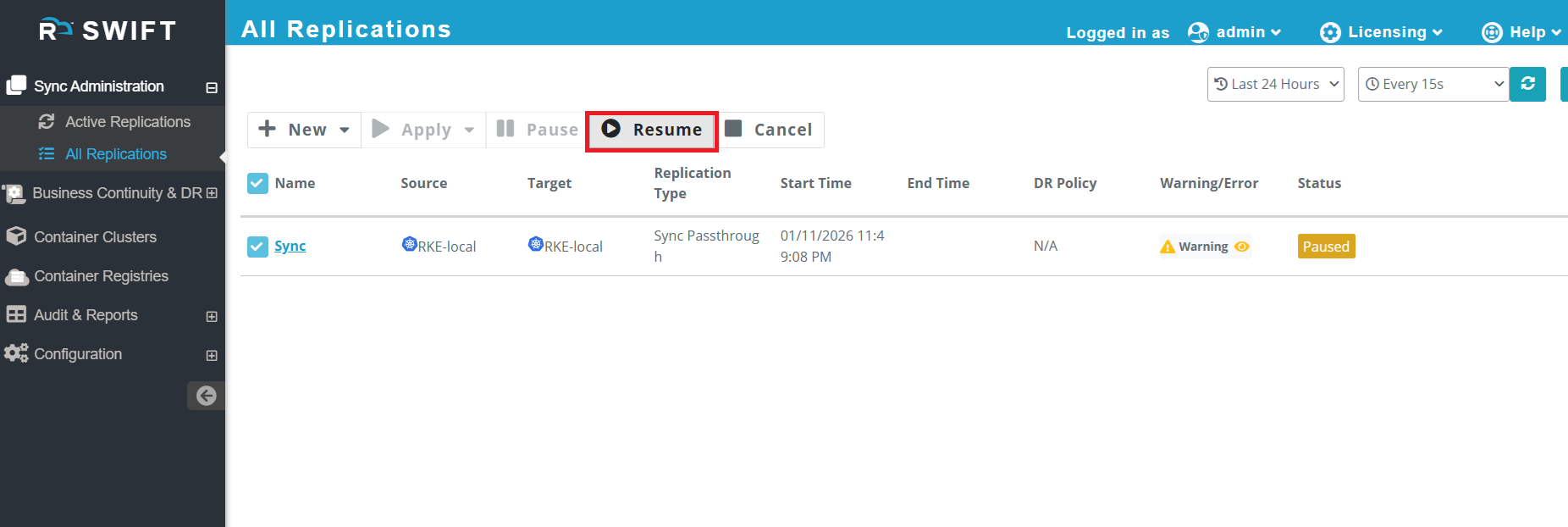
3. Now, if you want to resume the sync, simply select the sync job and click the Resume button. The sync job will automatically resume and continue syncing from where it was paused.
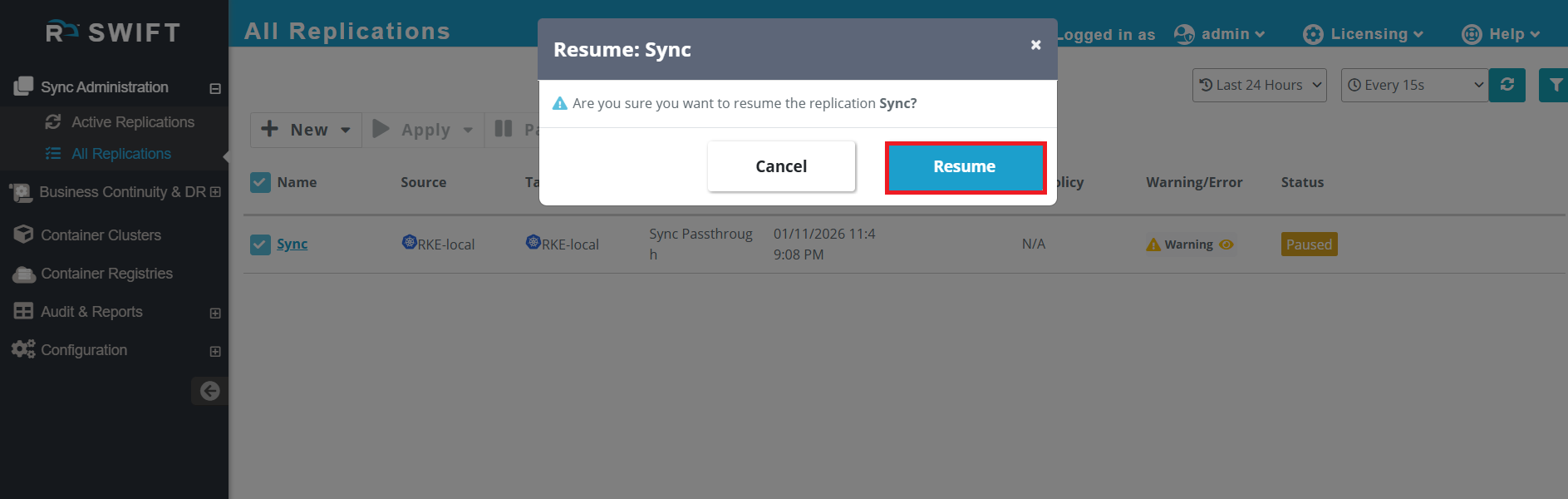
4. Once resumed, the sync will automatically restart from where it was paused.
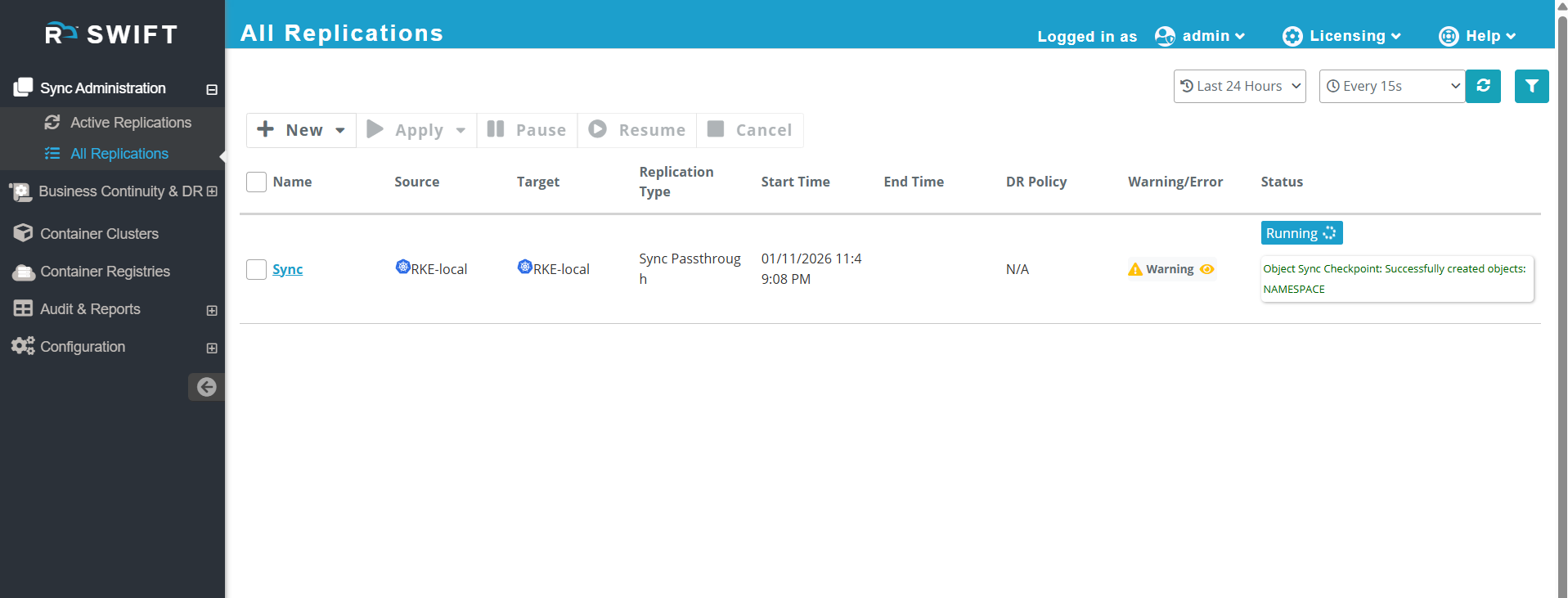
For Cancel the sync
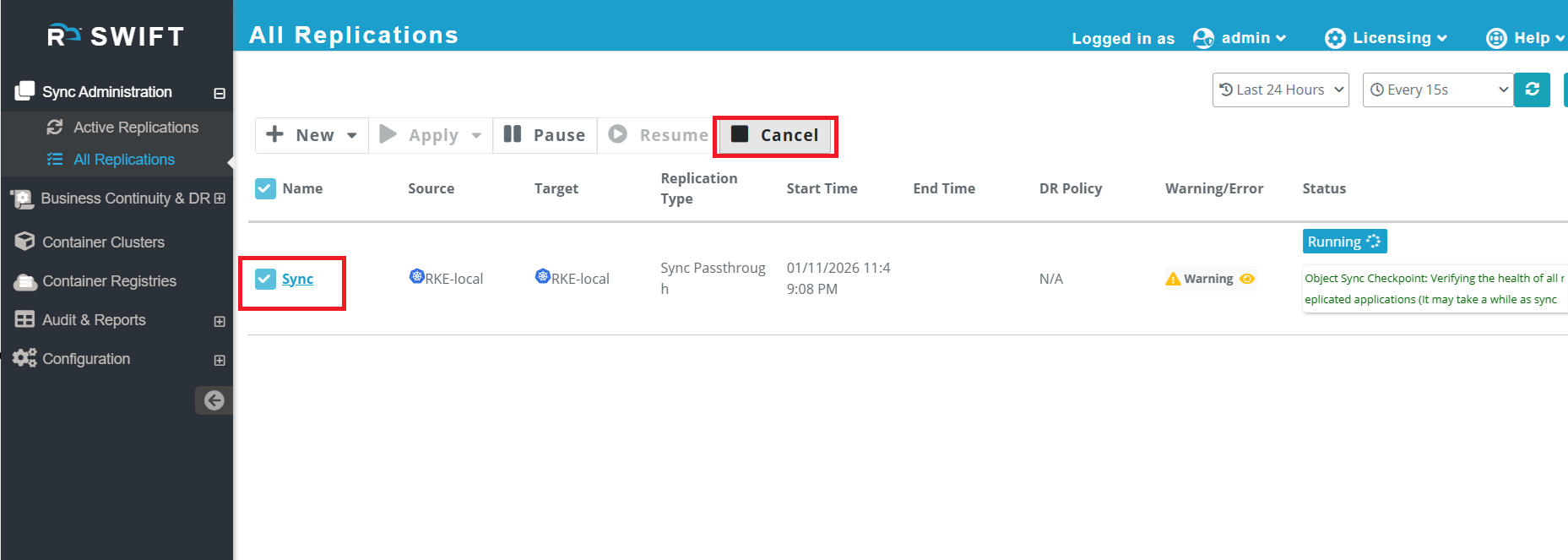
5. If the sync was started by mistake with incorrect parameters and you want to cancel it permanently, select the sync job and click the Cancel button.
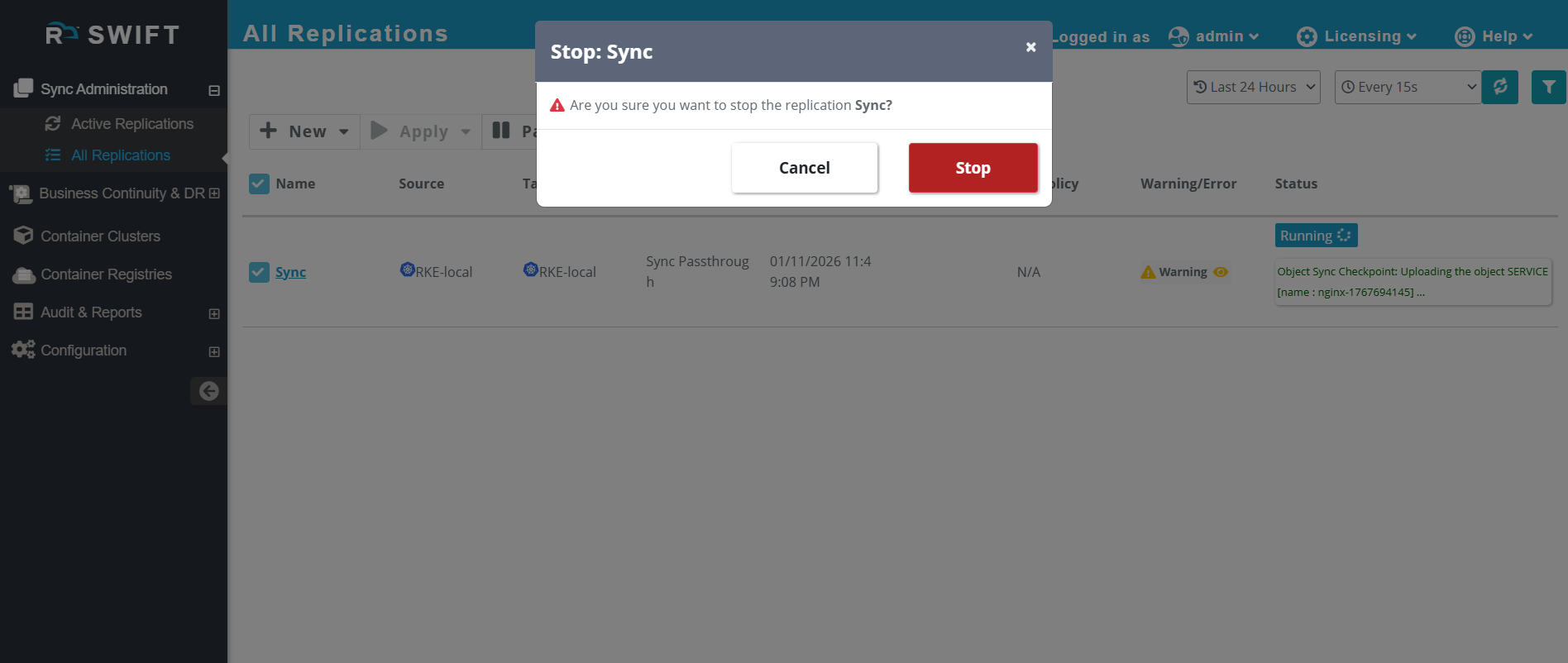
6. Click on Stop button.
7. Once it cancelled, the it will looks like as below.
