If you want to create or update Kubernetes objects on either the source or target cluster before or after the migration sync process, you can use the Pre/Post Migration YAML option by uploading the required YAML manifest files. This helps automate environment preparation, configuration updates, and post-migration customization activities during migration.
Topic Covered
How to sync with Pre/Post YAML in SWIFT
Usecase :
Suppose you have migrated a WordPress application from the source cluster to the target cluster. During the next concurrent sync, if you want to deploy an NGINX application on the target cluster either in the same namespace or in a new namespace, this can be achieved using the Post Migration YAML advanced option by uploading the required Kubernetes YAML manifests.
Pre-requisite:
1. kubectl must be installed on SWIFT server.
2. If your doing stage sync, then storage pool must be created.
1. Go to the SWIFT dashboard and log in to it.
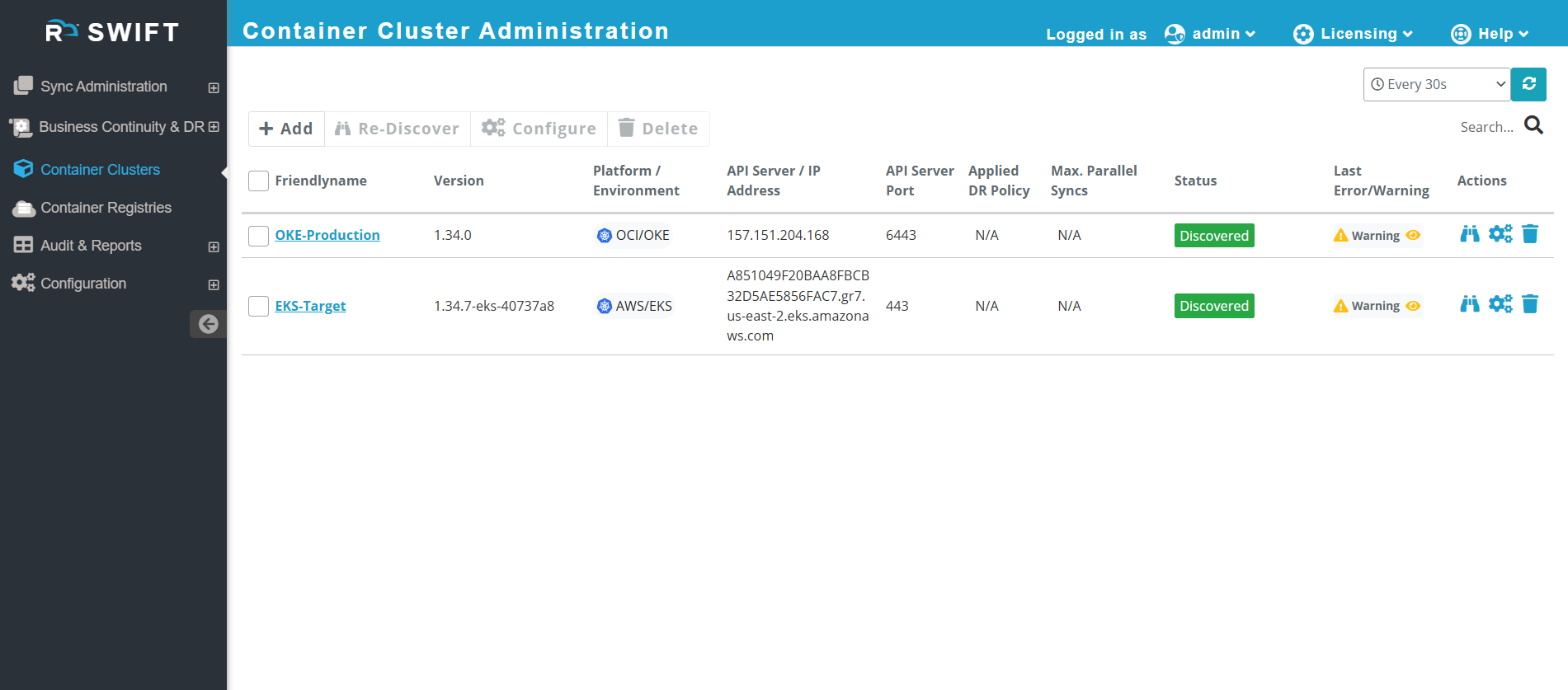
2. Add both clusters. In this example, the Oracle Kubernetes Engine (OKE) Production cluster is added as the source, and the EKS cluster is added as the target.
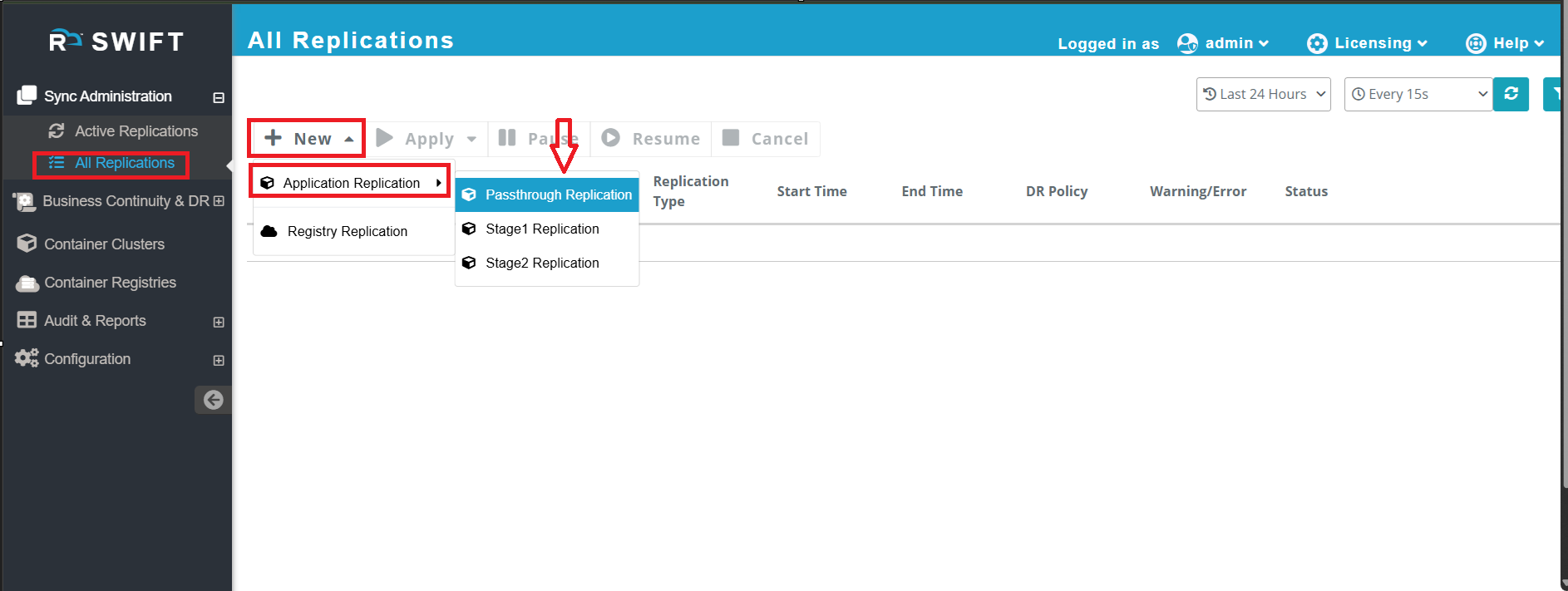
4. Select the cluster from the dropdown menu on both the source and target sides.
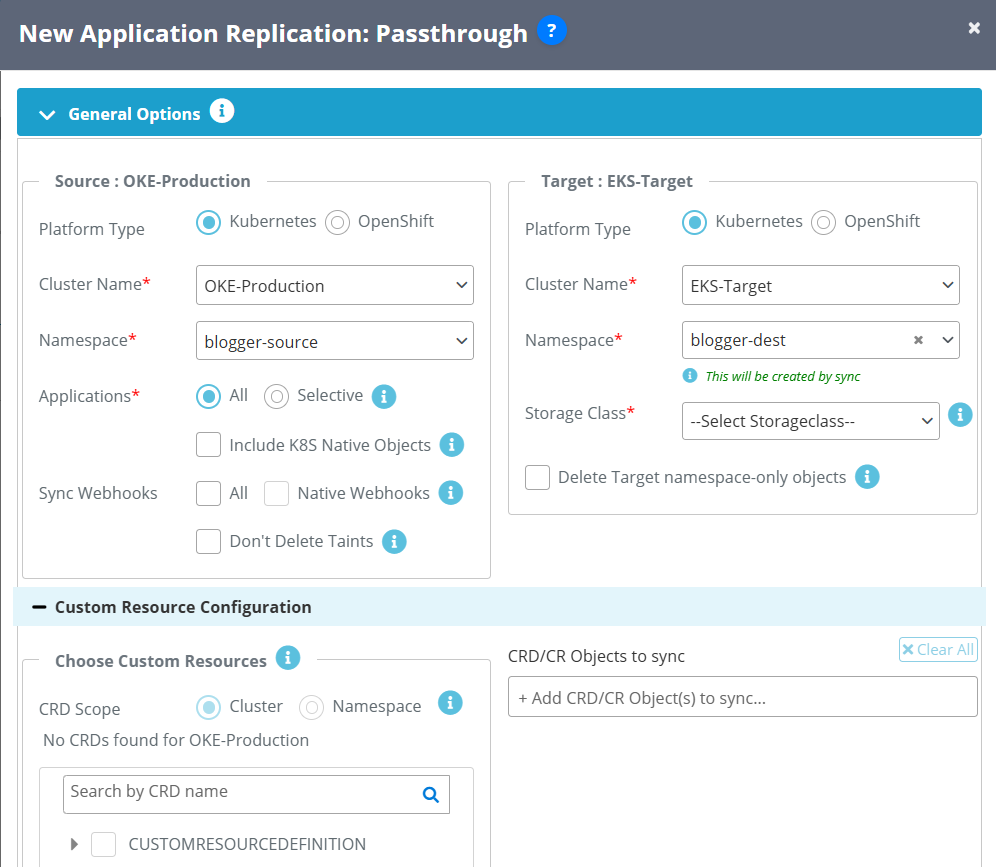
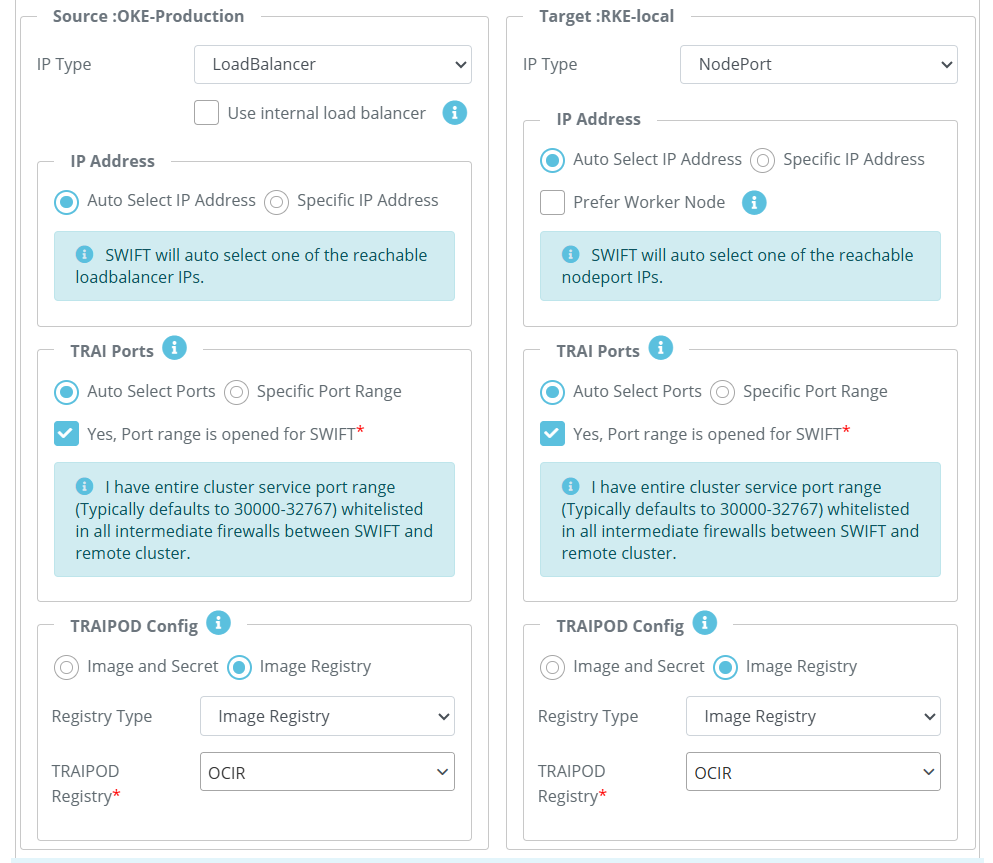
5. Now go to Advanced Options and click on the Pre/Post Script Config tab.
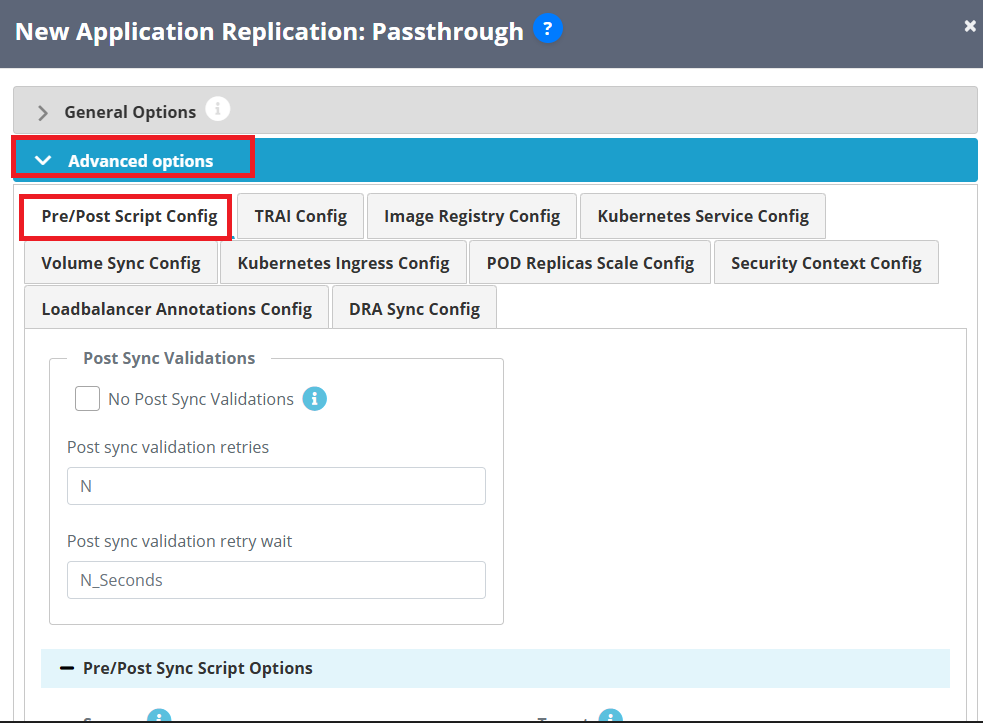
6. Upload the YAML file that you want to use to deploy the NGINX application on the target cluster through the Post YAML configuration.
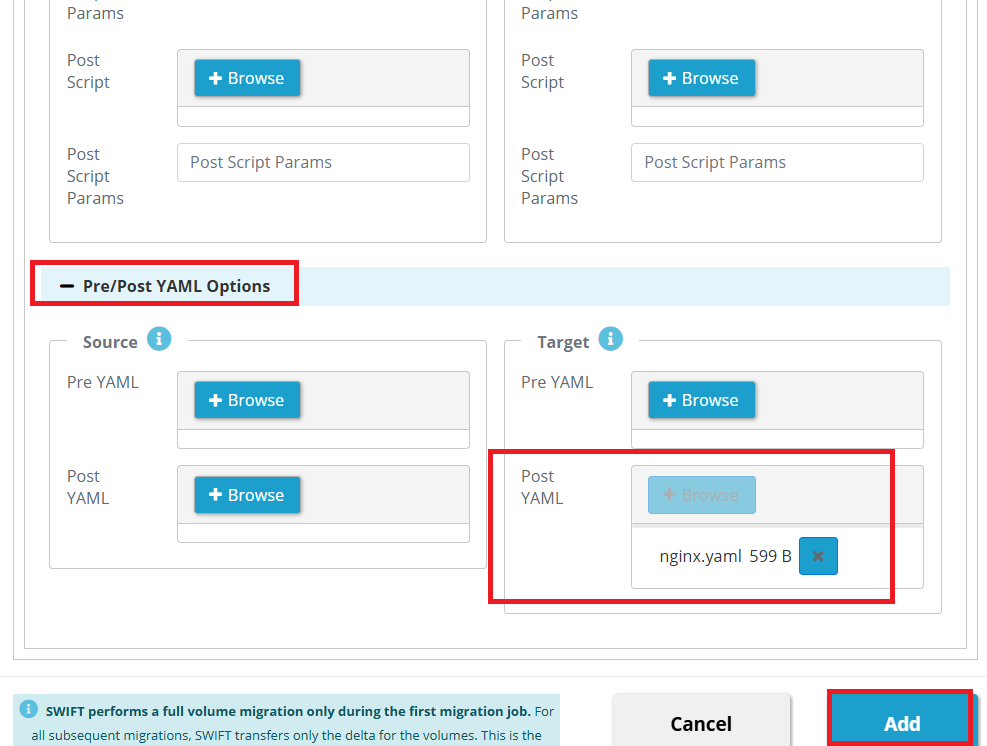
Post YAML as below.
apiVersion: apps/v1
kind: Deployment
metadata:
  name: nginx-deployment
  namespace: blogger-dest
spec:
  replicas: 1
  selector:
    matchLabels:
      app: nginx
  template:
    metadata:
      labels:
        app: nginx
    spec:
      containers:
      - name: nginx
        image: docker.io/library/nginx:latest
        ports:
        - containerPort: 80

---
apiVersion: v1
kind: Service
metadata:
  name: nginx-service
  namespace: blogger-dest
spec:
  selector:
    app: nginx
  ports:
  - protocol: TCP
    port: 80
    targetPort: 80
  type: ClusterIP
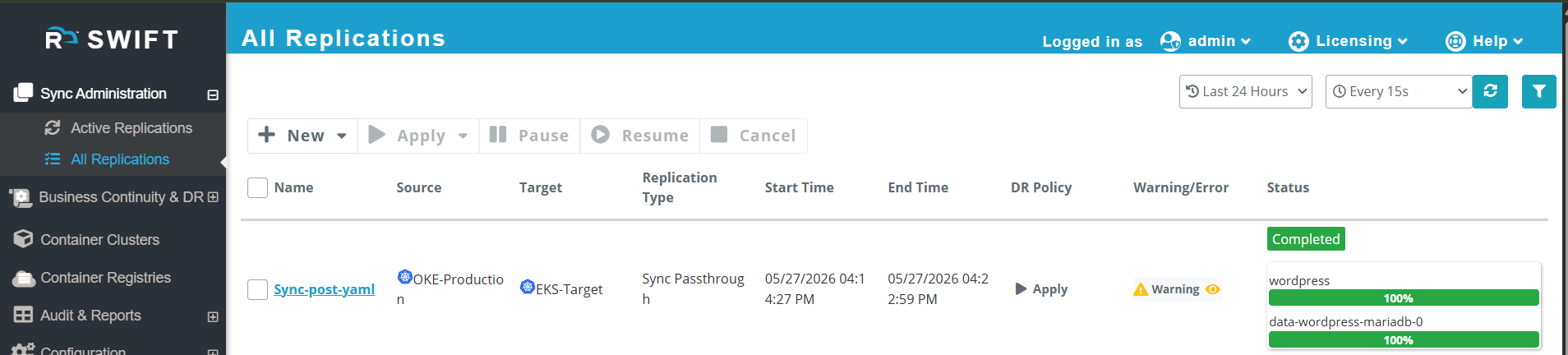
7. Click the Add button to start the sync process. Once the sync is completed, the NGINX application will be deployed on the target cluster using the above YAML configuration.
#Completed sync
#At production
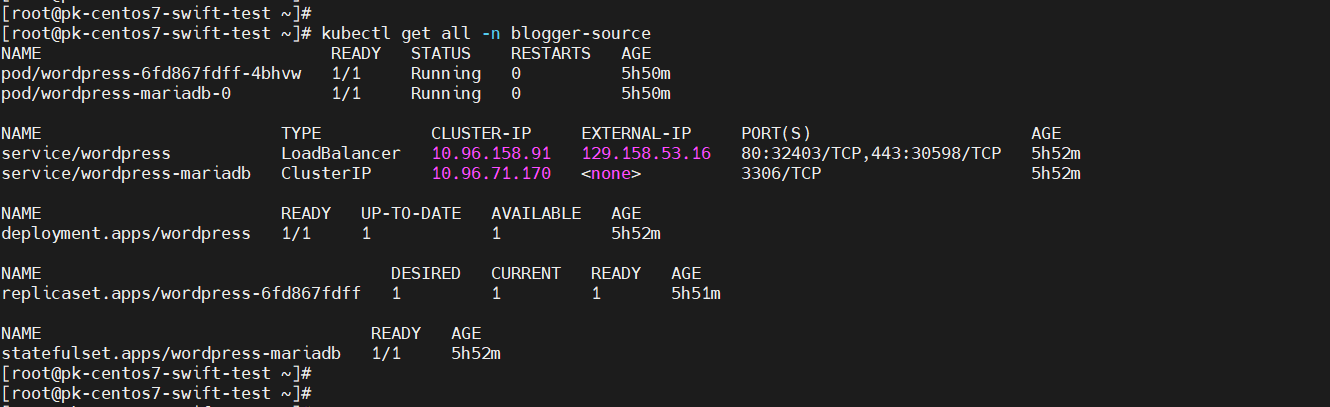
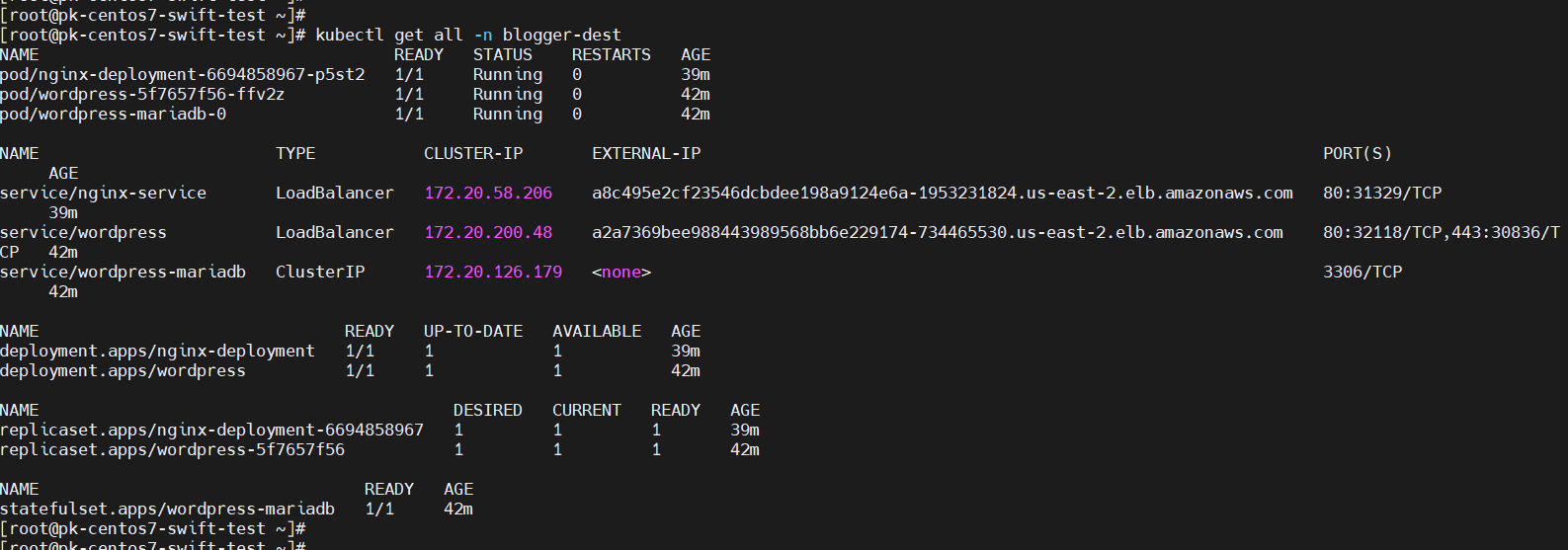
#You can verify that the NGINX application has been successfully deployed through the Post YAML configuration.