
The License Control Panel is used to manage and monitor SWIFT licenses across different platforms and functional types. It provides a centralized view of license status, usage, installation details, expiry dates, and service availability.
The license control panel helps administrators:
1. Verify active licenses
2. Monitor license consumption
3. Track expiry dates
4. Validate platform-specific entitlements
5. Manage production and backup licenses
Points Covered
Summary
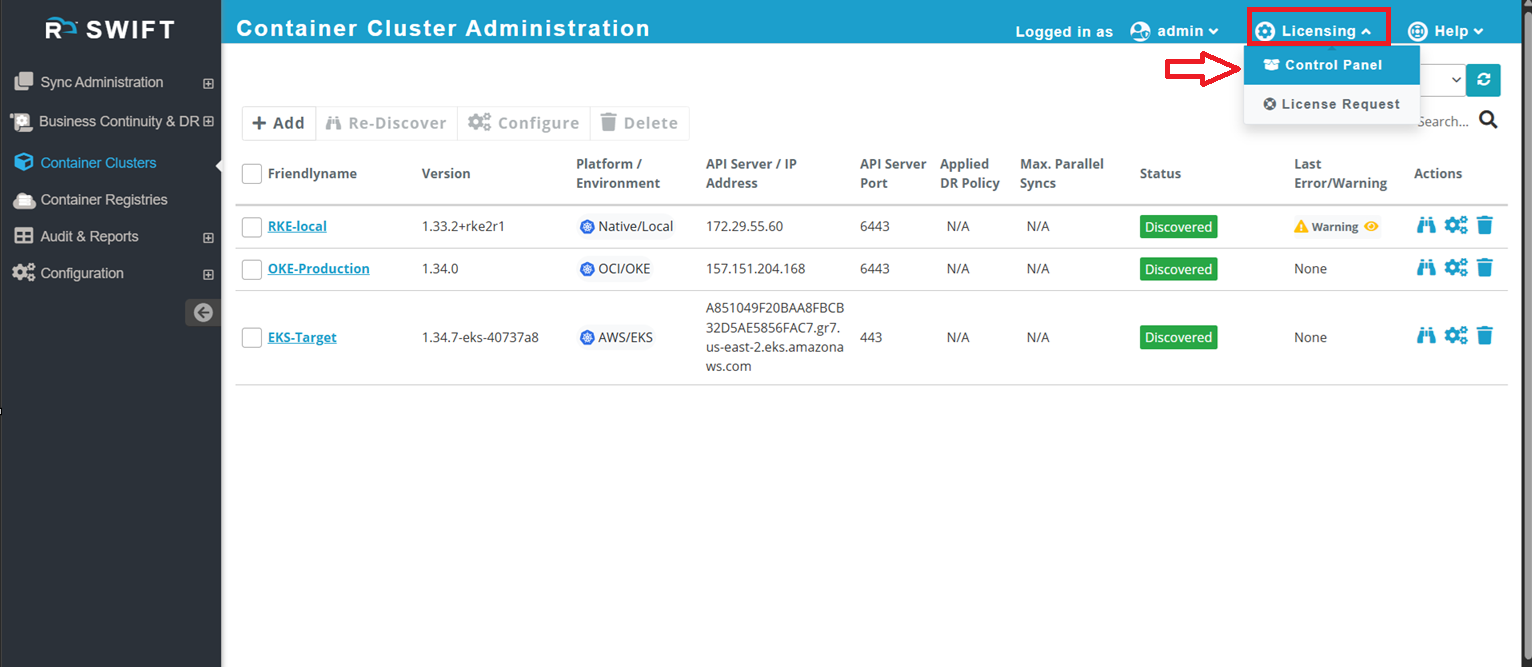
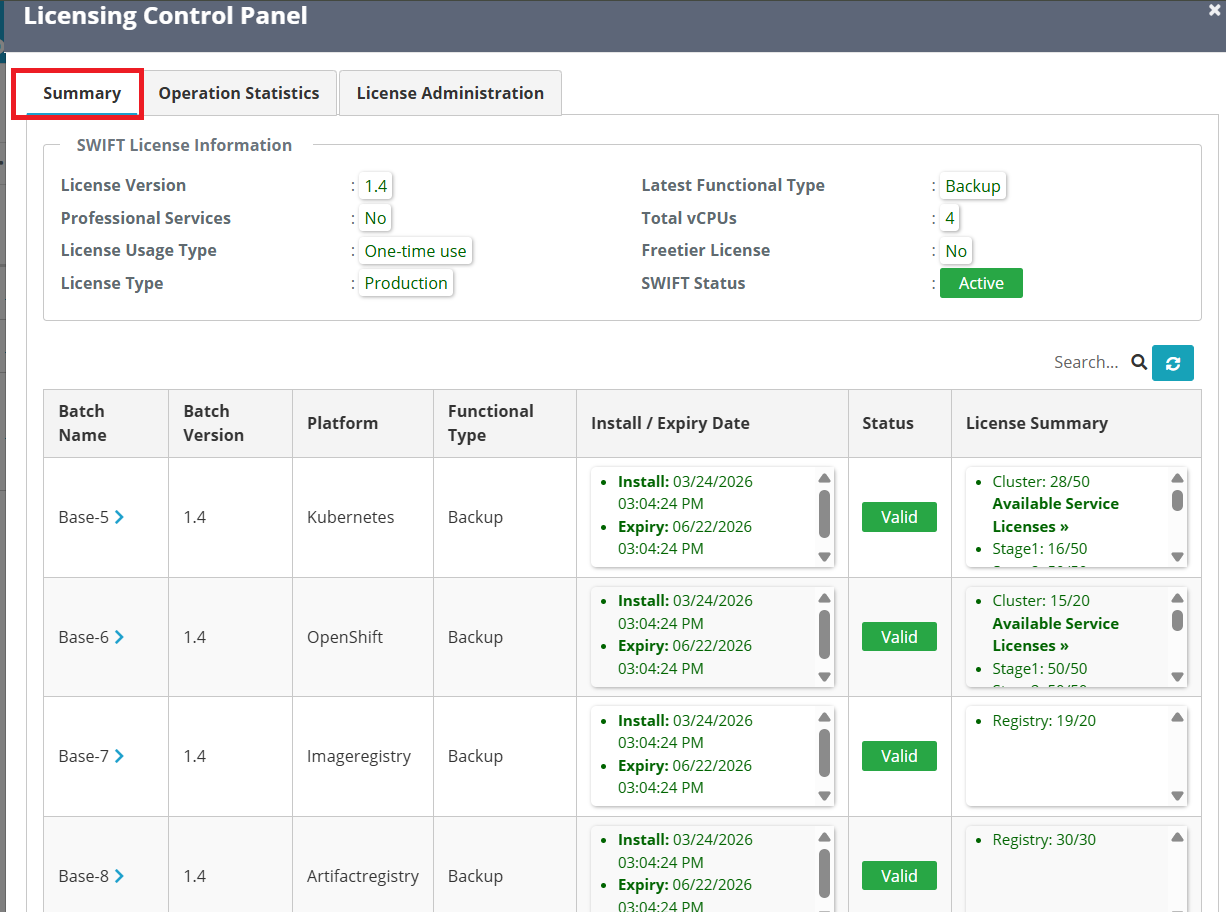
The Summary tab displays high-level license information and current license status. For that Go to Licensing > Control Panel. You will see summary tab.
| Fields | Description |
| SWIFT License Information | 1. License Version: Display the installed license version 2. Professional Services:- Indicates whether Professional Services are enabled. If you have opted for Professional Services, we enable this service while generating the license, and its status will be displayed here as 'yes' else will show 'no' 3. License Usage Type :- Shows the license consumption type (e.g., One-time Use or Subscription). If you purchase a license for a fixed duration (for example, 1 year), it is displayed as One-time Use. If you deploy a subscription-based template from a cloud marketplace, it is displayed as Subscription. 4. License Type :- Indicates the environment type, such as Production or Free-tier. If you purchase a license, we provide a Production license type. For POC, evaluation, or testing purposes, we provide a Free-tier license valid for a specific duration. 5. Latest Functional Type :- There are several functional types available based on the purchased license. For example, if you purchase a Migration license, the functional type is displayed as Replication. If you purchase a DR license, it is displayed as Backup. 6.Total vCPU's :- Shows the total licensed vCPUs. If you deploy SWIFT from a cloud marketplace, the allocated vCPU count will be displayed here. As a general guideline, 1 vCPU can handle migration for up to 10 microservices. Based on your requirements, you can increase the number of vCPUs, and the configured capacity will be reflected here. 7. Freetier License :- Indicates whether the Free-tier license is enabled. If you are using SWIFT for POC, evaluation, or testing purposes, we provide a Free-tier license for a specific duration. If you have purchased a production license, this field will display No. 8. SWIFT Status :- Displays the overall license status, such as Active or Inactive. If the license has expired, the status will be shown as Inactive. |