
Overview
This knowledge base (KB) provides the prerequisites required to successfully add an Oracle Cloud Infrastructure Registry (OCIR) image registry and an Oracle Kubernetes Engine (OKE) cluster to RackWare SWIFT. Before adding the OCIR image registry or OKE cluster, ensure that the required OCI resources, IAM policies, user permissions, and authentication credentials are configured correctly.
Follow the steps in this guide to complete the necessary prerequisites and avoid common discovery and authorization issues during the discover process.
1. Log in to the OCI Console and navigate to Identity & Security > Domains. Create a Group, add the required Policies, and then create a User.
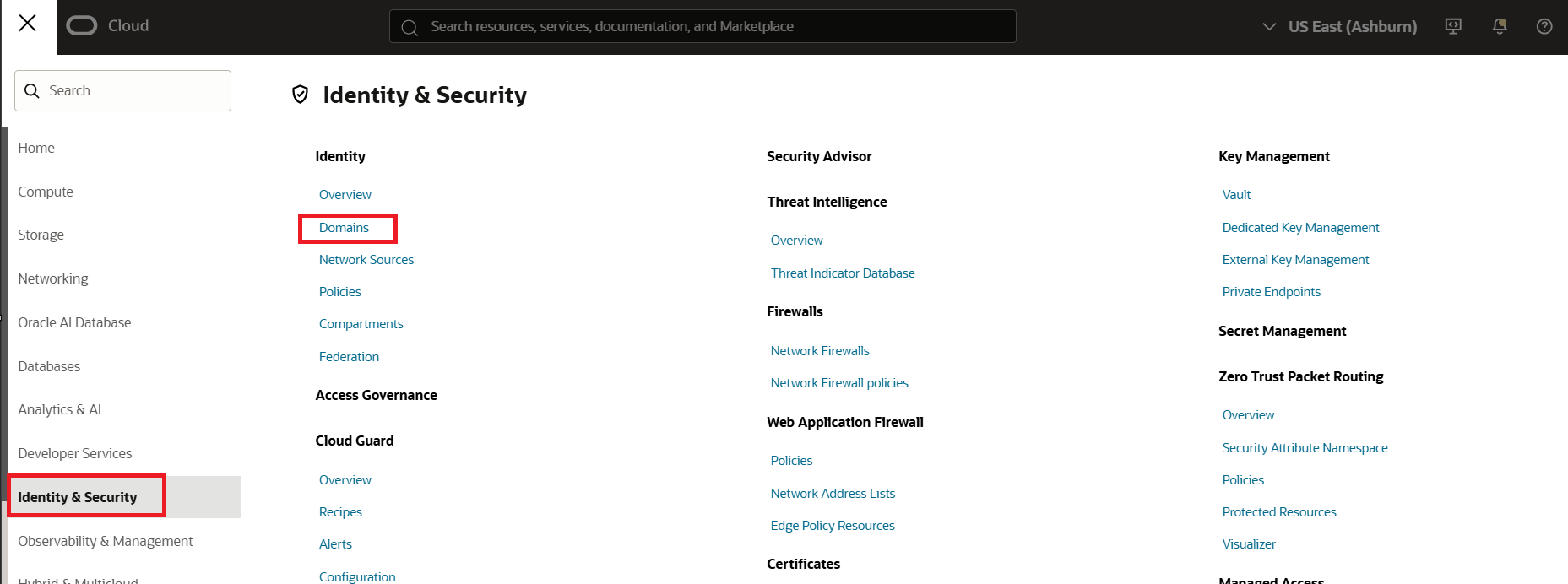
2. Select the compartment that contains your Identity Domain that you intend to use and click on Create domain.

3. Enter the Display Name and Description, Select the appropriate Domain Type. For this guide, select Free. Optionally configure a Domain Administrator by providing the administrator details and selecting the compartment, and then click Next followed by Create to create the identity domain. 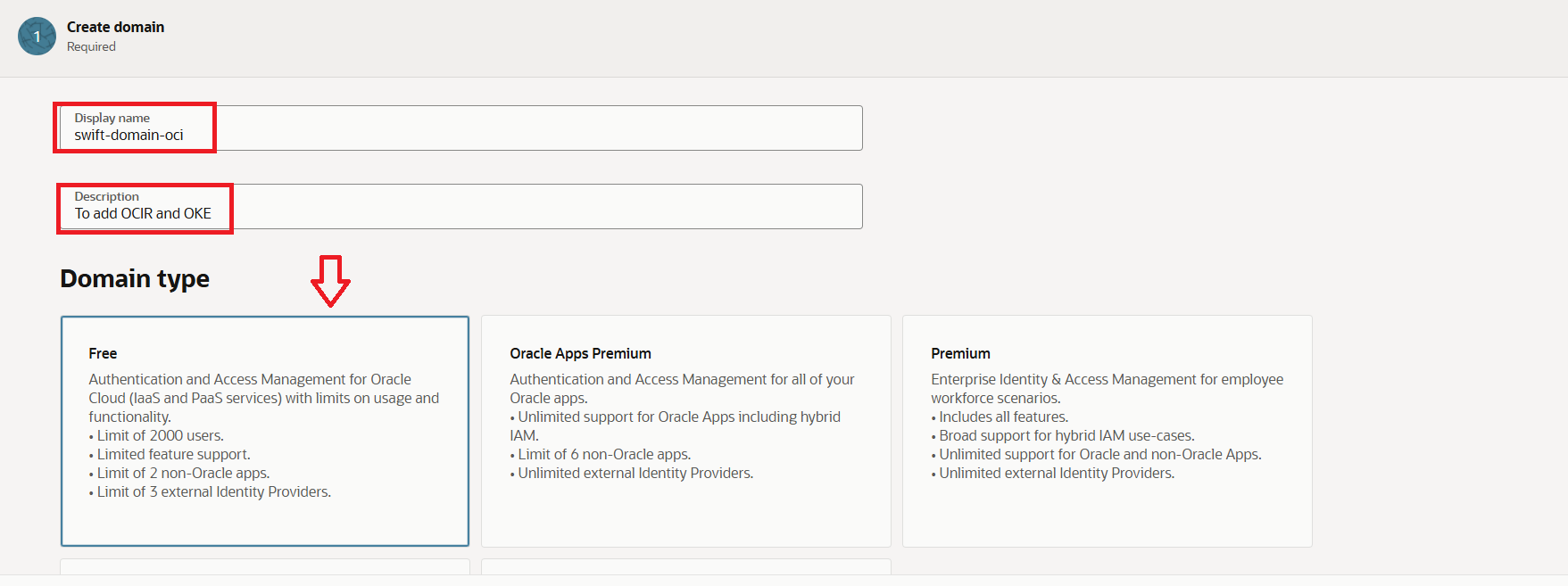
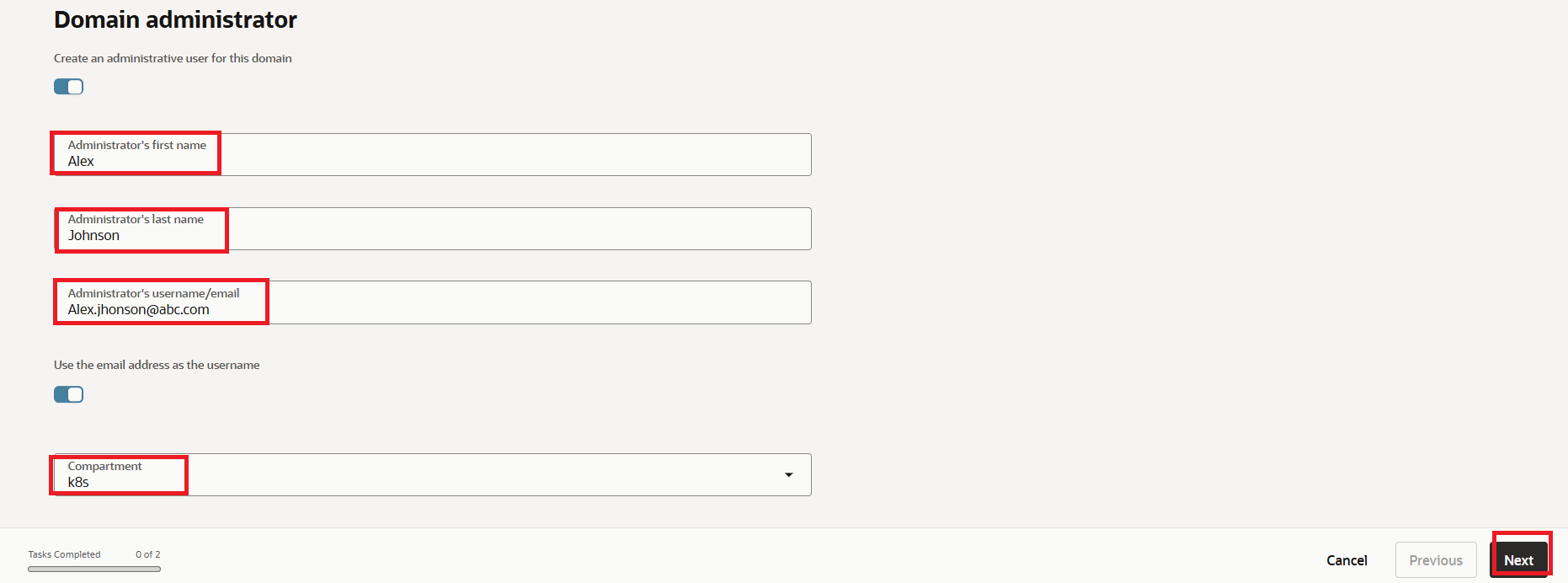
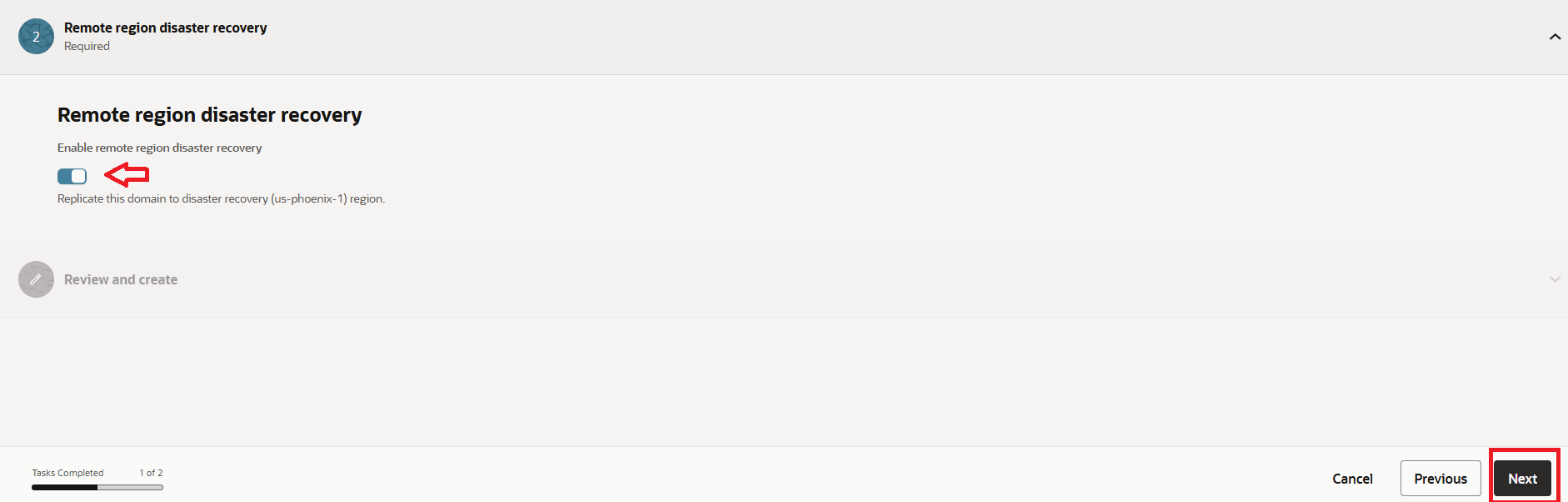
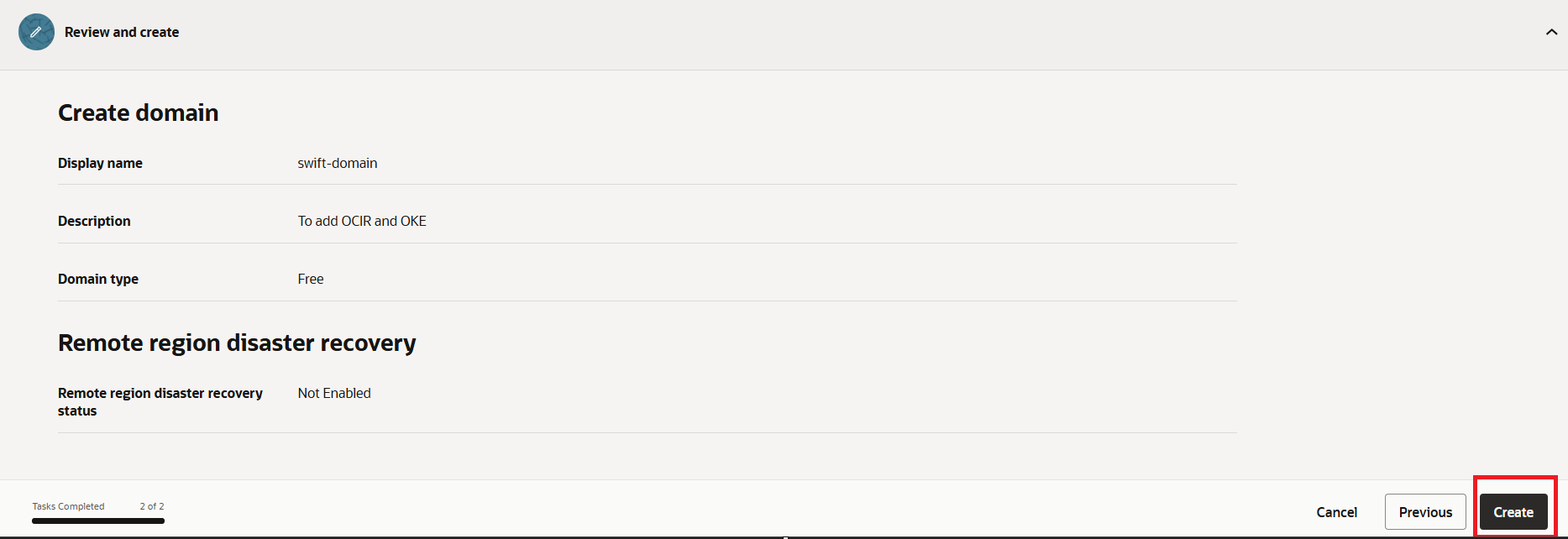
4. Once Created it looks like as below.
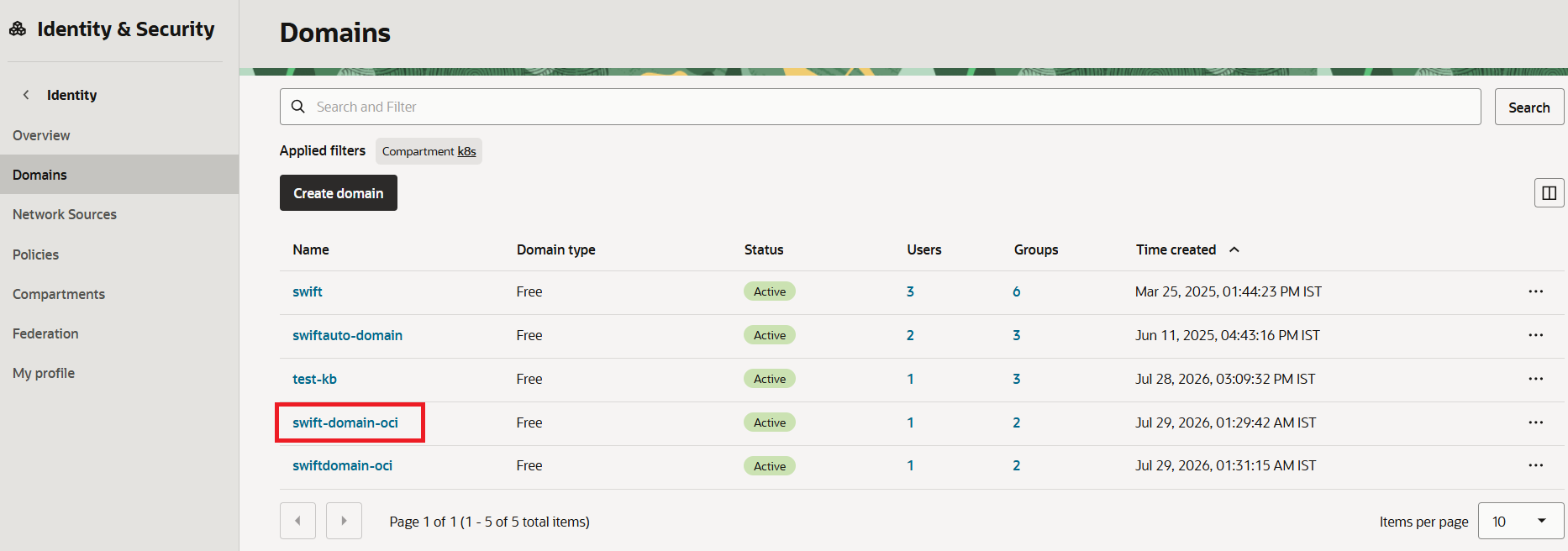
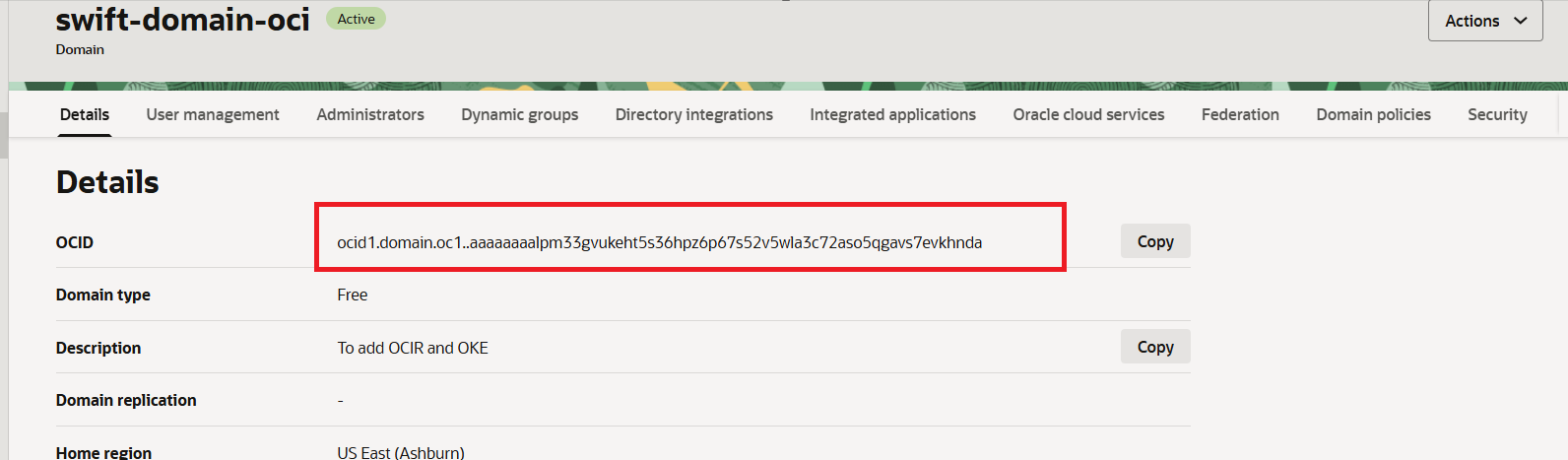
5. Note the OCID of Identity Domain as it will be used in SWIFT later.
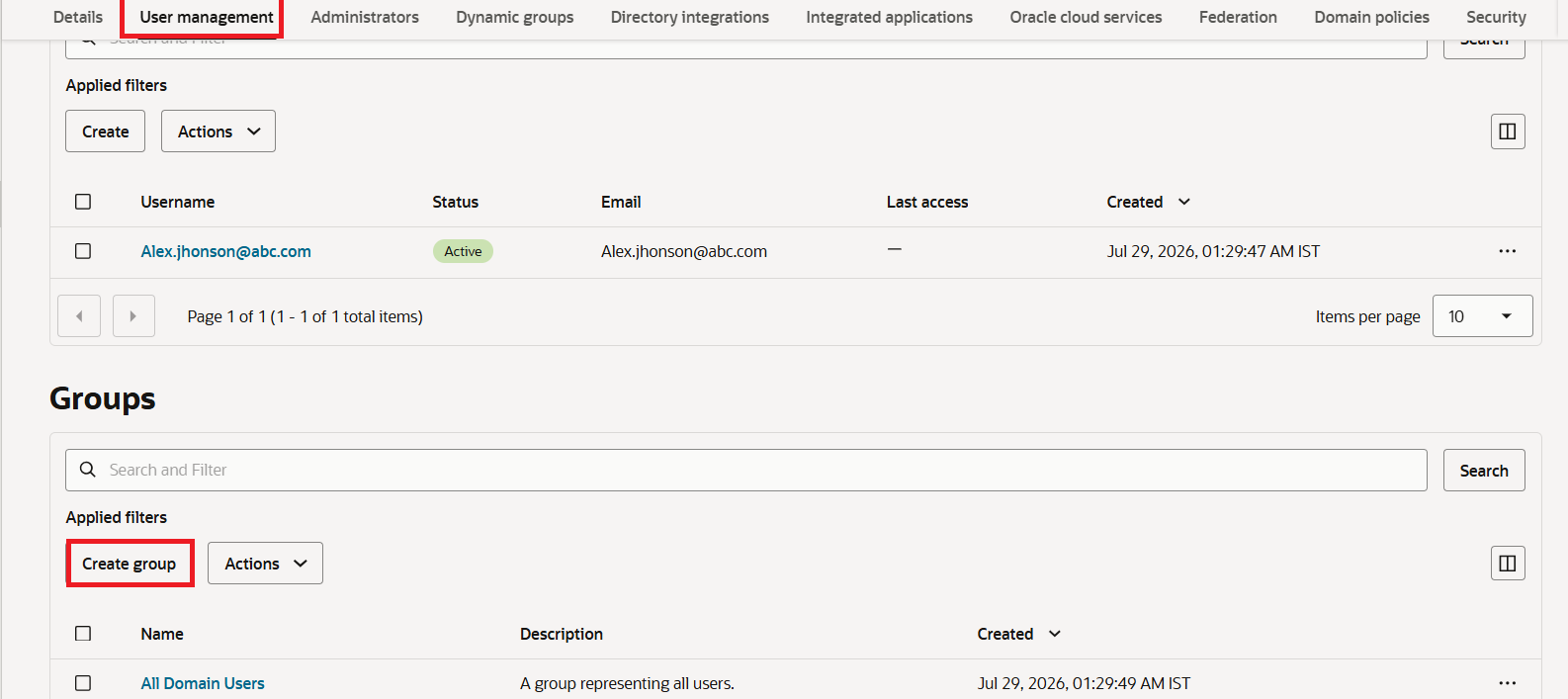
6. Navigate to the User Management tab and, under the Groups section, click Create Group to create a new user group.
7. In the ‘Create Group’ wizard, provide an appropriate name and description. For this example, the group will be named ‘RackWare-OCI’. 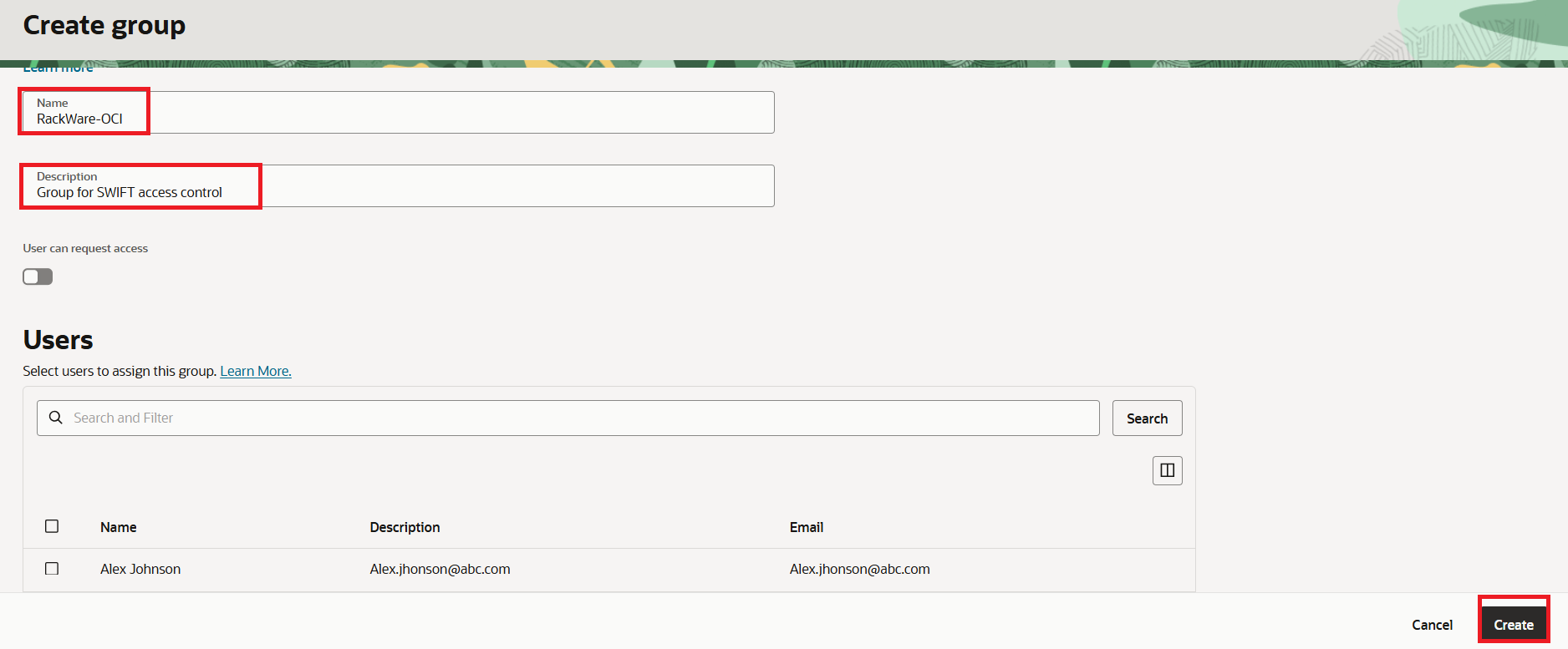 8. Group will be created as below.
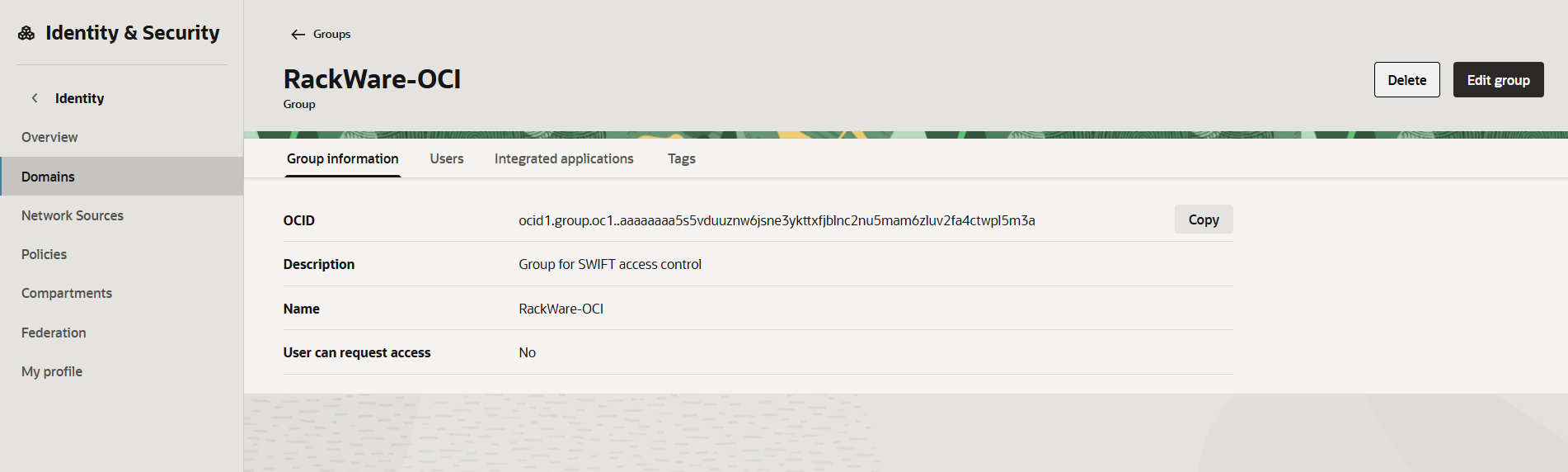
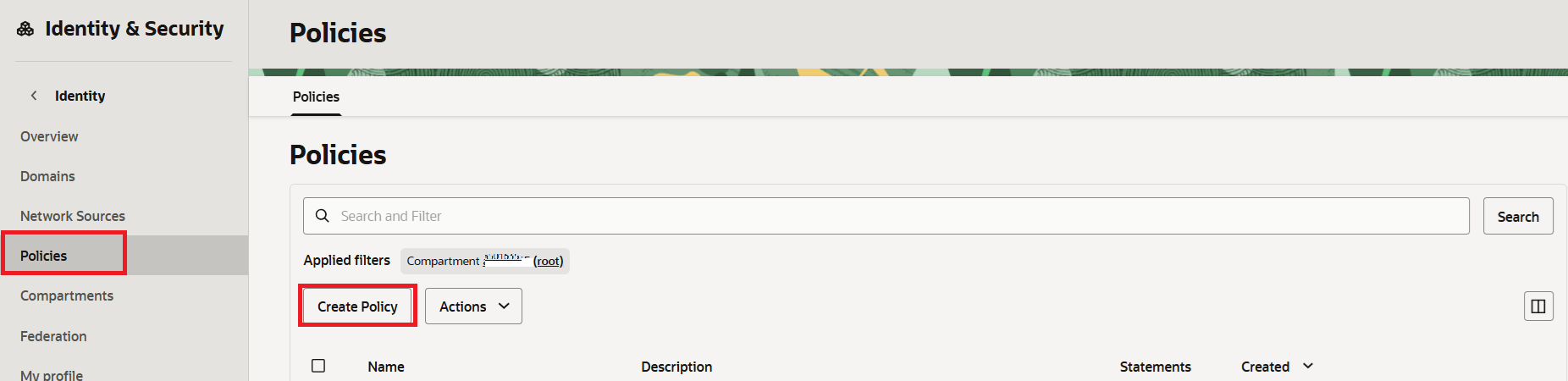
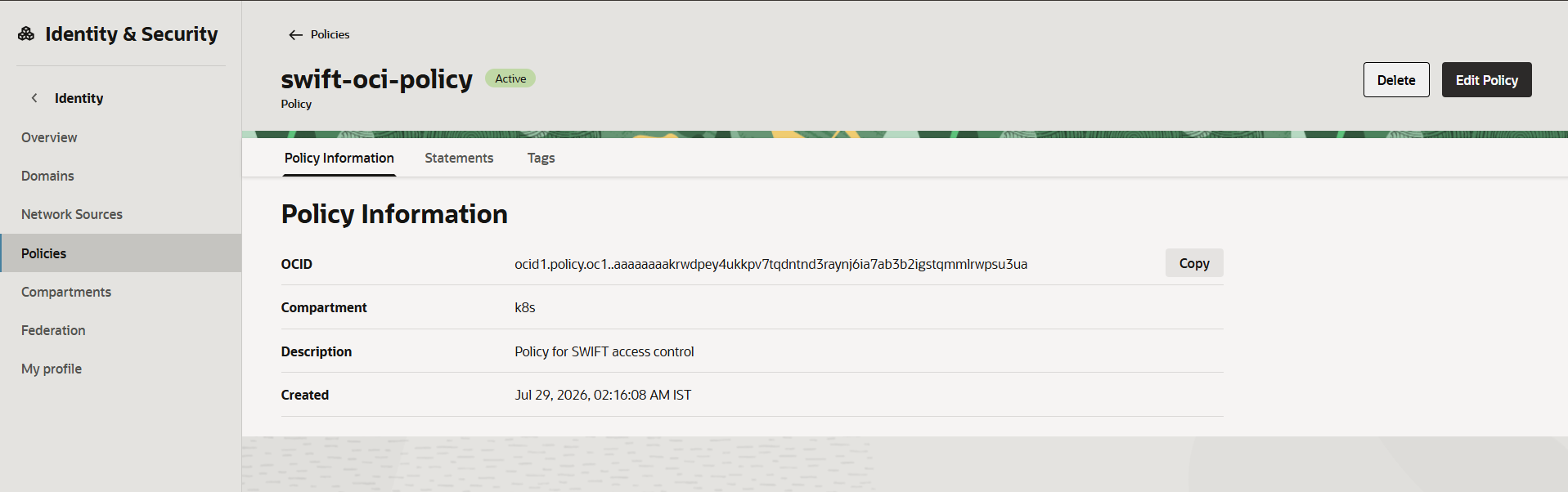
9. After creating the group, navigate to Identity & Security > Policies and create a new policy with the required policy statements.
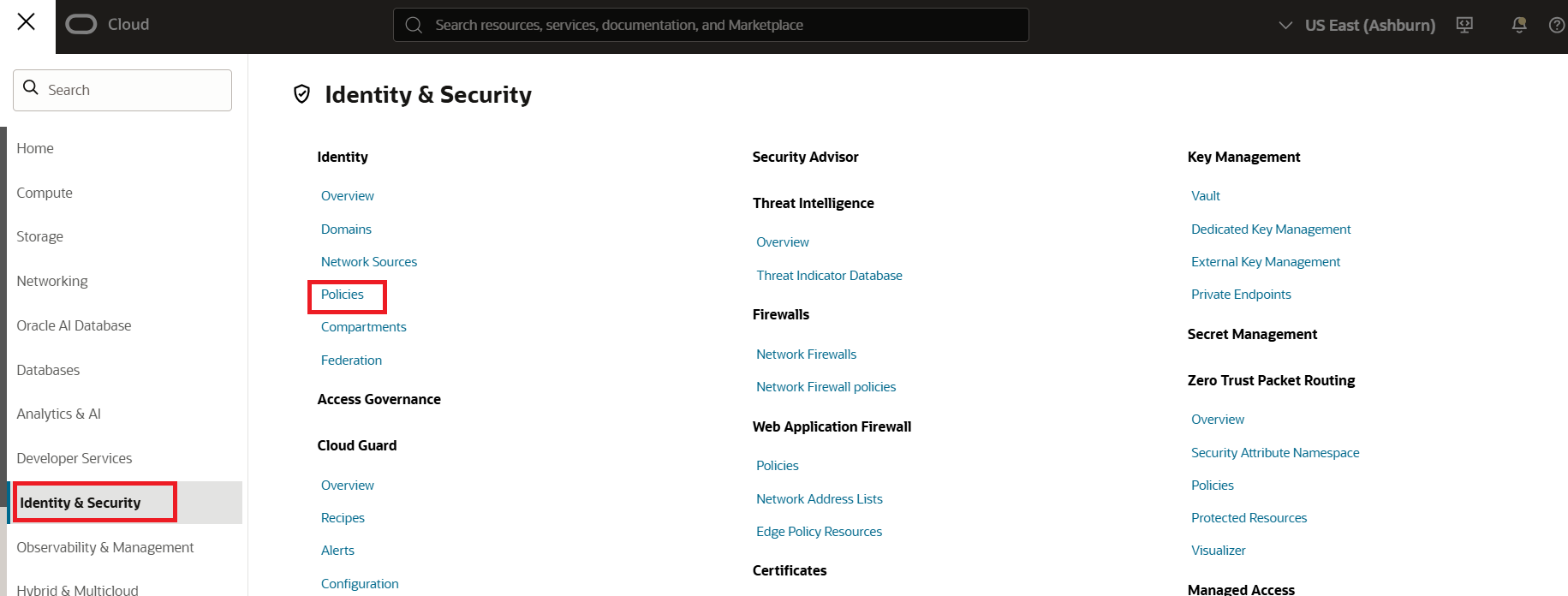
10. Select the compartment that contains the OKE/OpenShift clusters or OCIR registries. After selecting the compartment, click Create Policy to create a new policy.
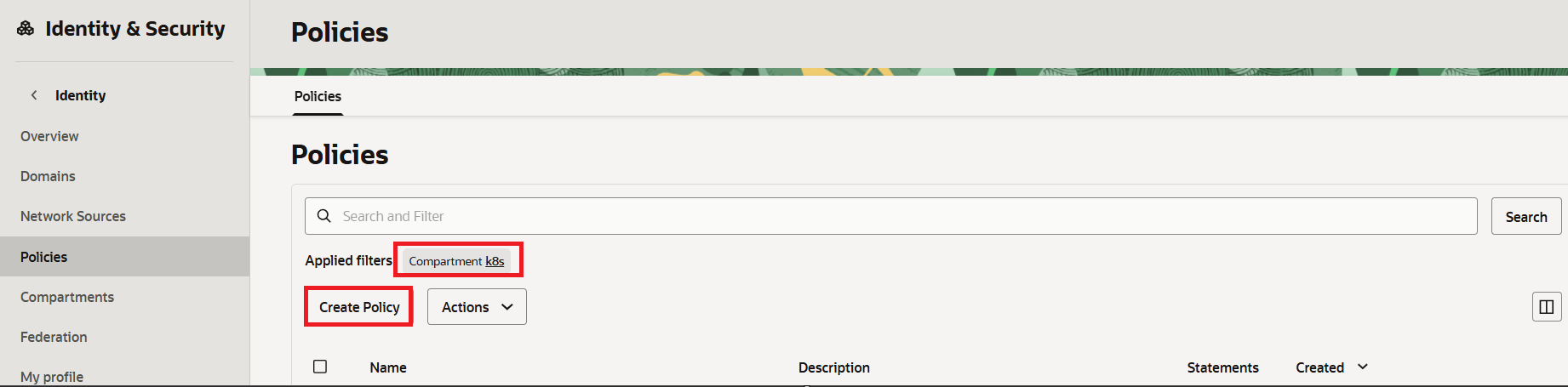
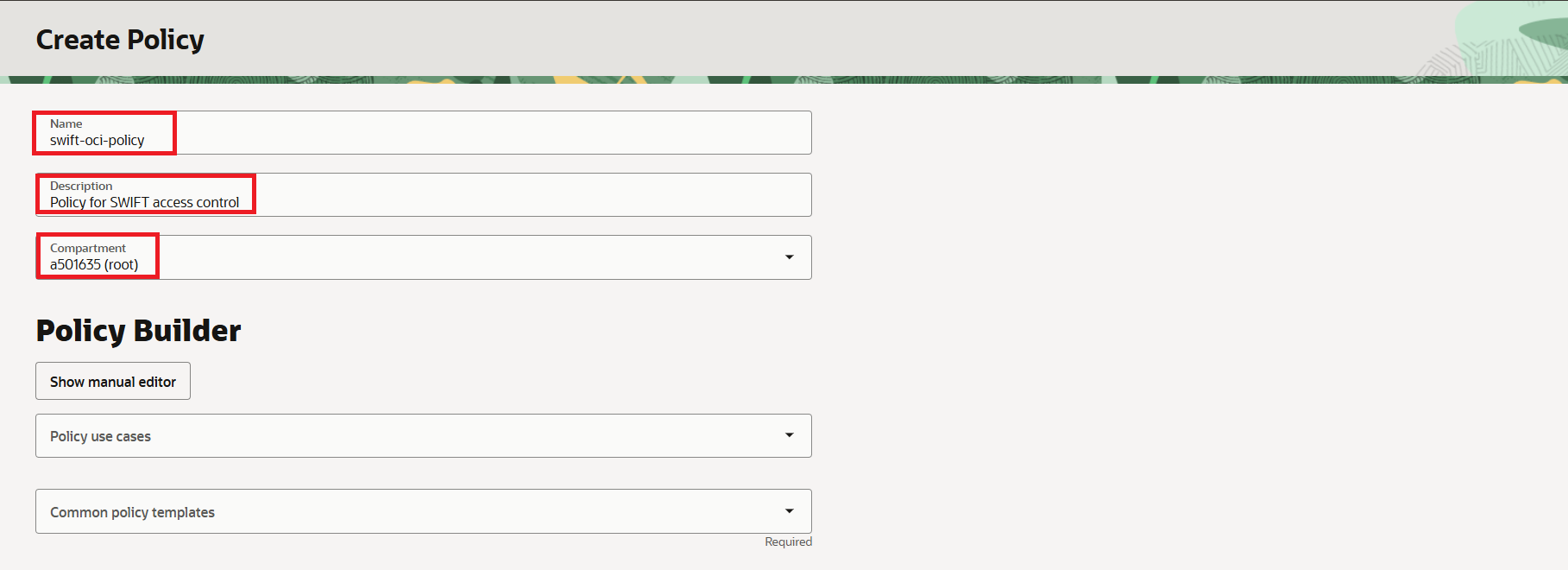
11. In the Create Policy wizard, enter a suitable Name and Description for the policy. Click on Show manual editor. This action reveals a text box where you can manually enter the policy rules.
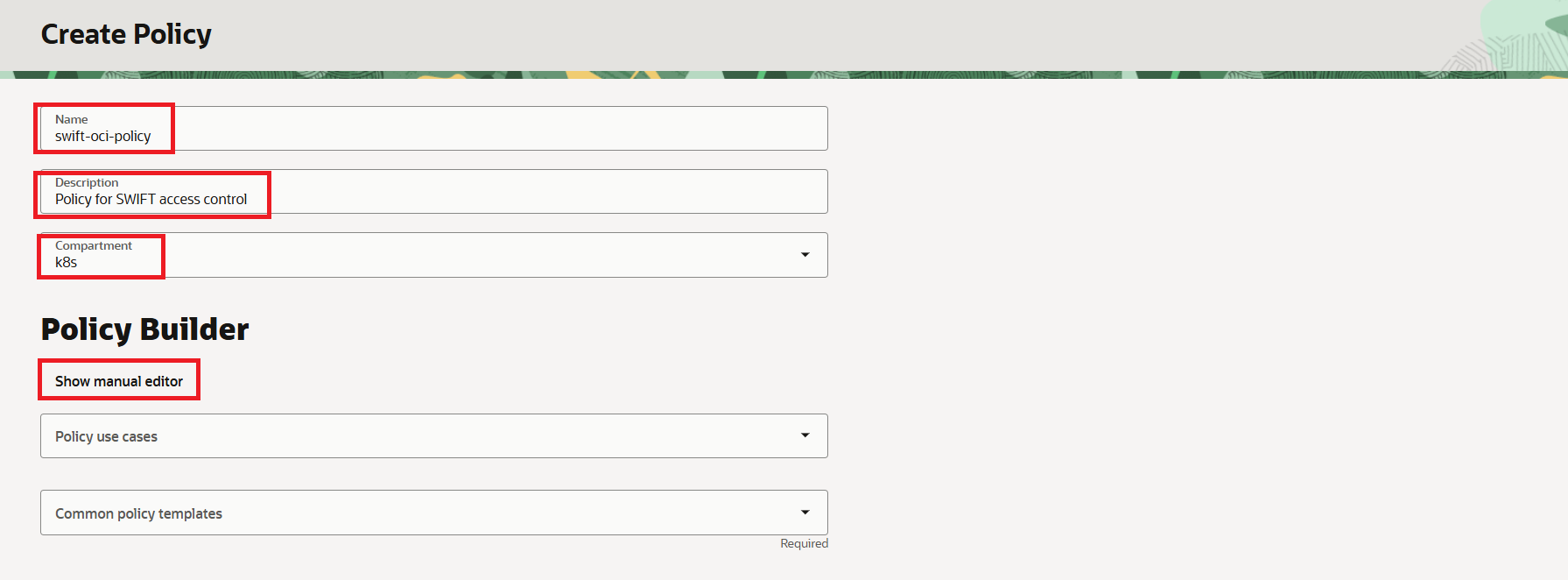
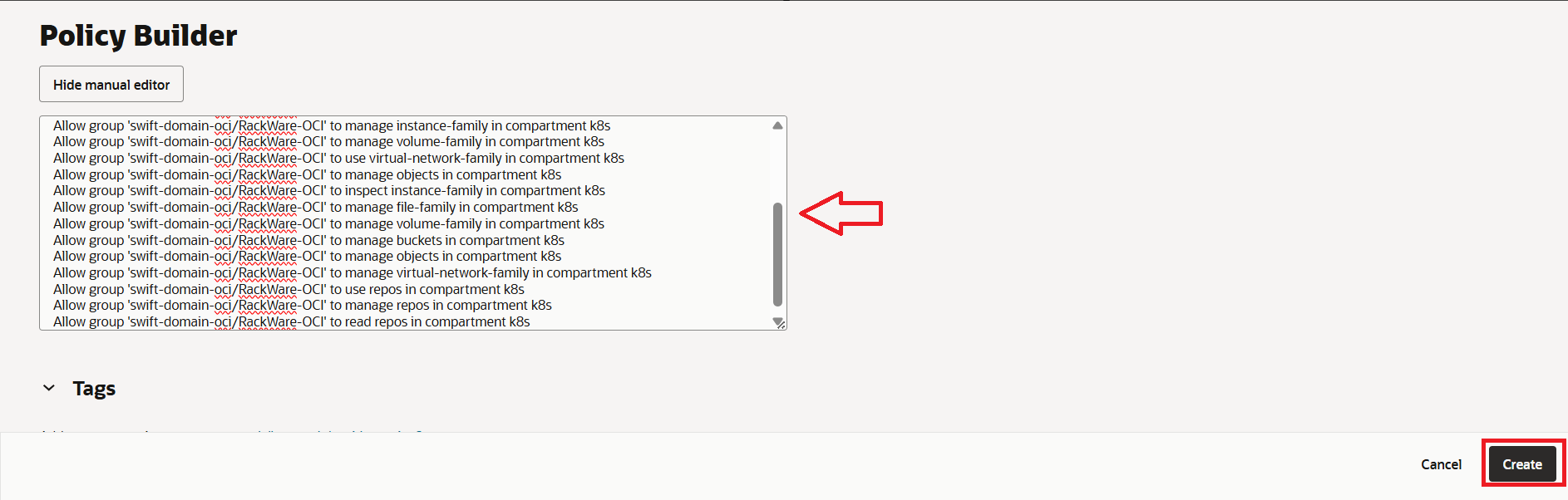
Within the policy editor text box, input the rules provided below. Please note that certain rules are optional and may be included based on the specific requirements of your SWIFT integration. Be sure to replace placeholders such as {identity-domain name}, {group name}, and {compartment name} with the actual name of the identity domain, the group created earlier, and the compartment where the OKE or OpenShift clusters are located, respectively. If you encounter an error when specifying the compartment name, try providing the full path of the compartment under the root compartment. For example: ‘Allow group 'swift-domain-oci'/'RackWare-OCI' to use vnics in compartment parent compartment:cluster-compartment’, where parent-compartment is a compartment under the root and cluster-compartment is the child compartment.
Instance access control rules - Mandatory
Allow group {identity-domain name}/{group name} to manage instance-family in compartment
{compartment name}
Allow group {identity-domain name}/{group name} to read app-catalog-listing in compartment
{compartment name}
Allow group {identity-domain name}/{group name} to use volume-family in compartment
{compartment name}
Allow group {identity-domain name}/{group name} to use virtual-network-family in compartment
{compartment name}
Storage access control for snapshots rules - Mandatory
Allow group {identity-domain name}/{group name} to manage volume-family in compartment
{compartment name}
Allow group {identity-domain name}/{group name} to use instance-family in compartment
{compartment name}
Sync to/from OKE/OpenShift cluster rules – Mandatory
Allow group {identity-domain name}/{group name} to read all-artifacts in compartment
{compartment name}
Allow group {identity-domain name}/{group name} to manage cluster-family in compartment {compartment
name}
Allow group {identity-domain name}/{group name} to manage instance-family in compartment
{compartment name}
Allow group {identity-domain name}/{group name} to manage volume-family in compartment
{compartment name}
Allow group {identity-domain name}/{group name} to use virtual-network-family in compartment
{compartment name}
Allow group {identity-domain name}/{group name} to manage objects in compartment {compartment
name}
Allow group {identity-domain name}/{group name} to inspect instance-family in compartment
{compartment name}
Allow group {identity-domain name}/{group name} to manage file-family in compartment
{compartment name}
Backup to Object storage control rules – Only needed if you are planning to backup to OCI Object Storage with SWIFT
Allow group {identity-domain name}/{group name} to manage volume-family in compartment
{compartment name}
Allow group {identity-domain name}/{group name} to manage buckets in compartment
{compartment name}
Allow group {identity-domain name}/{group name}  to manage objects in compartment
{compartment name}
Allow group {identity-domain name}/{group name} to manage virtual-network-family in
compartment {compartment name}
Oracle Container Registry (OCIR) sync rules – Only needed if you are planning to sync to/from Oracle OCI Container Registries (OCIR) with SWIFT
Allow group {identity-domain name}/{group name} to manage volume-family in compartment {compartment name}
Allow group {identity-domain name}/{group name} to manage buckets in compartment  {compartment name}
Allow group {identity-domain name}/{group name} to manage objects in compartment {compartment name}
Allow group {identity-domain name}/{group name} to manage virtual-network-family in compartment {compartment name}
Allow group {identity-domain name}/{group name} to use repos in compartment {compartment name}
Allow group {identity-domain name}/{group name} to manage repos in compartment {compartment name}
Allow group {identity-domain name}/{group name} to read repos in compartment {compartment name}
12. Once you enter the required rules above, create the policy. Select the root compartment, and select Create Policy.
Instance access control rules - Mandatory
Allow group {identity-domain name}/{group name} to inspect domains in compartment
{compartment name where identity domain is present}