
Overview
PVC to VolumeAttributesClass (VAC) Mapping allows users to associate a Kubernetes PersistentVolumeClaim (PVC) with a VolumeAttributesClass (VAC) to apply storage-specific attributes supported by the CSI driver.
In SWIFT, this feature helps preserve and apply volume attributes during migration and DR operations. When a PVC is recreated on the target cluster, SWIFT uses the configured VAC mapping to provision the volume with the required storage attributes.
Use Case
1. Migrate applications between clusters while maintaining required volume attributes.
2. Apply cloud storage-specific configurations during PVC creation on the target cluster.
3. Avoid manual storage configuration after migration or DR recovery.
4. Change the volume's performance while your app is still running, no downtime, no data migration.
Prerequisites
1. A compatible StorageClass must be available on the target cluster.
2. For SWIFT migration/DR, VAC mapping is mainly required on the target cluster, where the PVCs are recreated. The source cluster VAC is only required if SWIFT needs to capture or preserve the existing PVC configuration.
3. VAC should be at target cluster.
Now lets start the PVC to VAC mapping in SWIFT
1. Login to the SWIFT
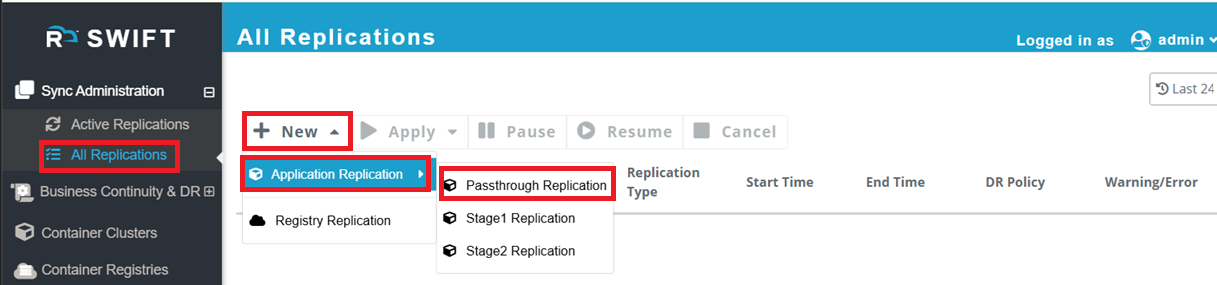
2. Go to the Sync adminsyrarion > All replication > Click on New > Application Replication > Choose passthrough
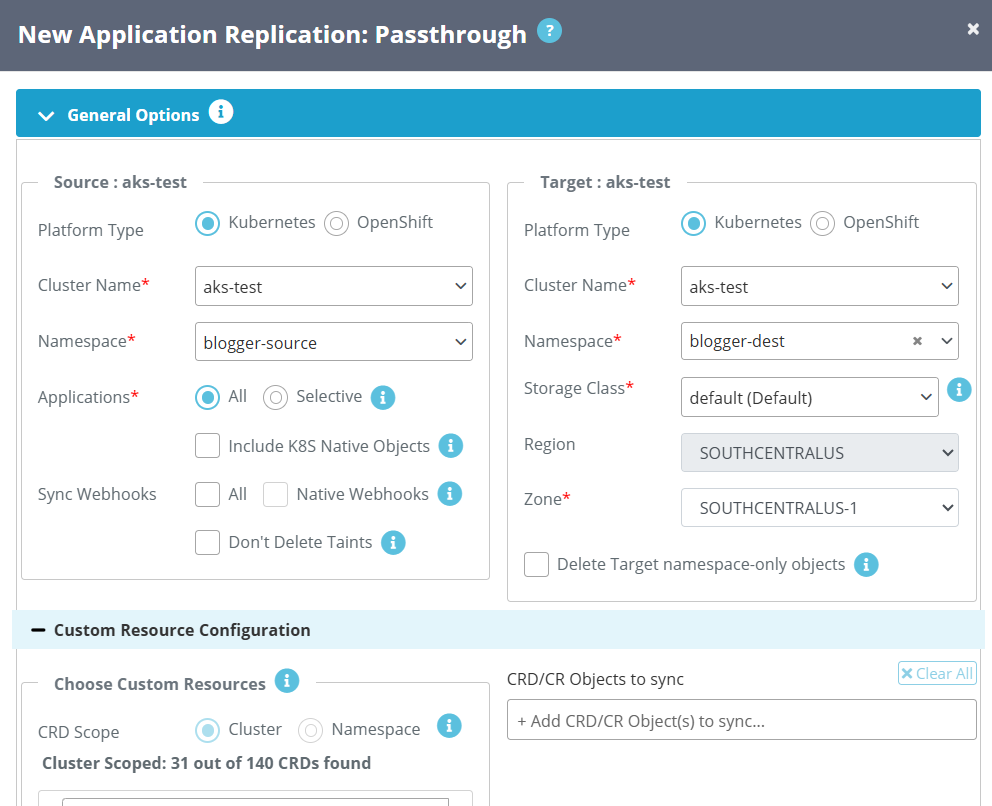
3.Configure the source and target cluster details, select the application namespace, and choose the target Namespace and Storage Class for provisioning volumes during application replication.
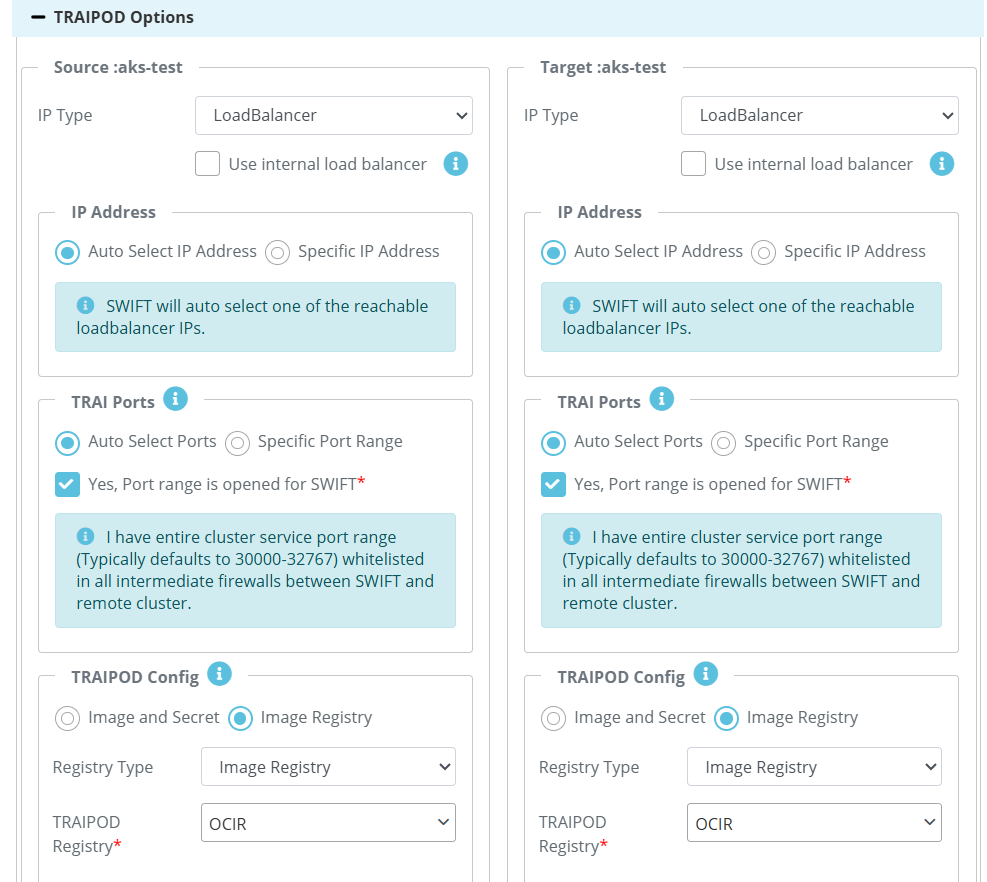
4. To configure Volume-to-VAC sync mappings, go to Advanced Options > Volume Sync Config > Volume-to-VAC/VAC-to-VAC Sync Mapping. Here, select PVC as the volume type and choose the PVCs that you want to map. In the last section, select the VACs available on the target cluster, click the + button, and then click Add to start the sync. 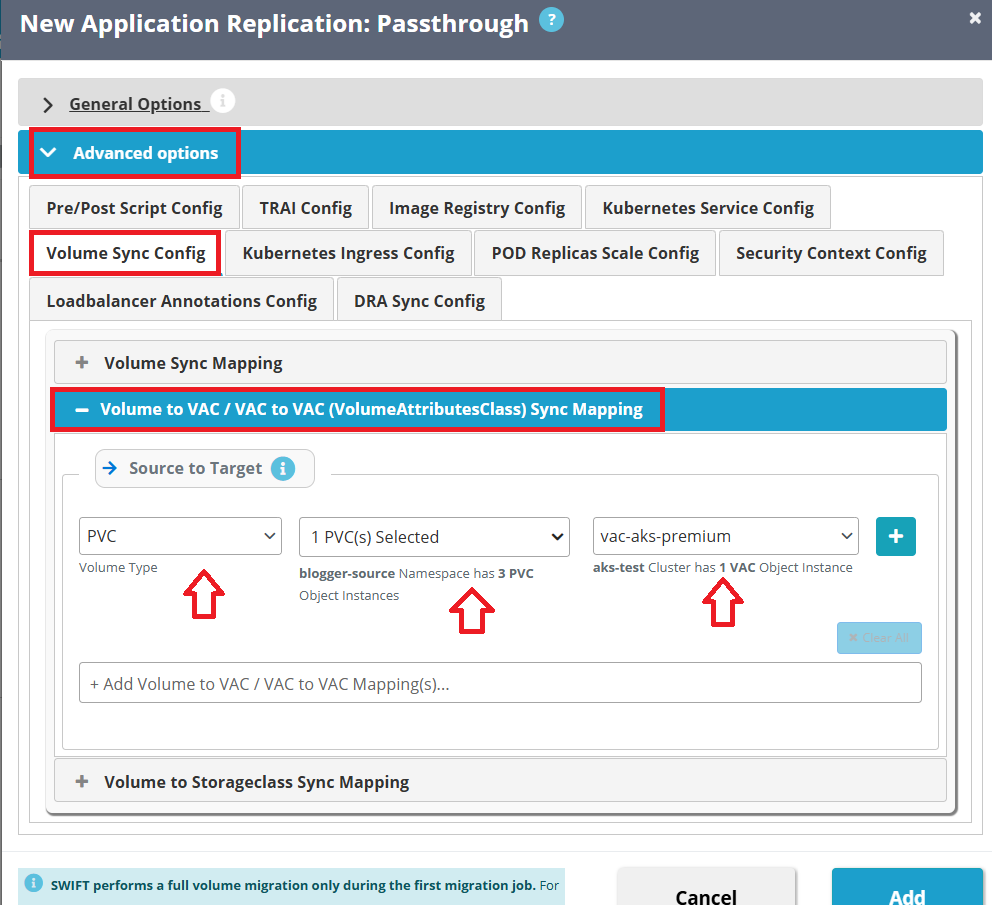
5. The replication completes successfully, with all selected PVCs showing 100% sync completion, confirming successful Volume-to-VAC mapping between the source and target clusters.
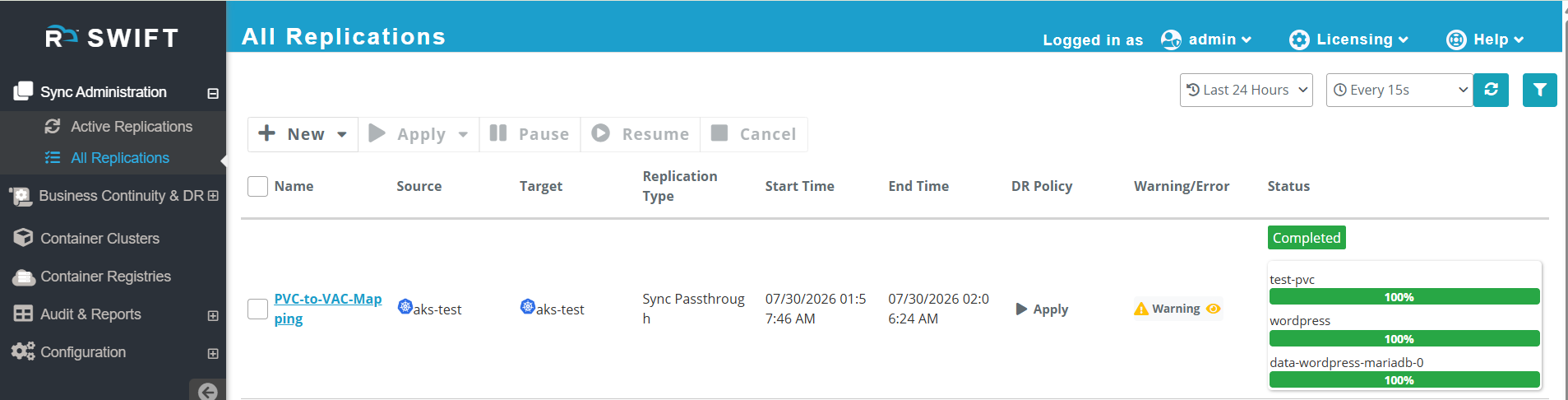
6. We can Verify the VAC association with PVCs: After the sync operation completes, verify that the PVCs are associated with the expected VolumeAttributesClass (VAC) on the target cluster using the following command:
kubectl get pvc -n <destination-namespace>
Example output:

The VOLUMEATTRIBUTESCLASS column confirms that the PVCs are mapped to the configured VAC (vac-aks-premium) on the target cluster, ensuring that the storage performance attributes are applied successfully.