
Overview
Dynamic Resource Allocation (DRA) Mapping allows SWIFT to map the resources requested by an application to the corresponding resources available on the Kubernetes cluster. This helps applications use the required hardware resources, such as GPUs or other specialized devices, during migration or disaster recovery.
Pre-requisite:
1. Kubernetes/OpenShift cluster must support Dynamic Resource Allocation (DRA).
2. Required DRA components must be installed and configured in the target cluster.
3. The required ResourceClaim and ResourceClaimTemplate objects should be available at target side.
Use case:
1. Map Dynamic Resource Allocation (DRA) resources during migration or disaster recovery.
2. Maintain ResourceClaim mappings between the source and target clusters.
Now, let's see how to configure DRA Mapping in SWIFT.
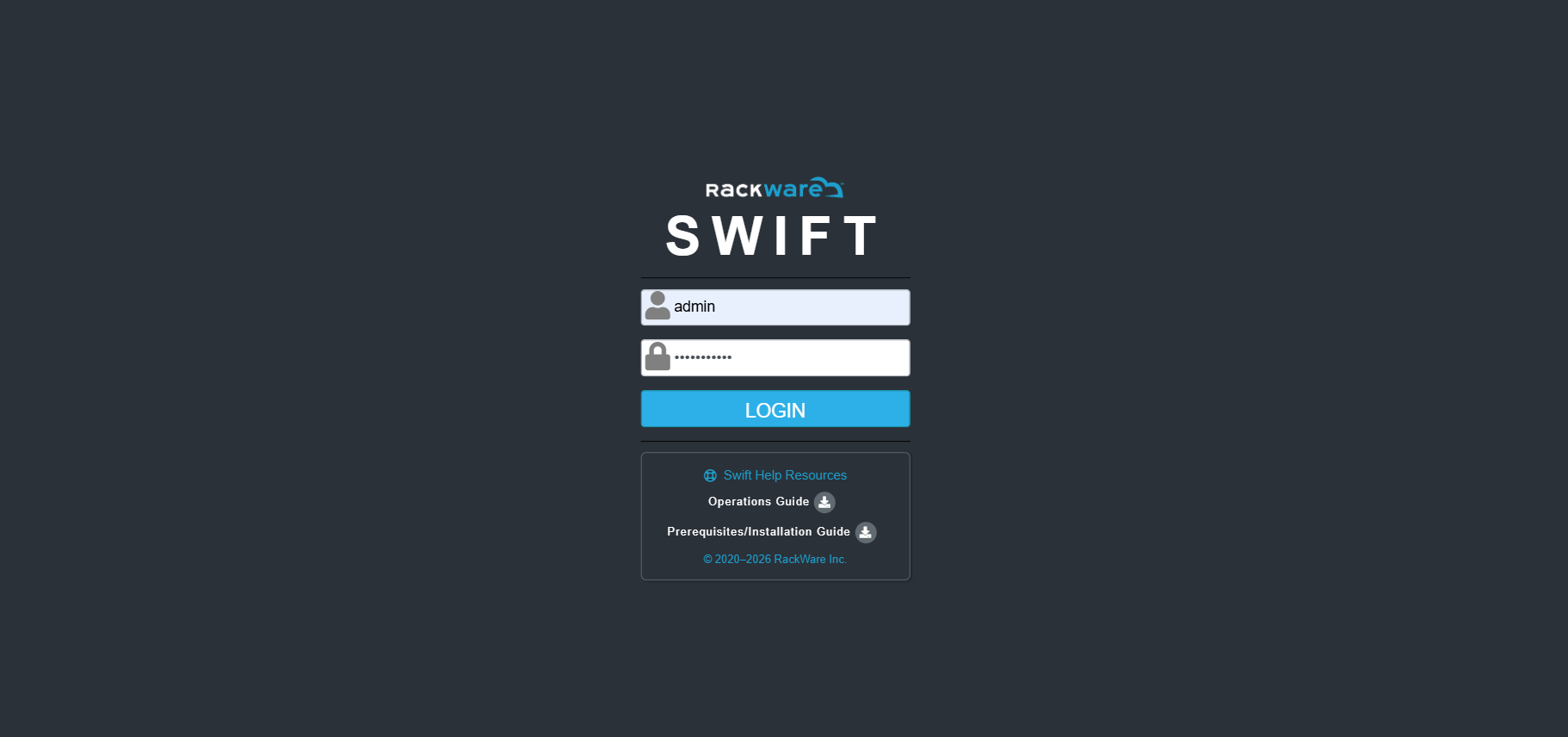
1. Login to the SWIFT
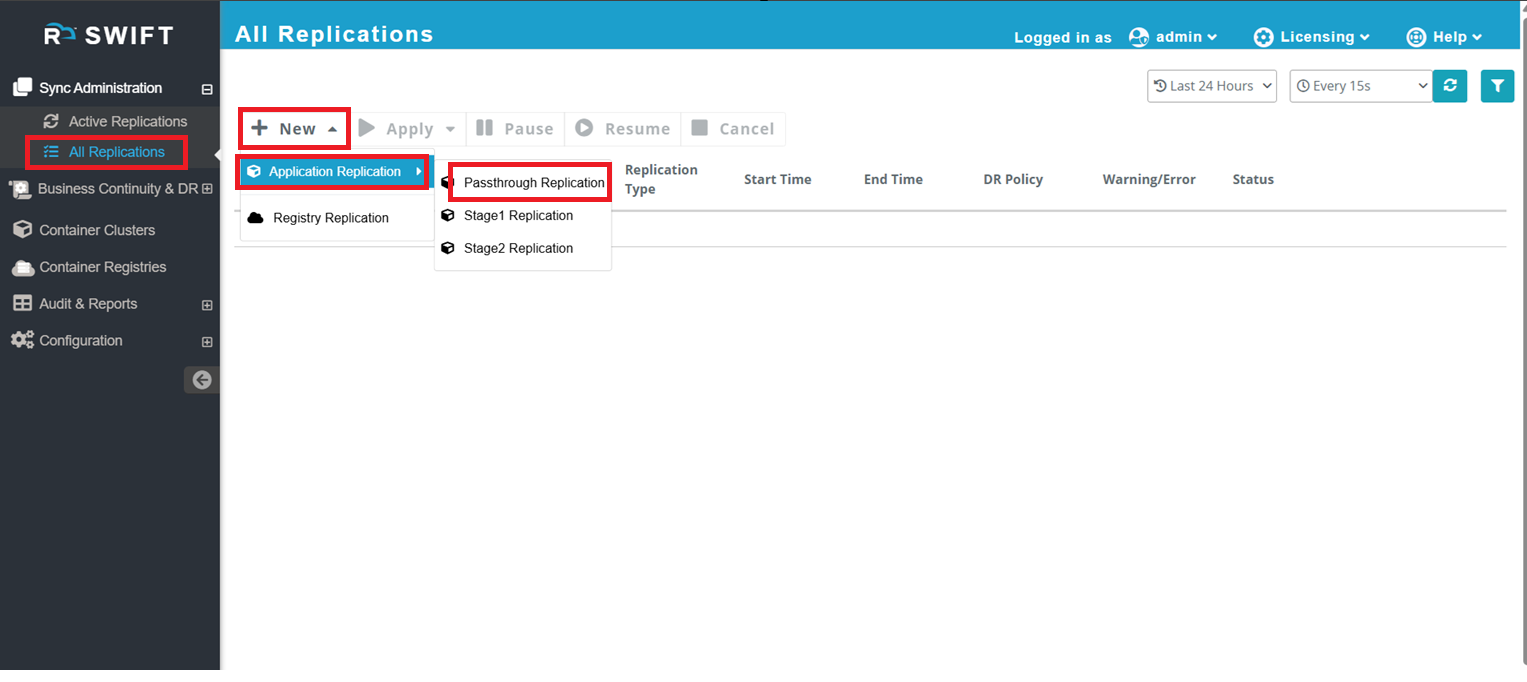
2. Once both the source and target clusters have been added, navigate to Sync Administration > All Replication > Application Replication > Passthrough Replication. (Create a new replication and select the appropriate Sync Type based on your use case.)
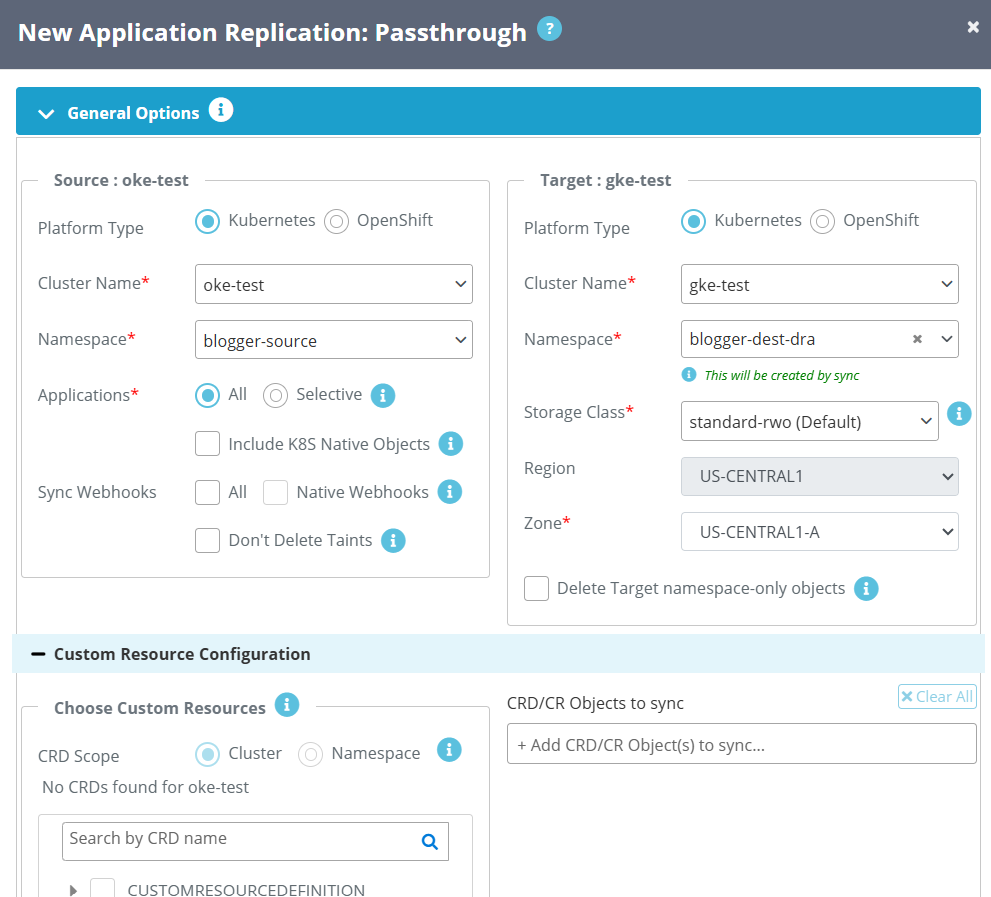
3. Once you clicked on sync type, you will appear below page that select the source and target cluster and namespaces that you want to sync then enter the required configuration details.
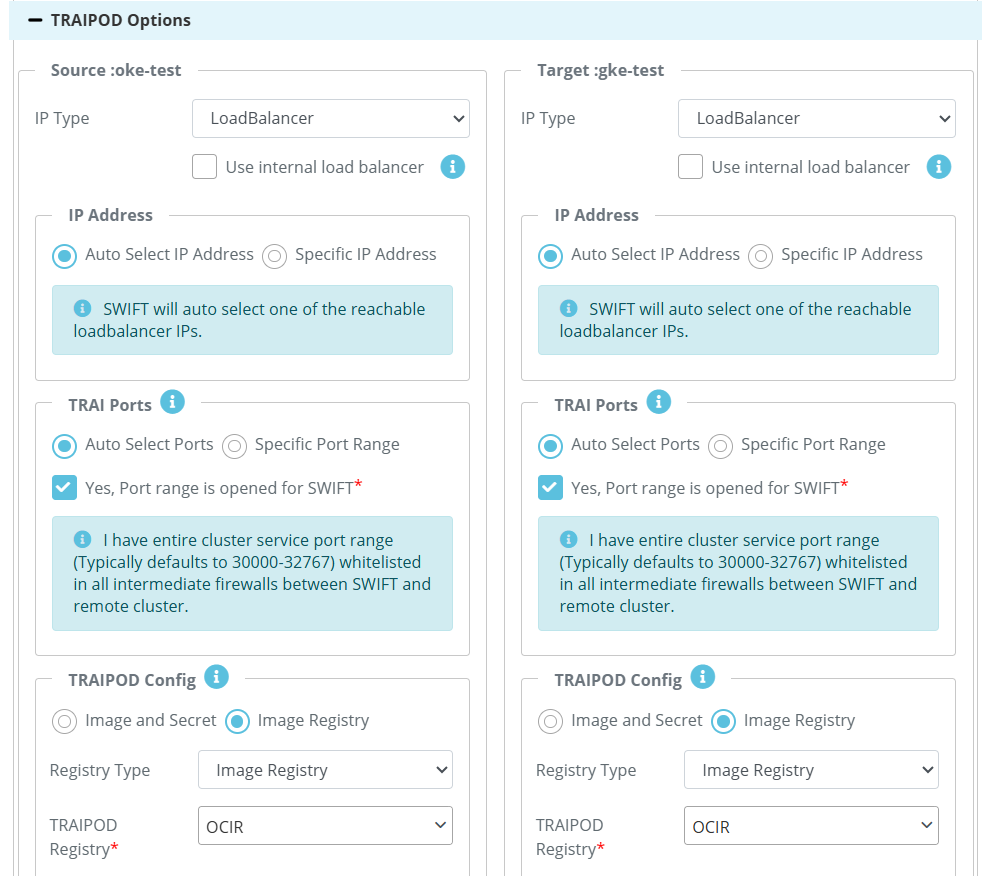
4. Navigate to Advanced Options, then select the DRA Sync Config tab to configure DRA resource mappings.
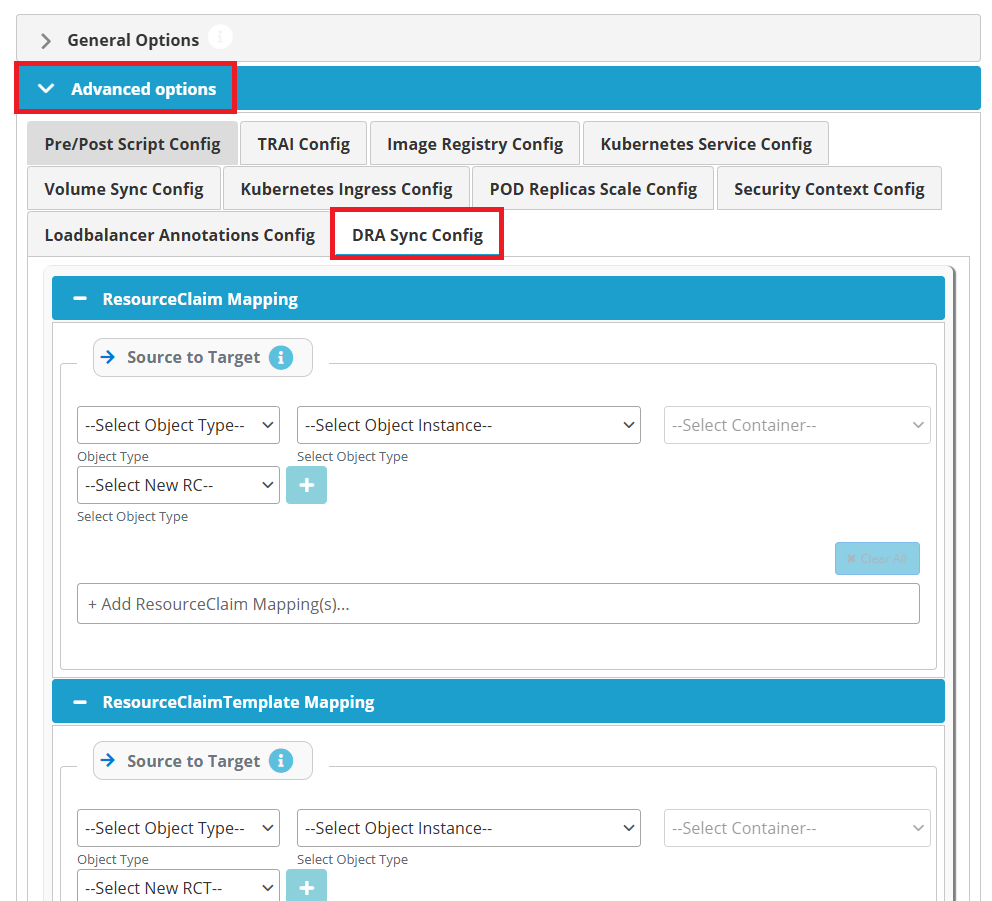
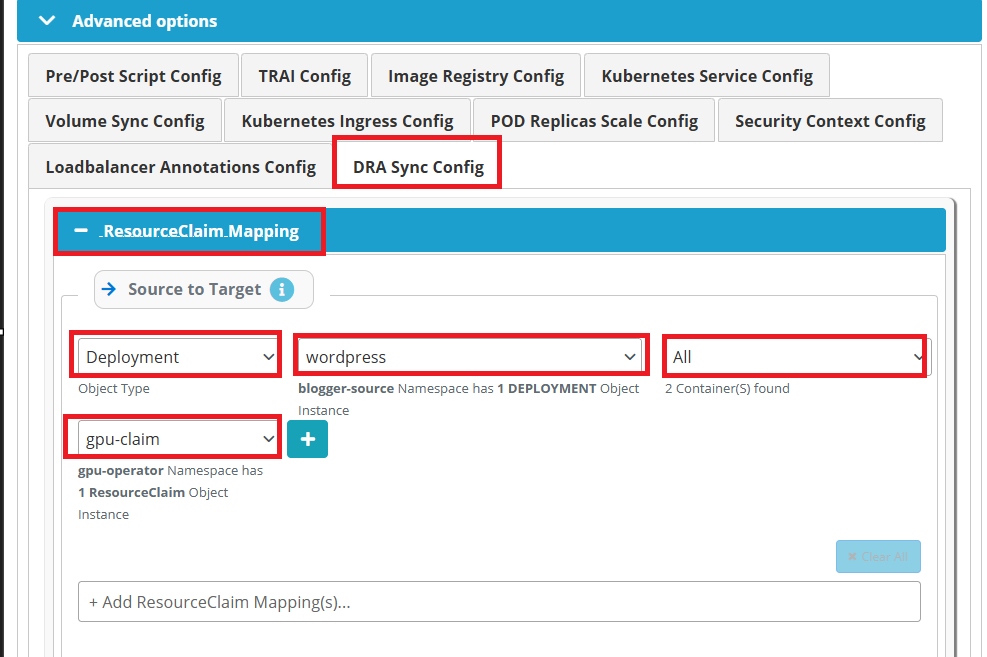
5. Navigate to Advanced Options > DRA Sync Config, expand the ResourceClaim Mapping section, Configure the ResourceClaim Mapping to map the Resourceclaim used by the source Kubernetes workload (such as a Deployment, StatefulSet, or Pod) to the appropriate ResourceClaim on the target cluster. This ensures that applications using Dynamic Resource Allocation (DRA) can successfully access the required resources after replication. Click the + icon to add the mapping.
Alternatively, you can select All from the Object Type drop-down to apply the mapping to all supported Kubernetes workload types in the selected namespace.
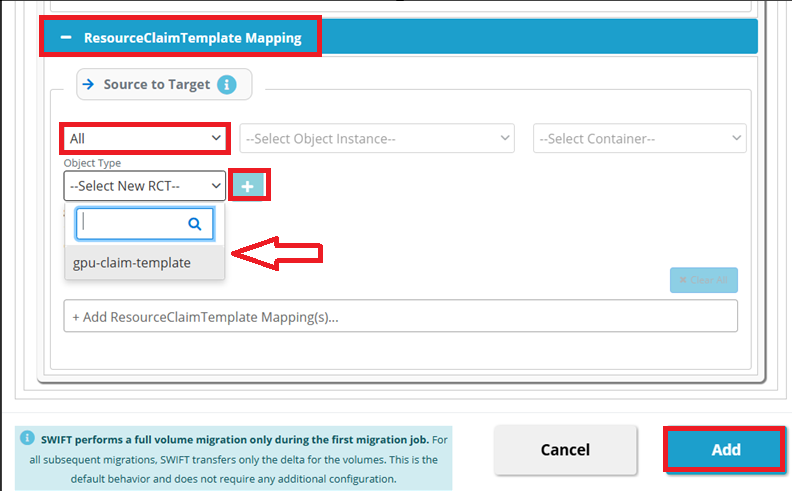
#In the ResourceClaim Template section. Configure the ResourceClaimTemplate Mapping to map the ResourceClaimTemplate used by the source Kubernetes workload to the appropriate ResourceClaimTemplate on the target cluster. This ensures that workloads using Kubernetes Dynamic Resource Allocation (DRA) can dynamically create and use the correct.
Now expand the ResourceClaimTemplate Mapping section, then select the appropriate Object Type (or All), Object Instance, and Container (or All) from their respective drop-downs. Next, select the required ResourceClaimTemplate from the Select New RCT drop-down and click the + icon to add the mapping. And click on Add button to start the DRA mapping sync.
Example ResourceClaim Mapping Scenarios
You can configure ResourceClaim Mapping either for a specific workload or for all supported workloads in the selected namespace.
Examples:
- Pod : test-pod1 : gpu-container → gpu-rc-claim1
Maps thegpu-containerin thetest-pod1Pod to thegpu-rc-claim1ResourceClaim. - Pod : ALL : ALL → gpu-rc-claim2
Maps all Pods and all containers in the selected namespace to thegpu-rc-claim2ResourceClaim. - Deployment : gpu-app : ALL → gpu-rc-claim3
Maps all containers in thegpu-appDeployment to thegpu-rc-claim3ResourceClaim.
Similarly, ResourceClaimTemplate Mapping can also be configured for a specific workload or for all supported workloads.
Examples:
- Pod : test-pod1 : gpu-container → gpu-rct1
Maps thegpu-containerin thetest-pod1Pod to thegpu-rct1ResourceClaimTemplate. - Pod : ALL : ALL → gpu-rct2
Maps all Pods and all containers in the selected namespace to thegpu-rct2ResourceClaimTemplate.
Note: Use a specific mapping when only selected workloads require a particular DRA resource. Use ALL when the same ResourceClaim or ResourceClaimTemplate should be applied to all supported workloads in the selected namespace.
6. Lets wait for the DRA mapping to complete. Once complete then you can check on target side.
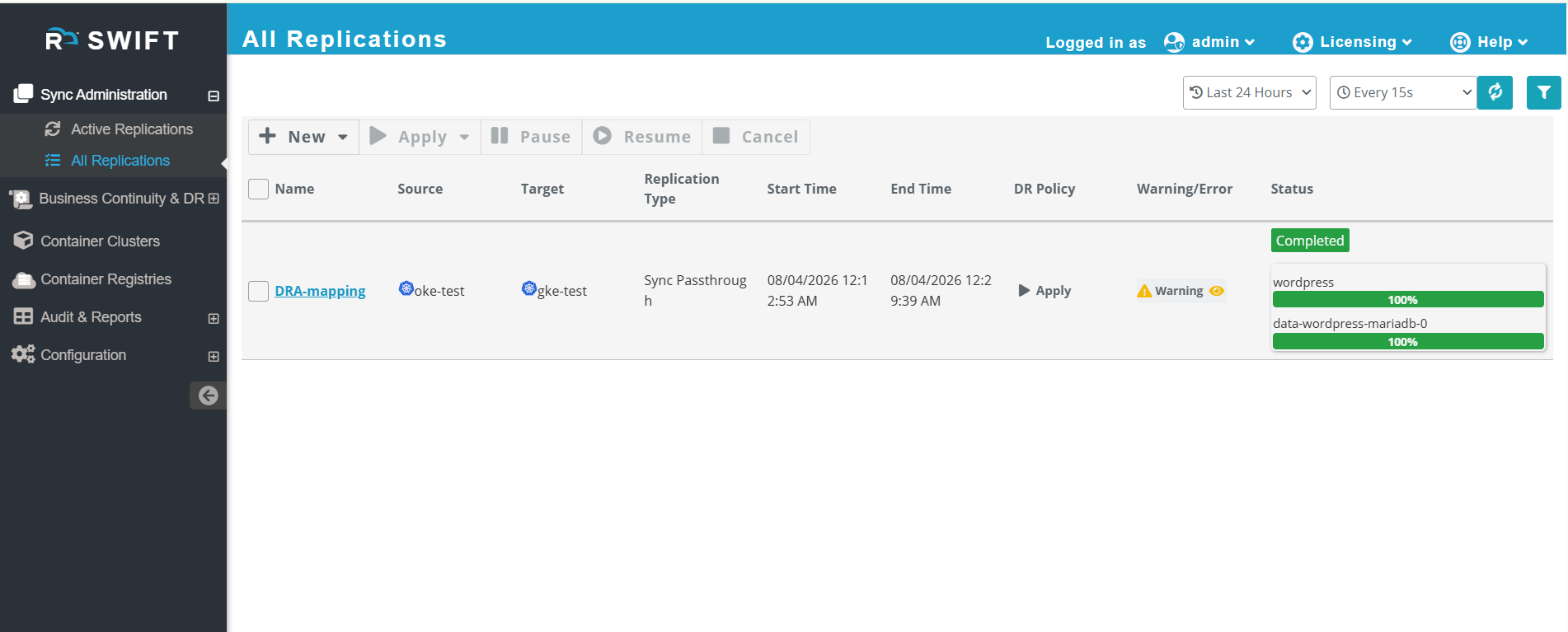
7. After the replication job completes successfully, verify the following on the target cluster:
- Confirm that the application workload (Deployment, StatefulSet, Pod, etc.) has been created successfully
- Verify that the mapped ResourceClaim or ResourceClaimTemplate is present in the target namespace.
- Verify that the pods are in the Running state and are able to access the required DRA resources
You can also verify with below commands.
Verifies that the ResourceClaim has been created successfully in the target namespace.
kubectl get resourceclaim -n <target-namespace>Verifies that the ResourceClaimTemplate has been created successfully in the target namespace.
kubectl get resourceclaimtemplate -n <target-namespace>Verifies that the application pods have been created and are in the Running state.
kubectl get pods -n <target-namespace>Verifies that the pod is using the mapped ResourceClaim or ResourceClaimTemplate and checks for any scheduling or DRA-related errors.
kubectl describe pod <pod-name> -n <target-namespace>