
Overview
RackWare SWIFT supports cross-architecture migration of Kubernetes workloads between x86_64 and ARM64 environments in both directions. This includes migrating workloads from x86_64 to ARM64 and from ARM64 to x86_64.
This knowledge base describes the prerequisites, compatibility considerations, and configuration steps required to perform cross-architecture migrations using SWIFT.
Prerequisite
- When replicating workloads from x86_64 to ARM64, ensure that the application uses multi-architecture container images that support ARM64. Otherwise, the application may fail to start on the target environment due to architecture incompatibility.
Usecase:
1. x86_64 to ARM64: Migrating workloads to ARM64-based Kubernetes nodes to leverage ARM-based infrastructure.
2. ARM64 to x86_64: Moving workloads to x86_64-based Kubernetes nodes to meet infrastructure requirements or application compatibility needs.
Follow the steps below to configure the source and destination clusters, initiate replication, and verify that the application is running successfully on the destination cluster.
This is our source application on x86 (amd64) cluster
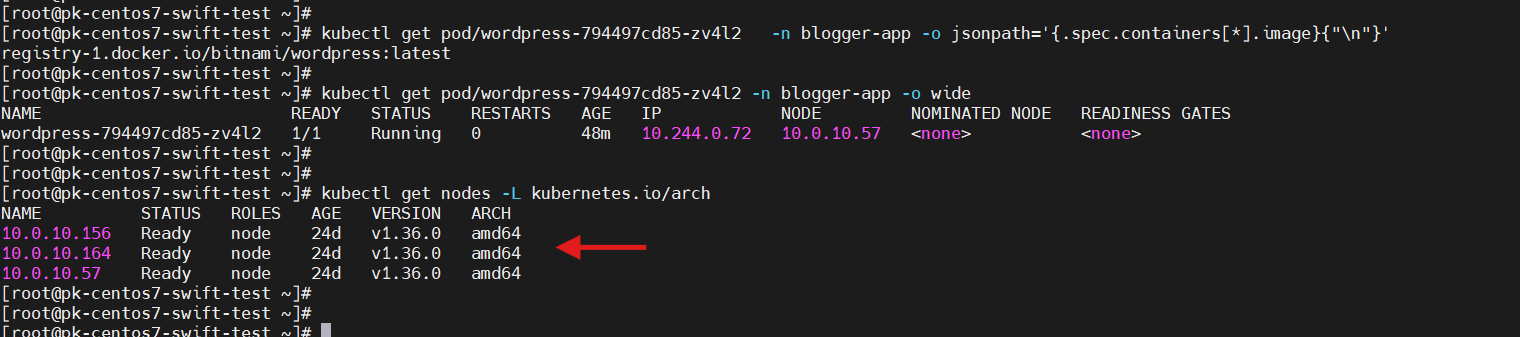
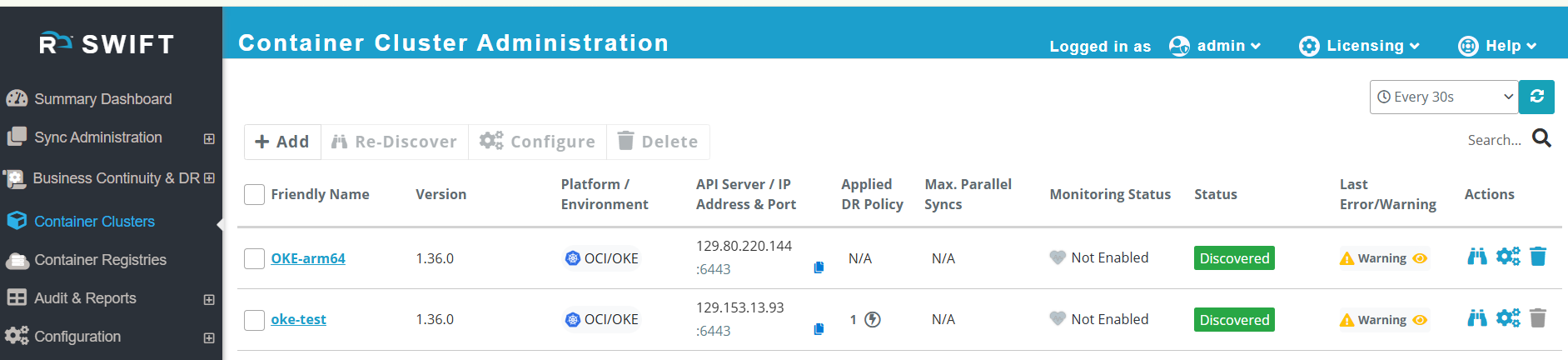
1. Login to SWIFT dashboard and discover the cluster. Here we have added both cluster for replications.
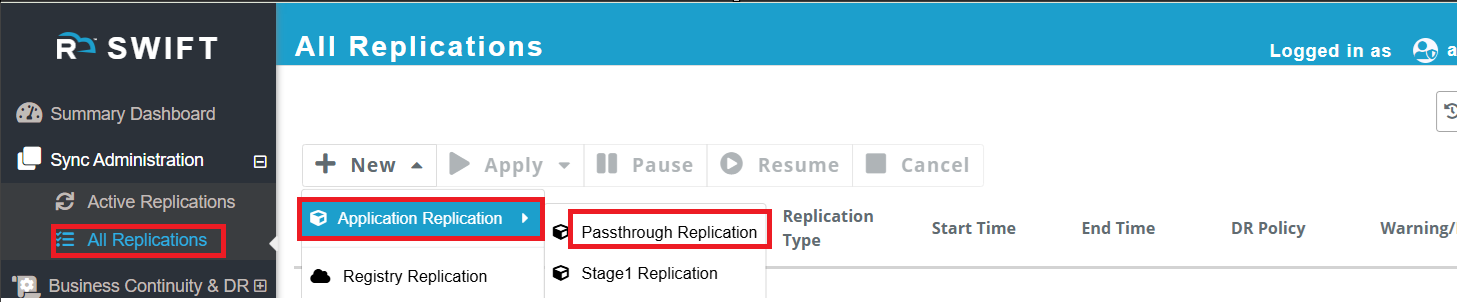
2. Now Go to Sync administration > Click on All replication > Application replication > Passthrough.
3. Now select your source and target cluster and choose namesapce at both side to migrate your application from source x86 to target arm64.
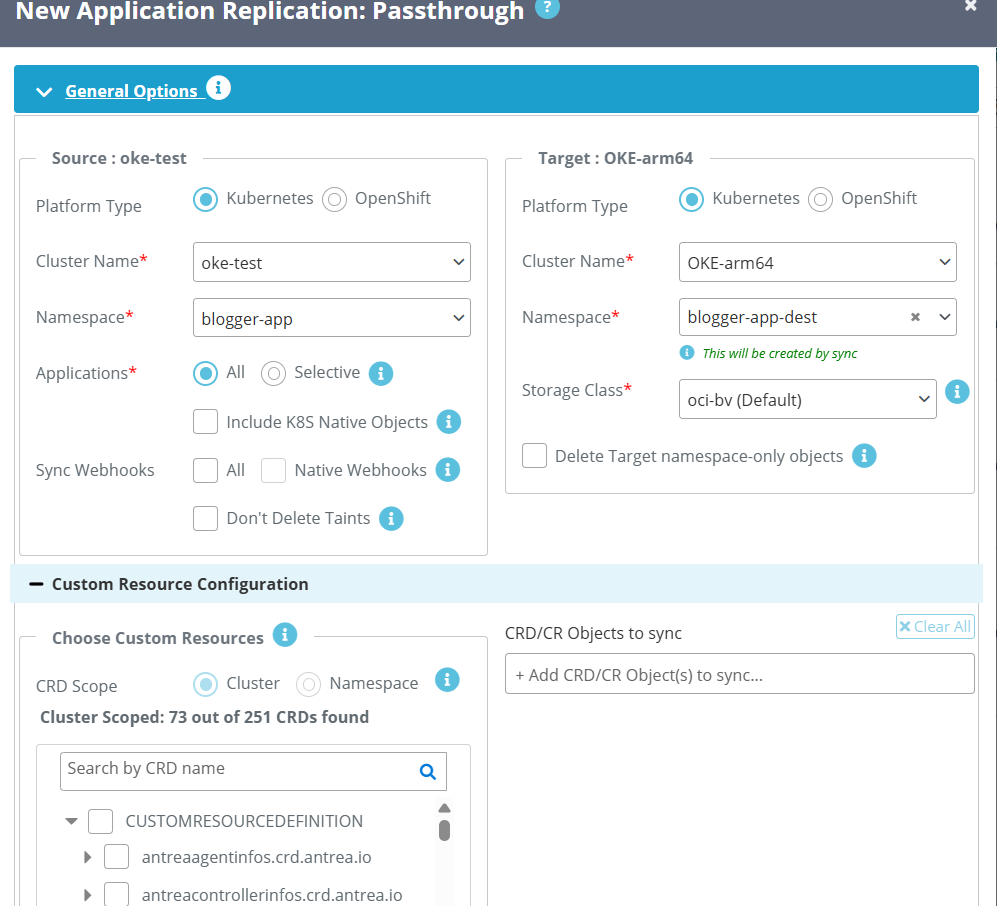
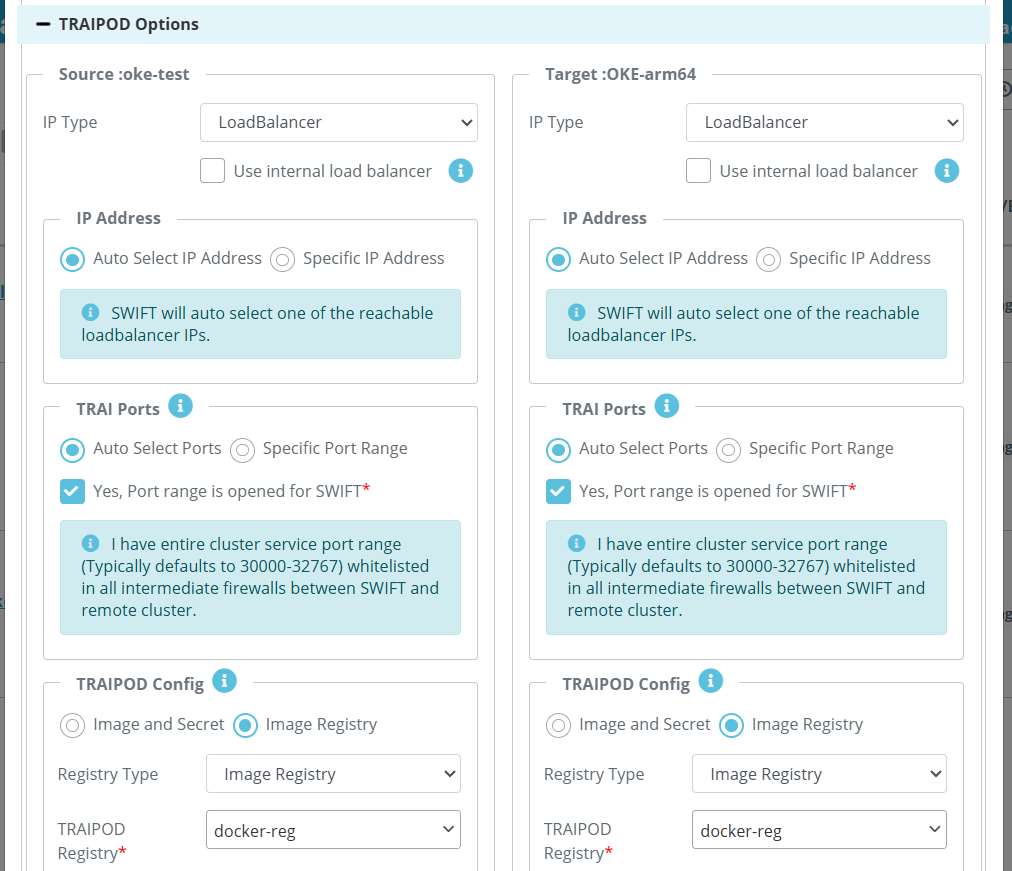
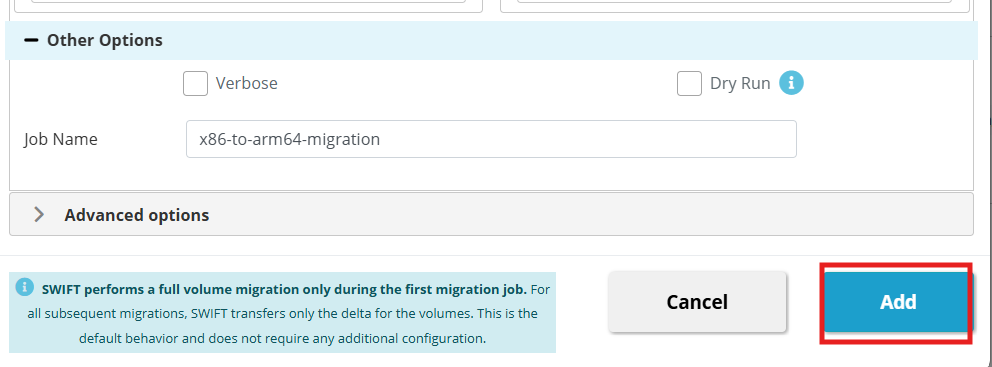
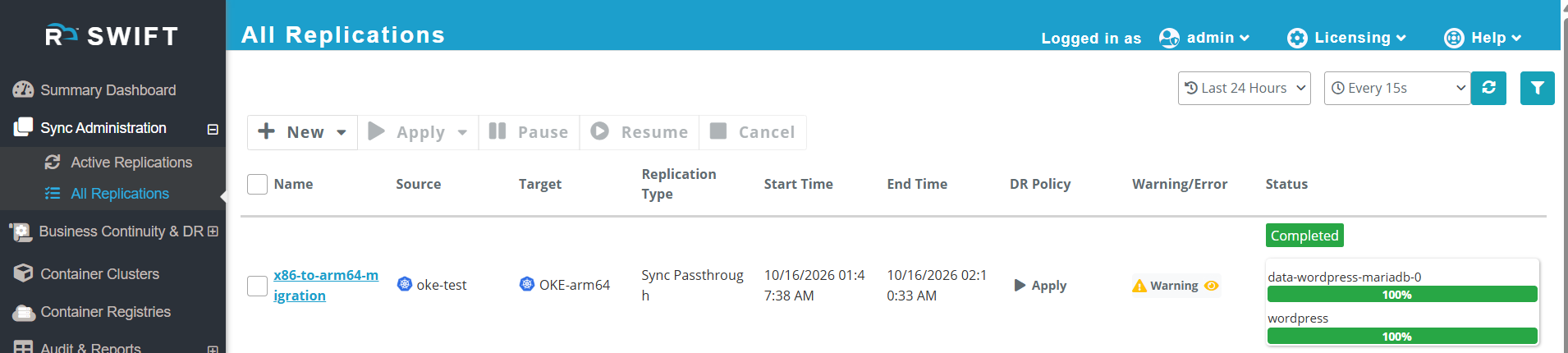
4. Once you click on Add dbutton, and sync will start. As you can see below screenshot, the migration has been completed from x86 to arm64.
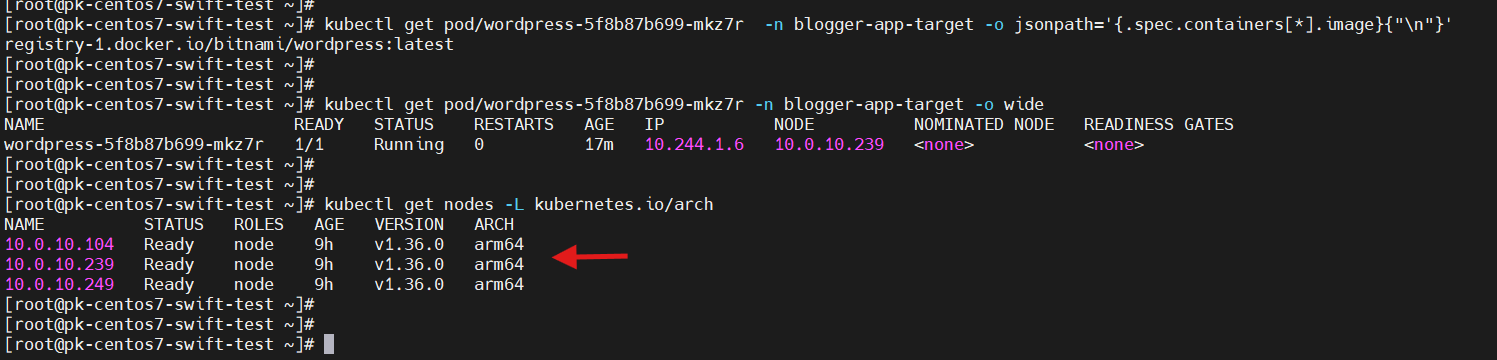
5. We can verify that app has been replicated from the source to arm64 OKE cluster. As per below screenshort we can confirm that pod is successfully in a Running state on an arm64 node.
Why Consider ARM64-Based Infrastructure?
ARM64-based compute platforms can offer improved price-performance and energy efficiency for suitable workloads. Cloud providers such as Google Cloud and Oracle Cloud Infrastructure offer ARM-based compute options for running containerized applications.
Google Cloud: Google Axion processors power ARM-based instances, including C4A, and support ARM workloads on Google Kubernetes Engine (GKE).
Oracle Cloud Infrastructure: OCI provides Ampere-based ARM compute instances suitable for web applications, microservices, and other containerized workloads.
By using RackWare SWIFT to replicate applications between supported Kubernetes environments, organizations can evaluate ARM64 infrastructure while maintaining application portability.
Actual cost savings and performance improvements depend on workload characteristics, resource sizing, application compatibility, and cloud pricing. Validate application functionality and benchmark performance before making production infrastructure decisions.
Summary
In this walkthrough, we demonstrated how to use RackWare SWIFT to replicate an application from an x86_64-based Kubernetes cluster to an ARM64-based destination cluster.
We covered the replication workflow and the verification steps required to confirm that the application is running on the destination architecture.
This approach helps organizations evaluate ARM64-based infrastructure for suitable workloads while maintaining application portability across supported Kubernetes environments.
Before using this approach in production, verify that the application's container images and dependencies support the destination architecture, and validate application functionality and performance after replication.
Important technical note: For x86_64-to-ARM64 migration, the application must use an ARM64-compatible image. A multi-architecture container image is a good option when the same image reference must support both x86_64 and ARM64. Also validate any architecture-specific dependencies, native binaries, and third-party components.
Related Resources and Next Steps
Get started with SWIFT from OCI Marketplace
Get started with SWIFT from GCP Marketplace