
Overview
This article describes the prerequisites required to configure IBM Kubernetes Service (IKS), IBM Cloud Container Registry (ICR), and IBM OpenShift in RackWare SWIFT. It covers the required IBM Cloud resources, IAM permissions, service account configuration, networking, cluster requirements, and container registry settings needed to successfully add IKS, ICR, and IBM OpenShift to SWIFT.
Create the IBM Cloud user account with the required permissions; the same credentials can be used to configure IKS, IBM OpenShift and IBM Cloud Object Storage in SWIFT.
Topics Covered
- Pre-requisite
- Add the Classic Infrastructure permissions
- Add VPC Infrastructure permissions
- Prerequisites for Adding IBM OpenShift Container Platform (OCP)
- Prerequisites for Adding IBM OpenShift Origin (OKD)
Pre-requisite
Create a user account in IBM Cloud with the required permissions. The user credentials will be used to generate the API key required for configuring the IBM resources in SWIFT.
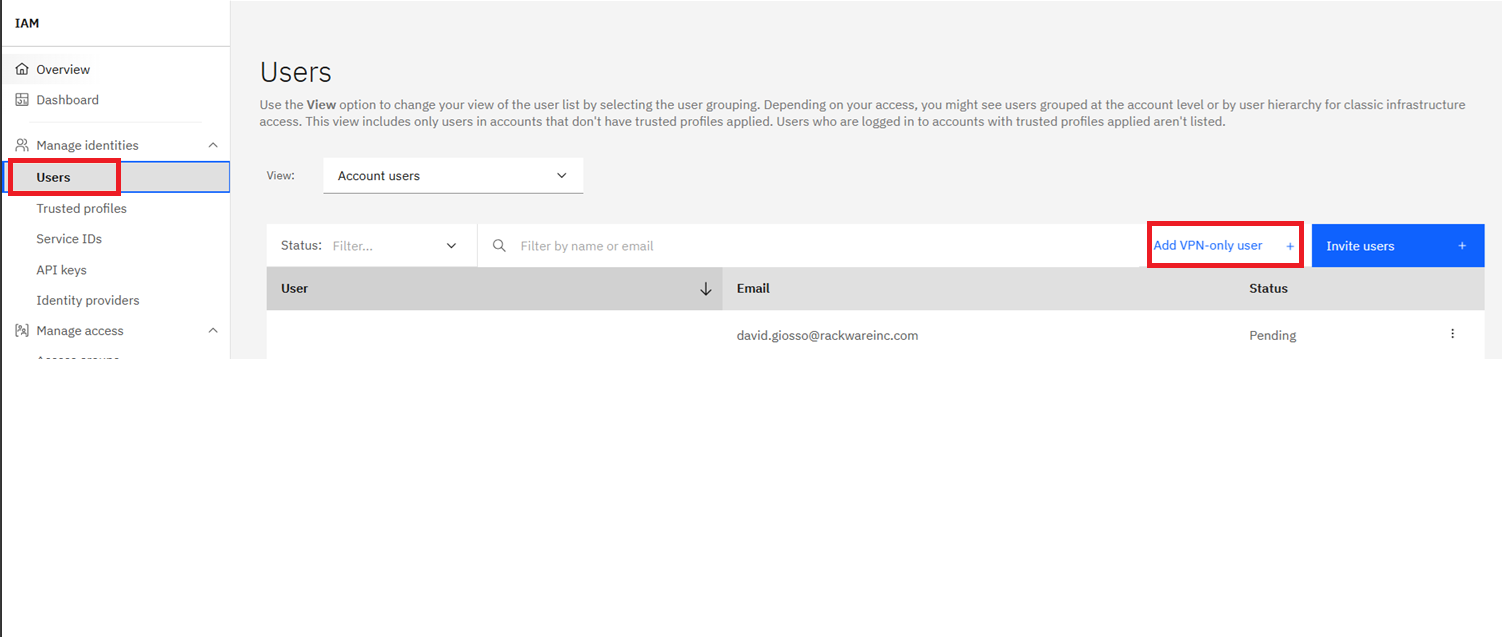
1. Go to the User > Add VP user
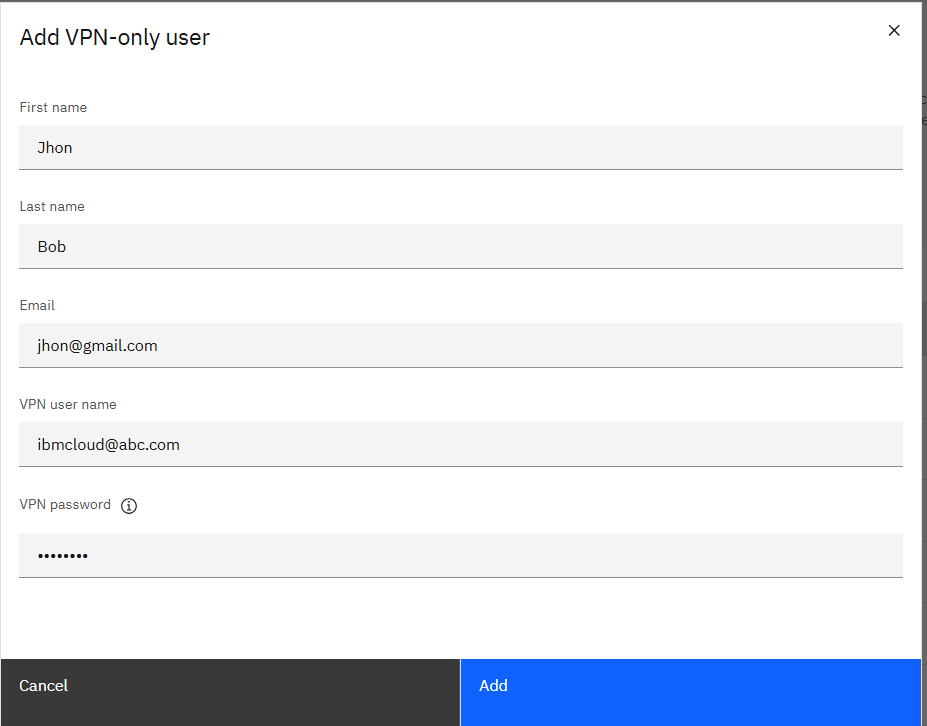
2. Provide details and create a user.
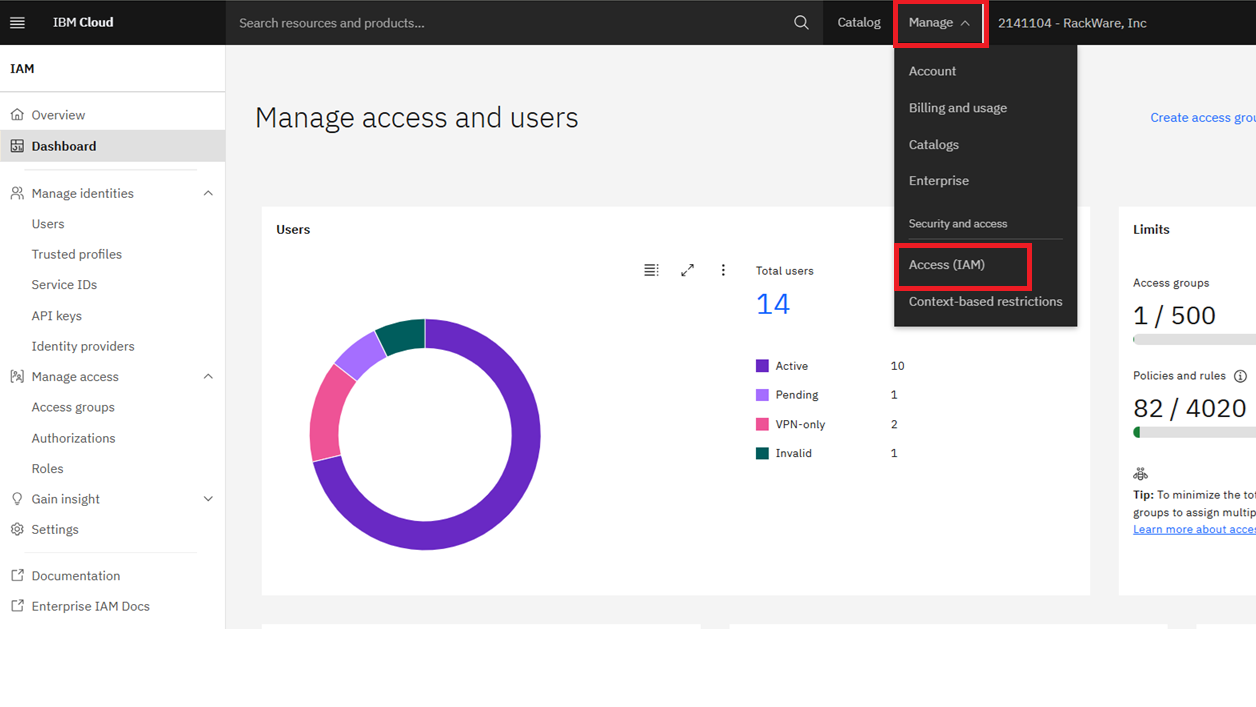
3. Navigate to Manage > Access (IAM) in the IBM Cloud console to manage users and access permissions.
2. Select API keys and ensure that My IBM Cloud API keys is selected.
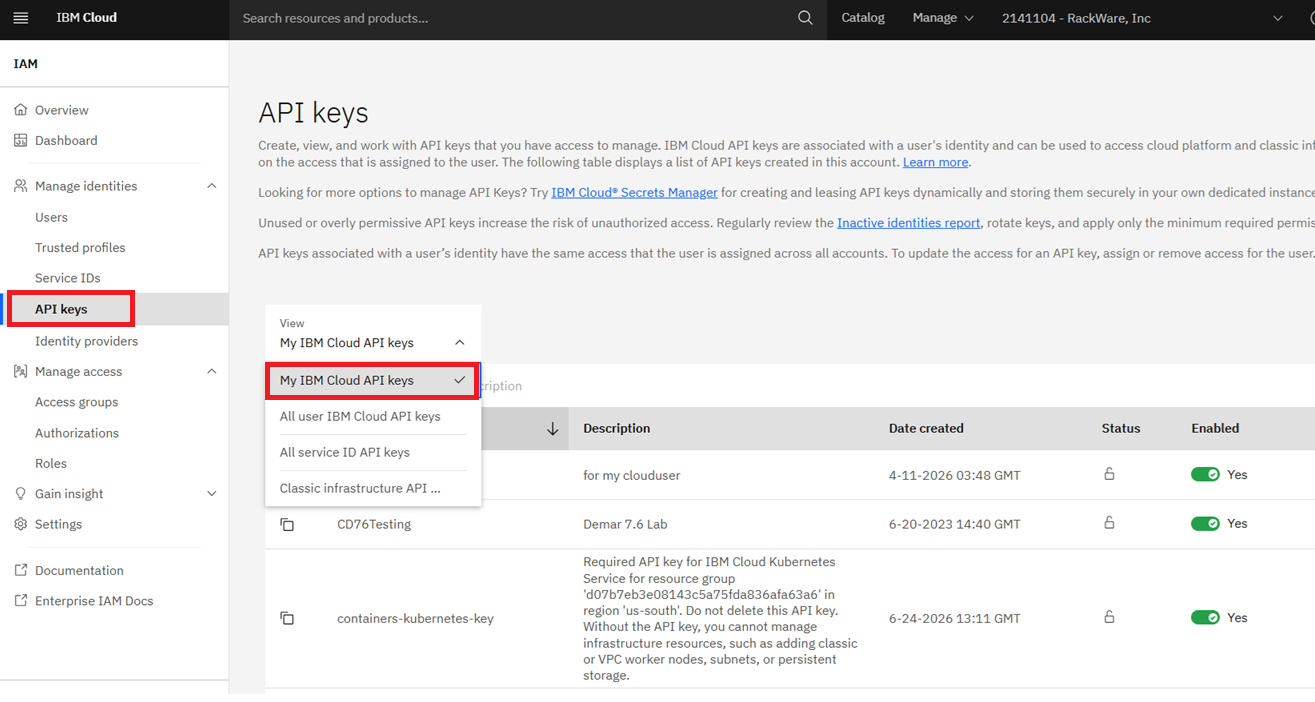
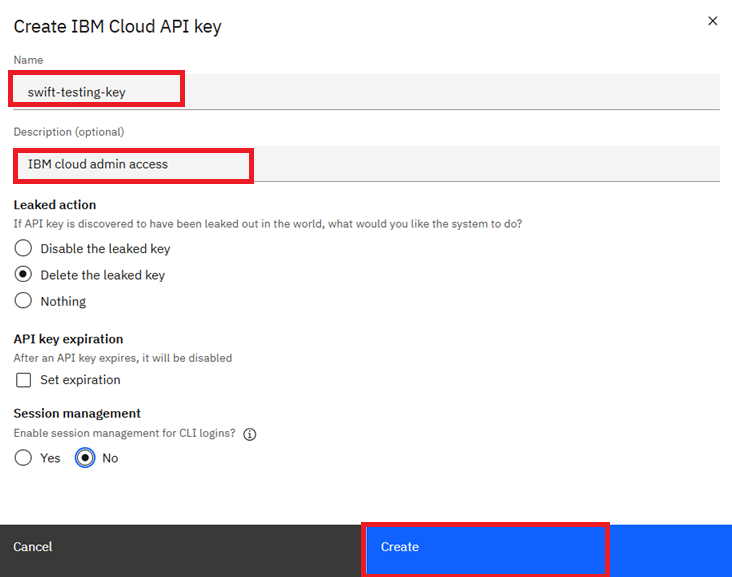
4. To create an API key, click Create an IBM Cloud API key. Enter a name and description for the API key, and then click Create to generate the key.
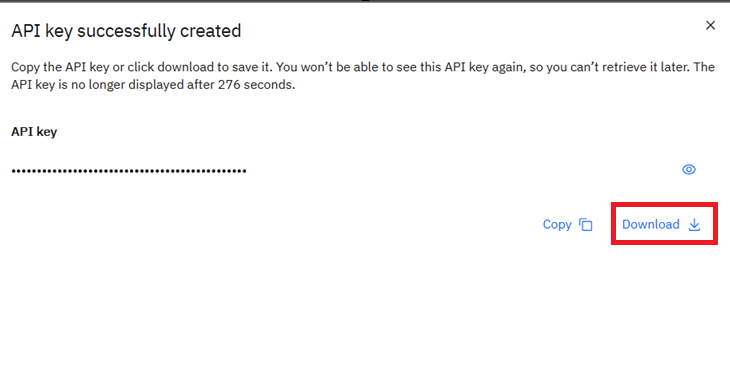
5. Download and securely store the generated API key. You will need this API key later when configuring an IBM IKS or OpenShift cluster in SWIFT.
Note: The IBM Cloud API key inherits the permissions of the user who created it. If the key is created by an Owner user, no additional permissions are required. If it is created by a regular user, ensure that the required permissions listed in the next section are assigned before using the key with SWIFT.
Add the Classic Infrastructure permissions
Set permissions of the IBM cloud user for SWIFT usage
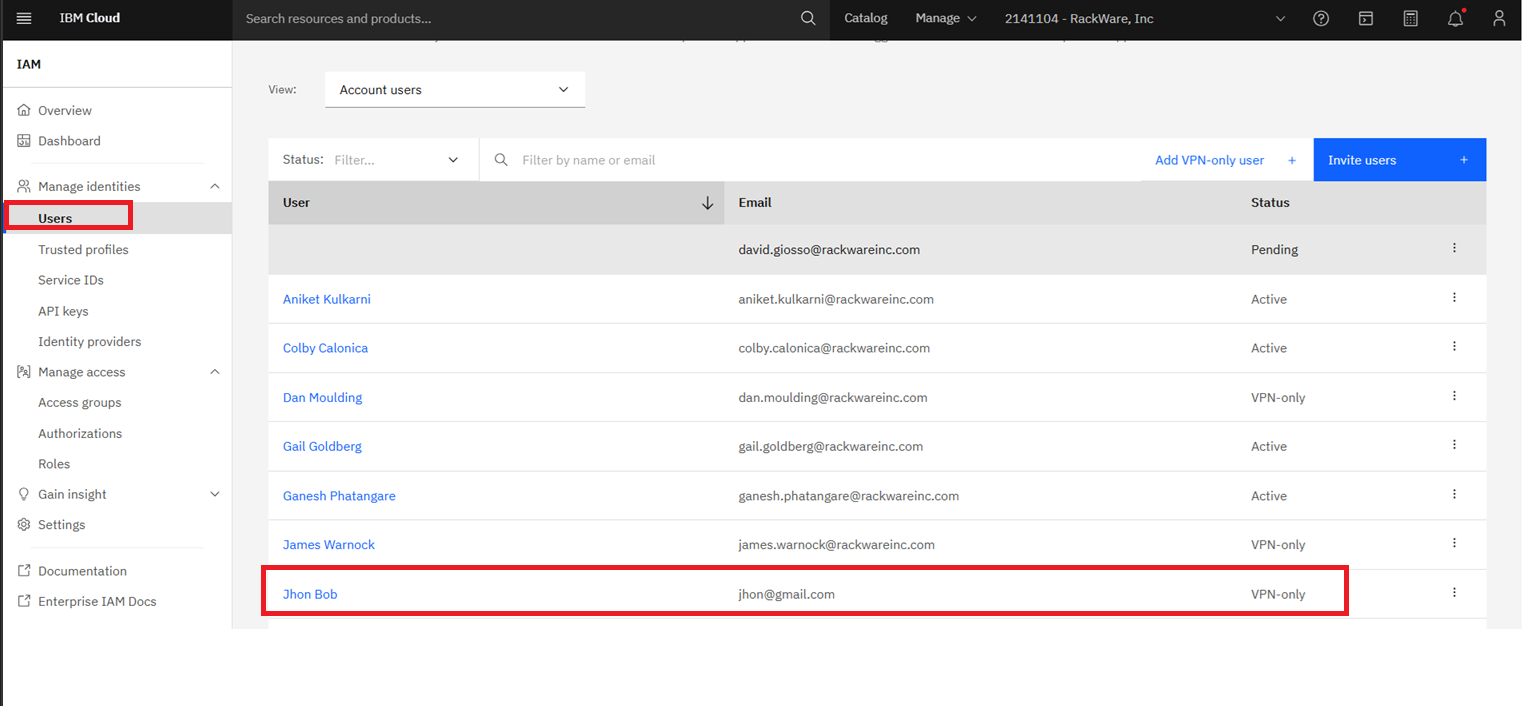
1. Select Users from the left navigation menu, and then select the user account that was used to create the API key.
2. To assign the required Classic Infrastructure permissions to the user, select the Classic Infrastructure tab.
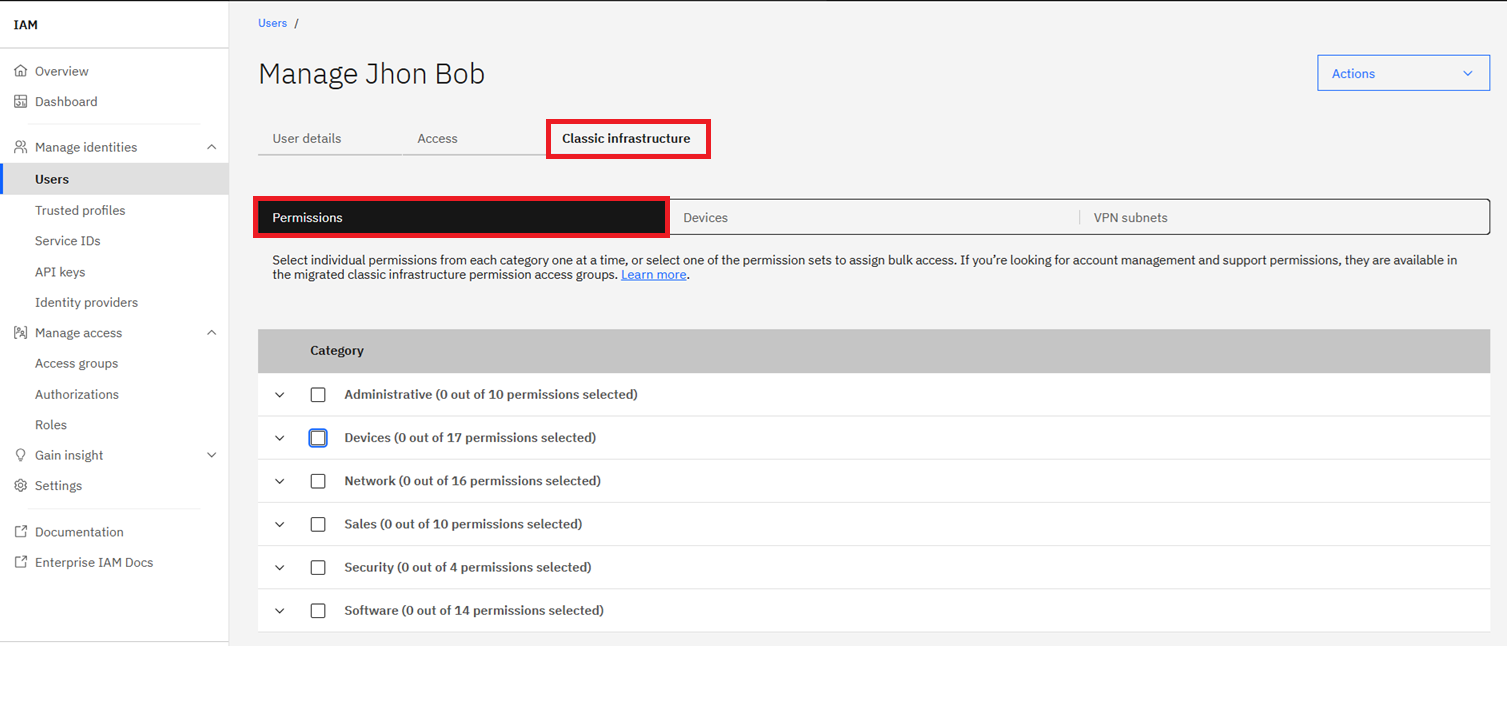
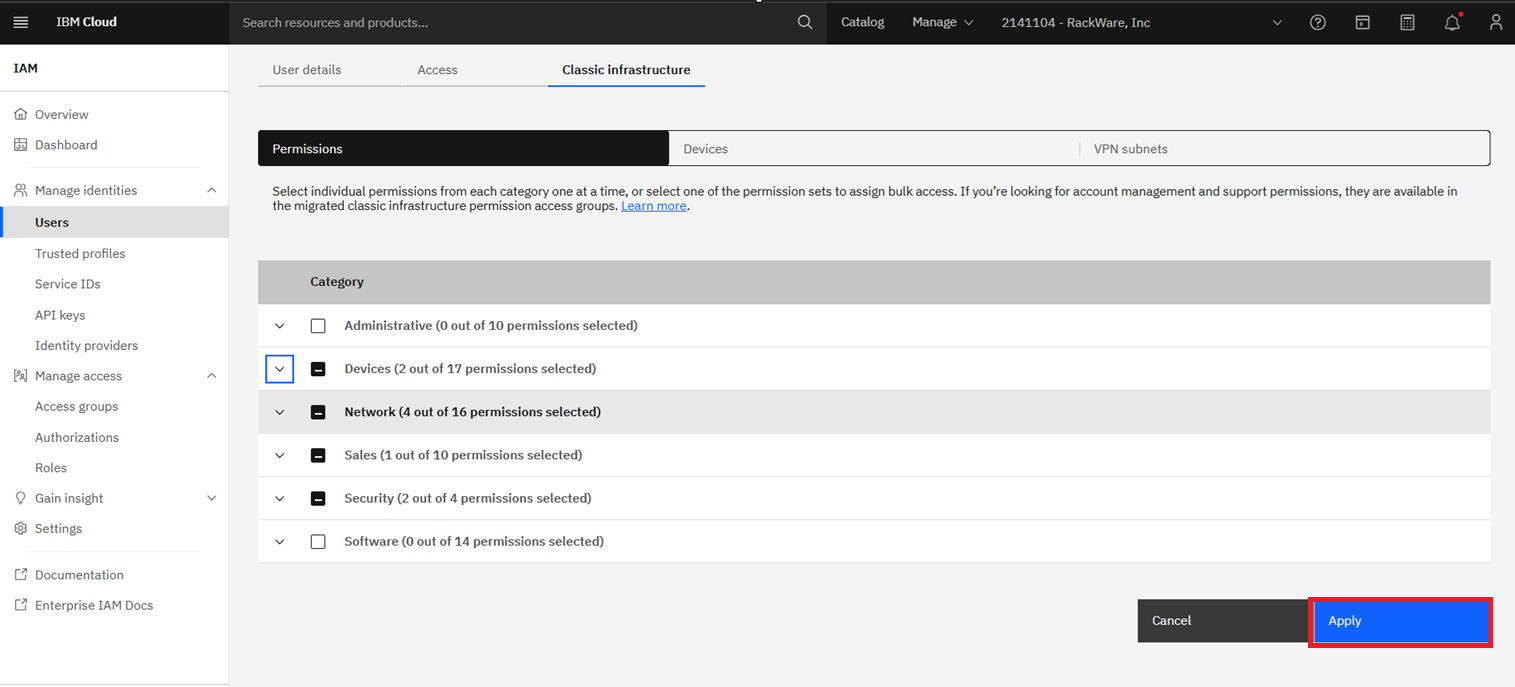
3. Add the following individual permissions.
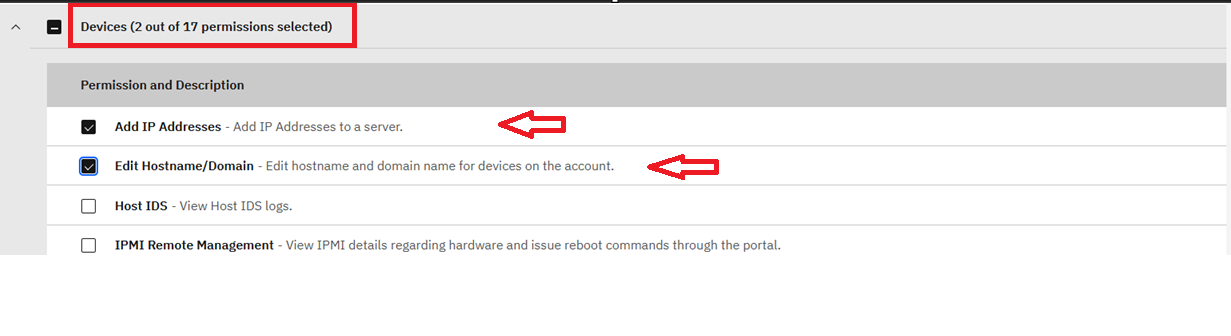
#Under Device
1. Add IP Address
2. Edit Hostname/Domain
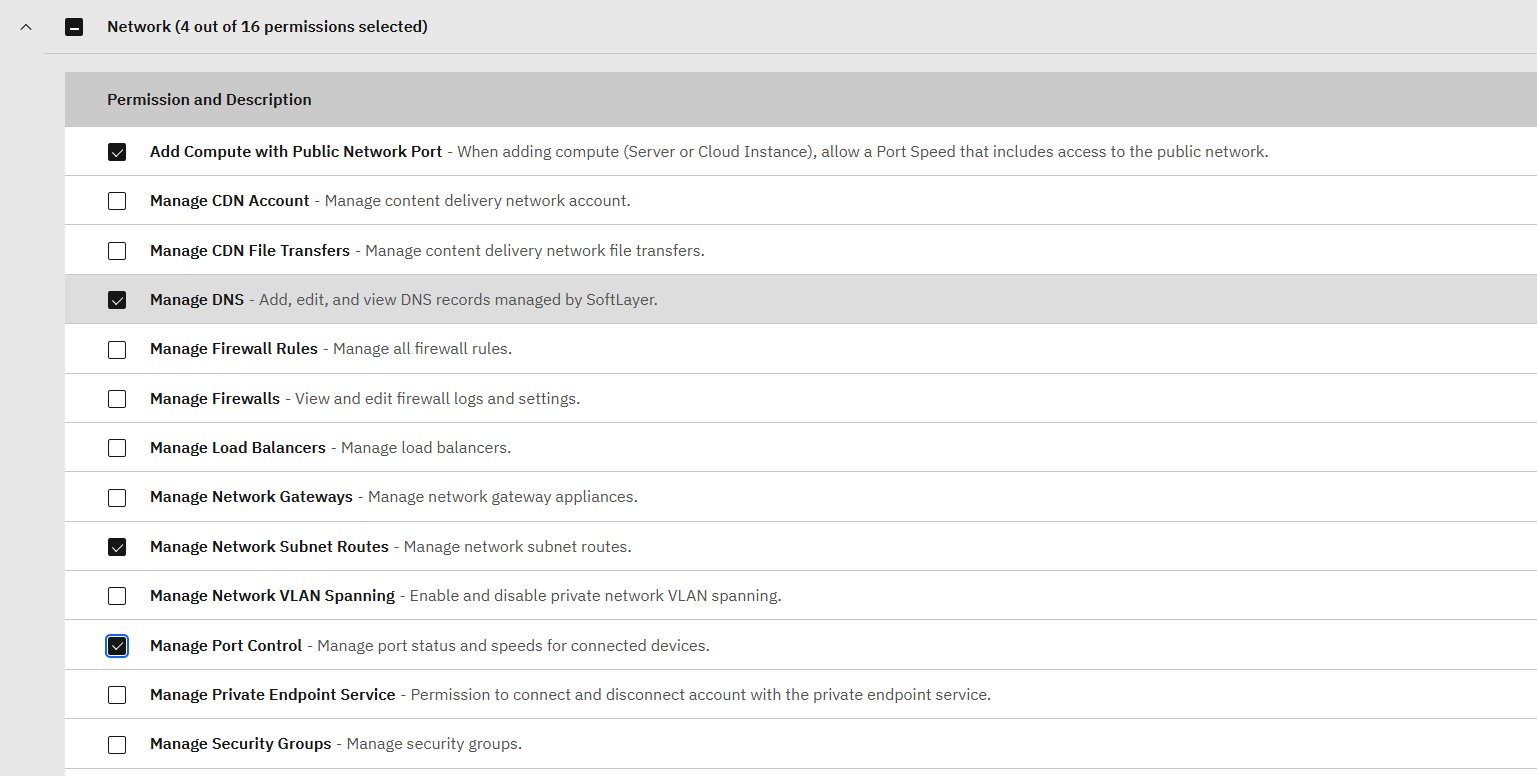
#Under Network
1. Add compute with Public network port
2. Manage DNS
3. Manage network subnet
4. Manage port control
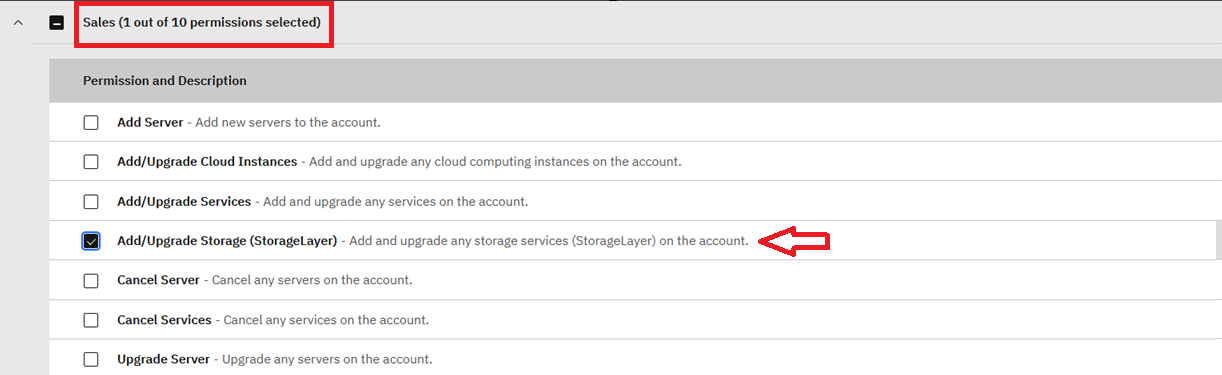
#Under Sales
1. Add/Upgrade Storage (Storage Layer)
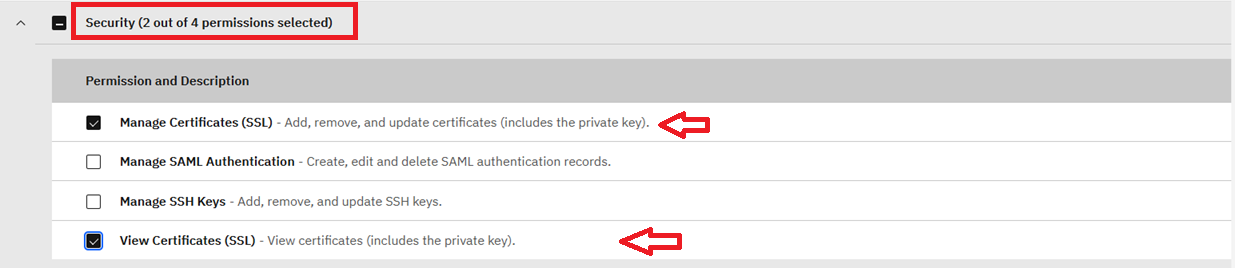
#Under Security
1.Manage Certificates (SSL)
2.View Certificates (SSL)
4. After selecting the required permissions, click Apply to save the changes.
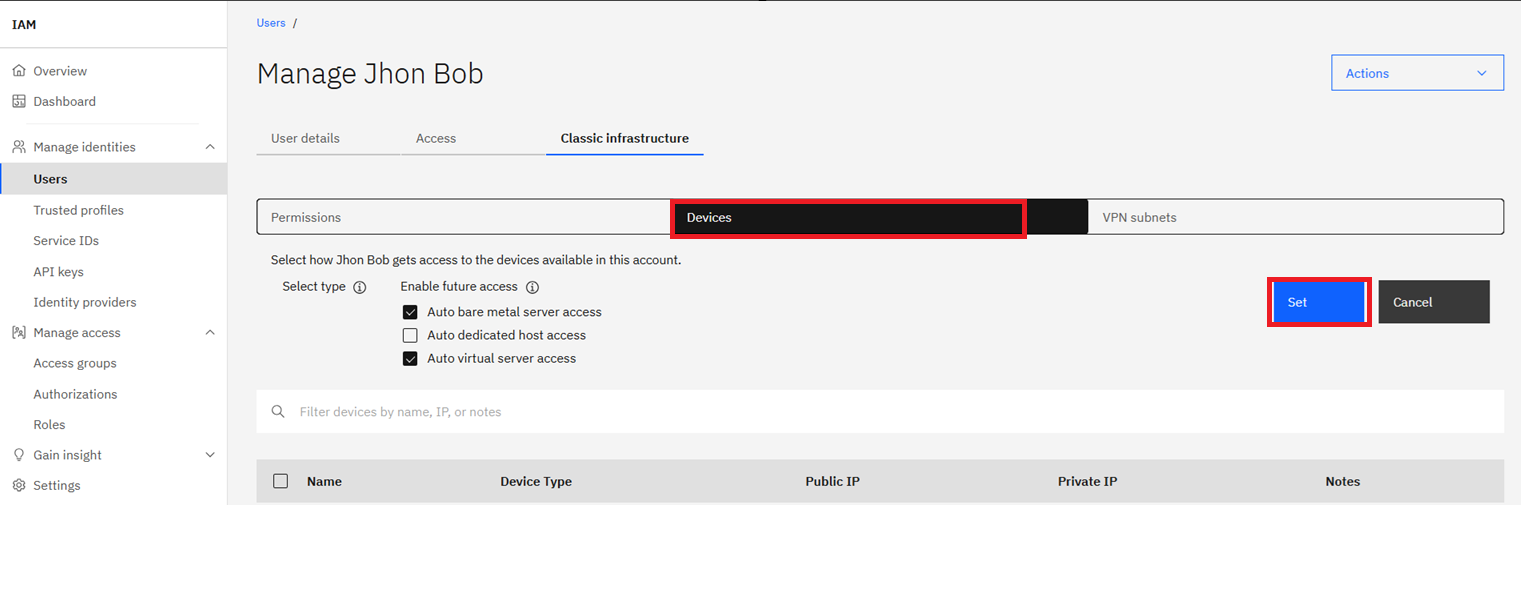
5. To add or verify the worker node-specific permissions, navigate to the Devices tab and ensure that the required permissions are enabled.
 Add VPC Infrastructure permissions
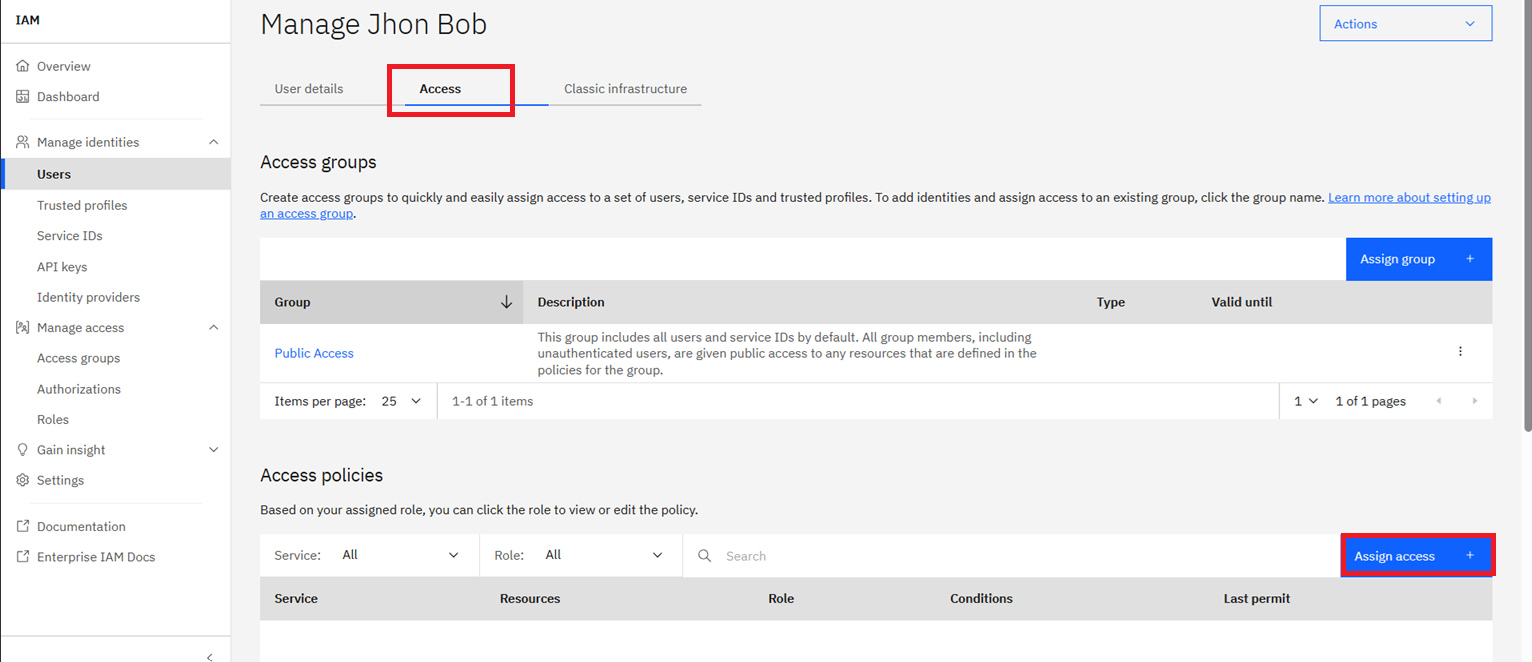
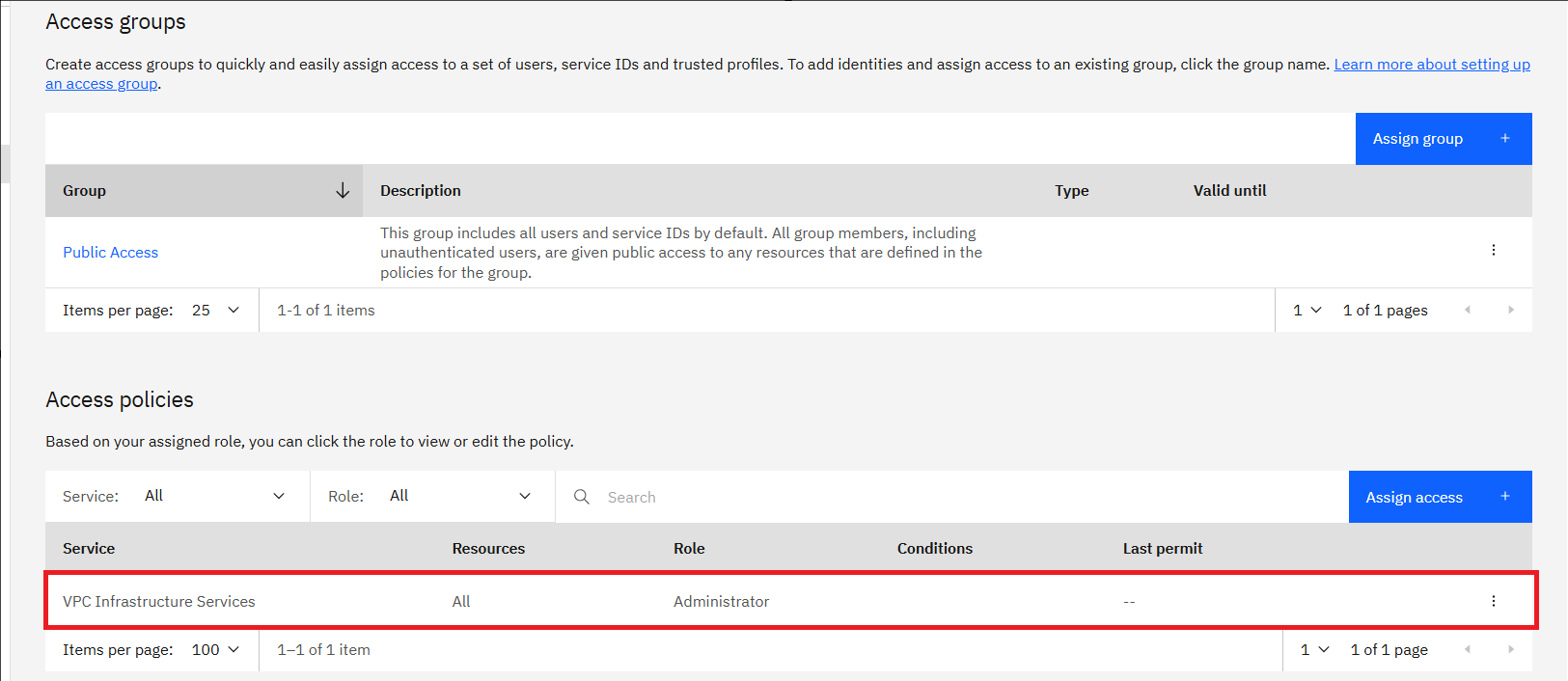
1. If you are using a VPC cluster, the user must have Administrator platform access. To assign this access, navigate to the Access policies tab and click Assign access.
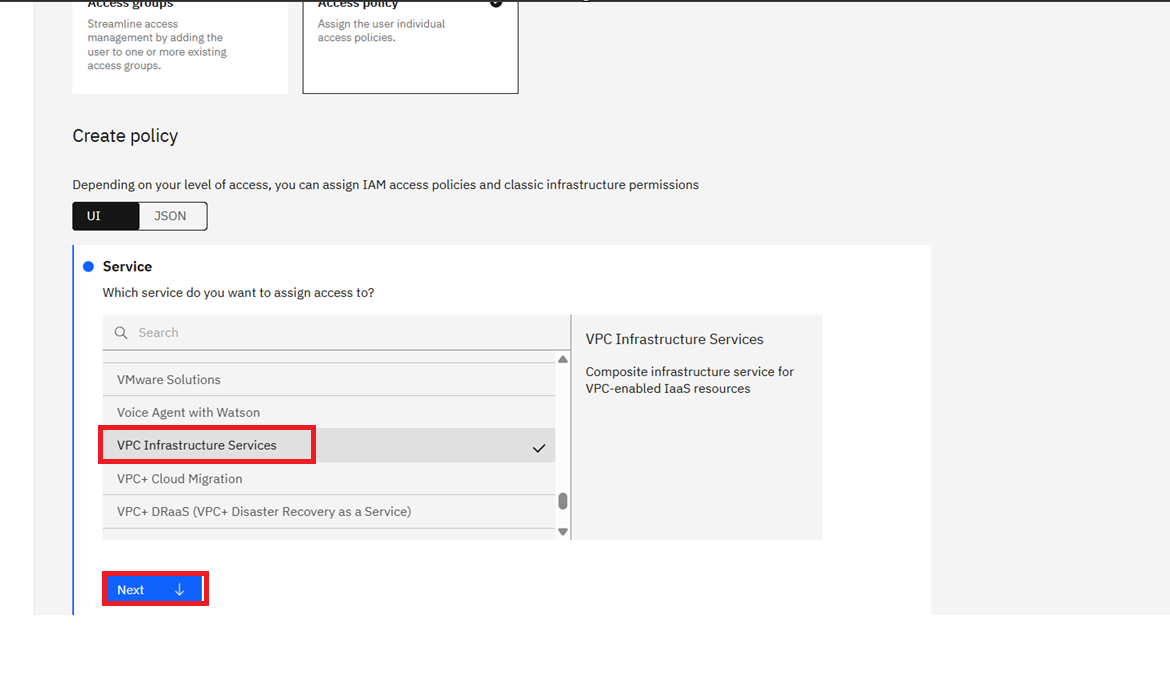
2. Once you click Assign access, search for VPC Infrastructure Services and select the corresponding option from the drop-down list. Click Next to continue.
3. Select All resources, and then click Next to continue.
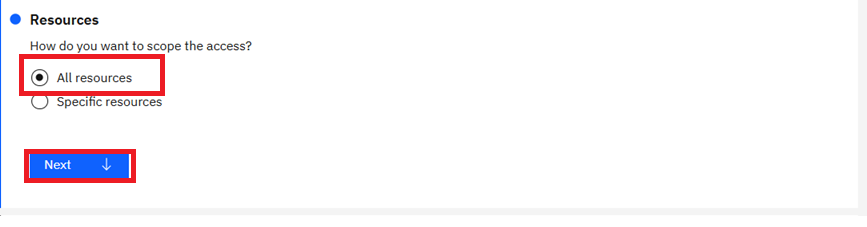
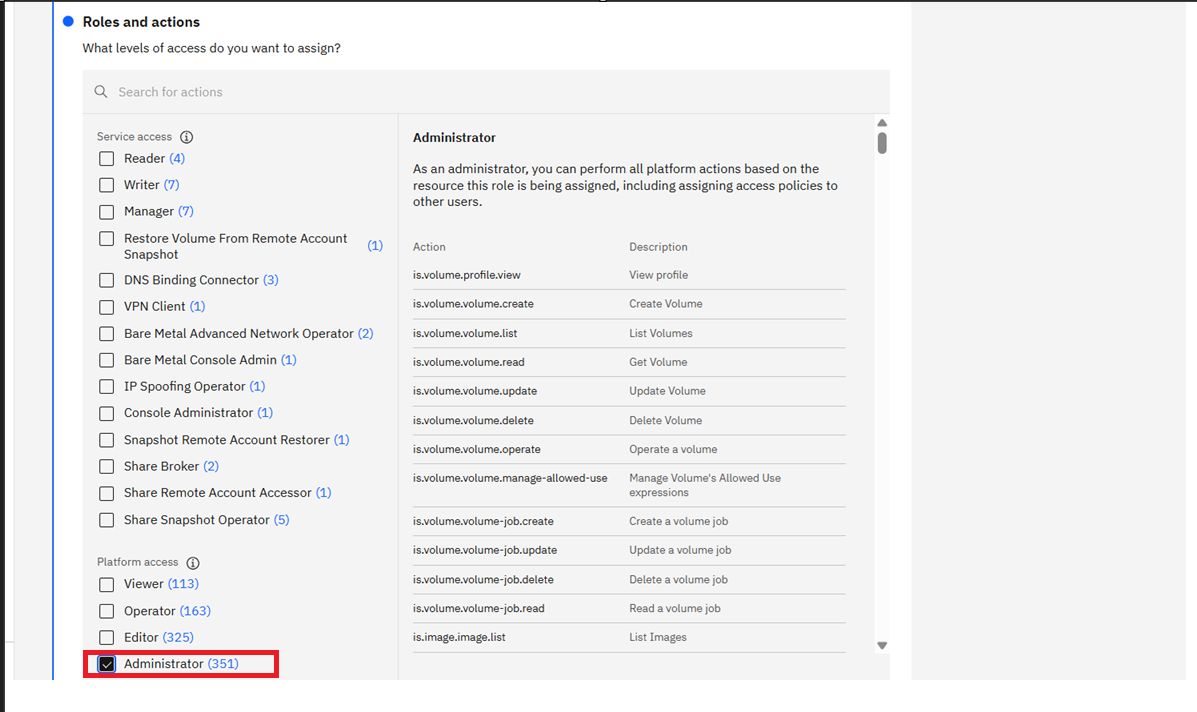
4. Select Administrator under Role and actions and click on Next.
5. Review and Add.
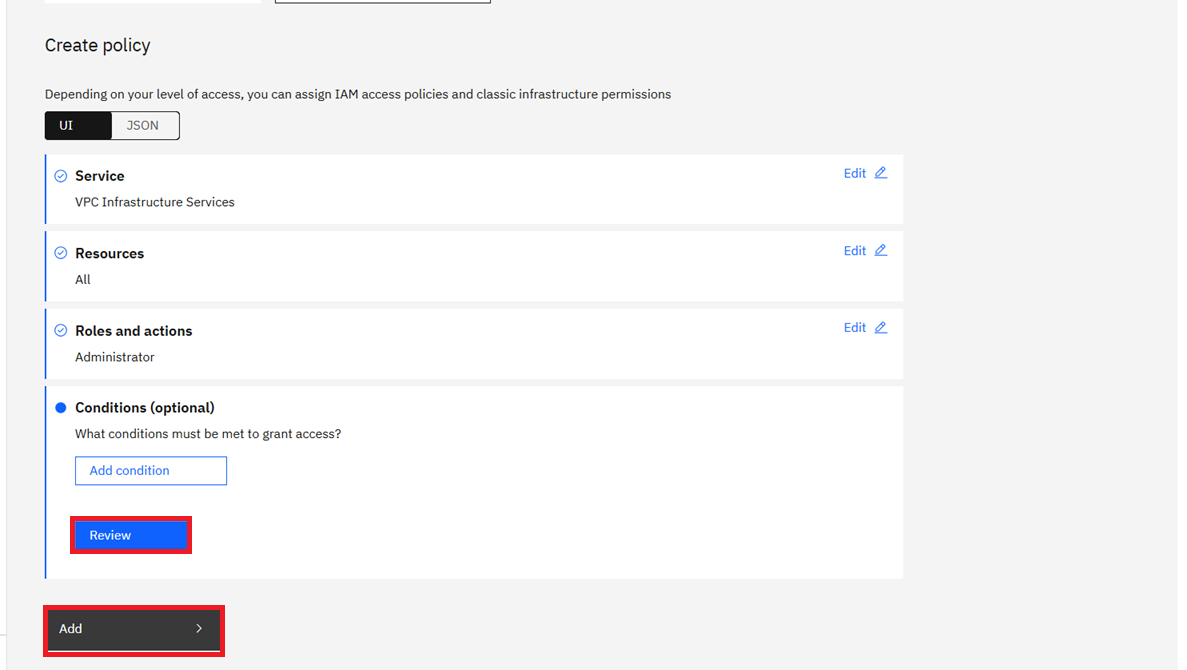
6. Assign the policy.
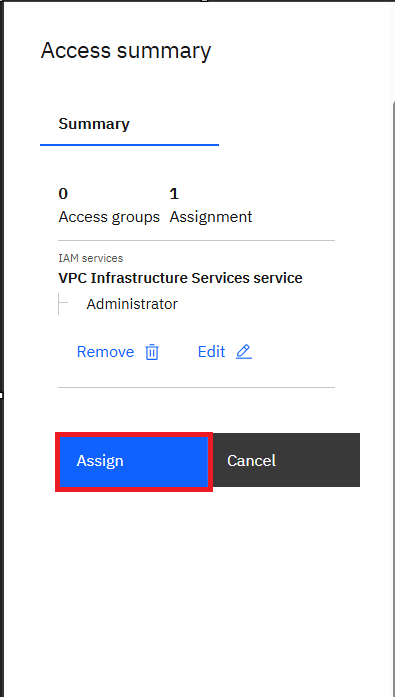
7. You can now view the assigned Access policies for the user under the Access policies tab. Verify that the required Administrator access is listed.
8. Now you can add your IBM IKS and OpenShift cluster to SWIFT by using the username and generated API key. Discover the IKS cluster
Discovered IKS/IBM cluster using same API key.

Prerequisites for Adding IBM OpenShift Container Platform (OCP)
1. No additional IBM Cloud configuration is required to add an IBM OpenShift Container Platform (OCP) cluster to SWIFT. You can use the IBM Cloud API key created in the previous steps.
Prerequisites for Adding IBM OpenShift Origin (OKD)
The following prerequisites are required to add an IBM OpenShift Origin (OKD) cluster to SWIFT:
1. Use the existing IBM Cloud API key created in the previous steps. No new API key is required.
2. Create a service account for the OKD cluster and ensure that it has the required permissions. Refer this KB on How to create Service Account
3. Obtain the cluster IP address or DNS name and the API server port. These details are required when adding the OKD cluster to SWIFT.